Current Menu with Prices
Display your full menu with mouth-watering descriptions, high-quality photos, and clear pricing. Highlight daily specials or seasonal items to entice repeat customers. Make sure it's easy to read on mobile devices.
AI website builder for food truck
Show your menu, current locations and service hours with clear event or catering enquiries.
Your work deserves a good first impression
Explore templates for food truck websites. Preview a design, then make the content, photographs and colours your own.
A first draft, with room to make it yours
Start with an idea or a relevant template. Refine it around your food truck audience and the information they need.
Tell the AI who you serve, what you offer and the style you want. Include current menu with prices and weekly location schedule in your brief, or choose a relevant template.
Name your audience and the next action you want visitors to take.Edit your draft visually. Add your own photographs and review current menu with prices, weekly location schedule, about us / our story before sharing your website.
Confirm every claim and replace sample content with your actual details.Check the website on phones, tablets and desktop screens. Publish with hosting and SSL, and connect a domain you own when your plan includes custom domains.
Test your contact form and every external service link after publishing.The details that help visitors choose
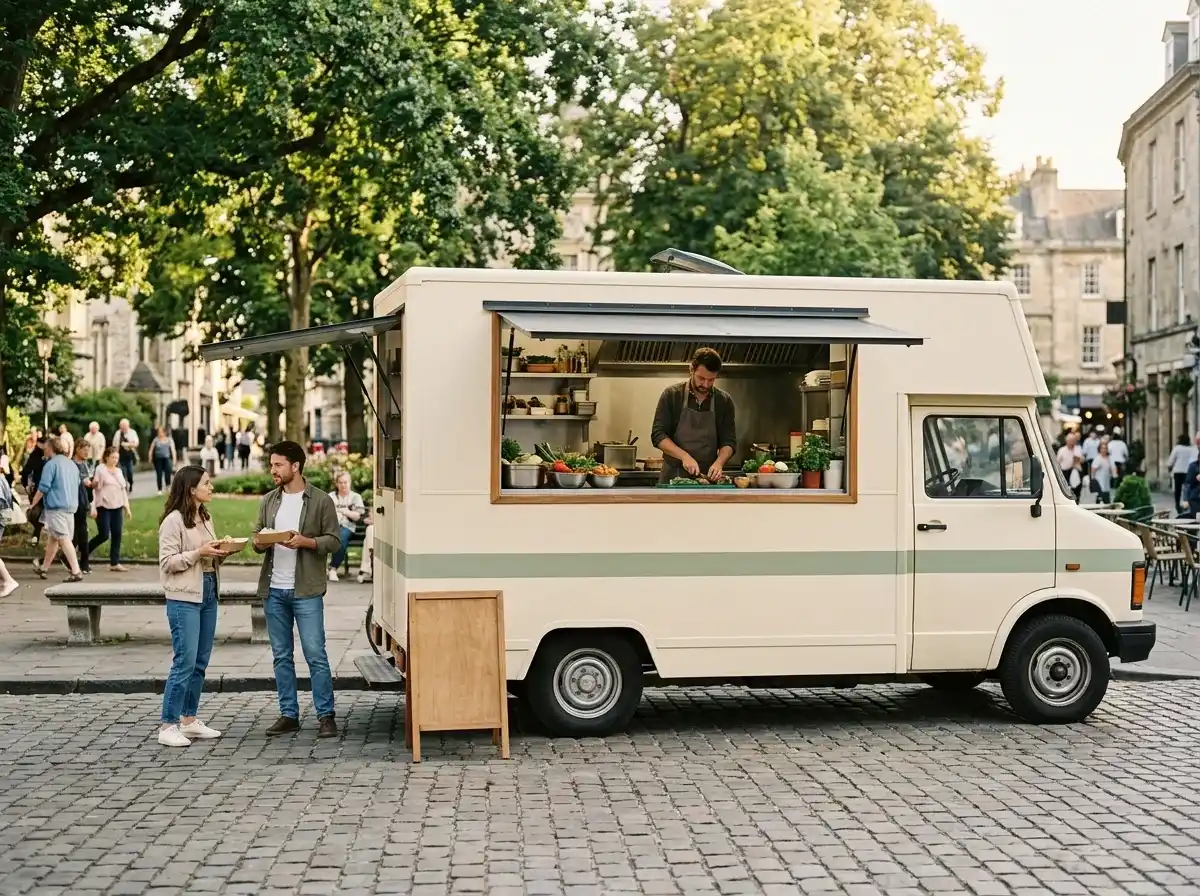
A food truck website answers two questions fast, where are you today and what is on the menu, and Grigora builds one you can update from your phone. Describe the truck and the AI drafts the site, pages, copy and images, from more than 130 templates, then you edit it by dragging blocks.
Display your full menu with mouth-watering descriptions, high-quality photos, and clear pricing. Highlight daily specials or seasonal items to entice repeat customers. Make sure it's easy to read on mobile devices.
Provide a clear, up-to-date schedule of your truck's locations for the week, including dates, times, and addresses. Consider embedding a map for easy navigation, and mention if you're participating in any special events.
Share the story behind your food truck, your culinary philosophy, and the passion that drives your creations. This personal touch helps build a connection with customers and explains your unique brand.
 Urban Taco Truck
A clear first impression
Display your full menu with mouth-watering descriptions, high-quality photos, and clear pricing. Highlight daily specials or seasonal items to entice repeat customers. Make sure it's easy to read on mobile devices.
Your work, clearly presentedInteractive design inspiration. Illustrative photography and sample copy.
Plan the pages your visitors will use
A practical food truck website content guide. Choose the pages that fit what you do and keep the important answers close.
Display your full menu with mouth-watering descriptions, high-quality photos, and clear pricing. Highlight daily specials or seasonal items to entice repeat customers. Make sure it's easy to read on mobile devices.
Provide a clear, up-to-date schedule of your truck's locations for the week, including dates, times, and addresses. Consider embedding a map for easy navigation, and mention if you're participating in any special events.
Share the story behind your food truck, your culinary philosophy, and the passion that drives your creations. This personal touch helps build a connection with customers and explains your unique brand.
Clearly outline your catering services for private events, corporate lunches, or festivals. Include details on how to inquire, package options, and any minimum requirements. Make it simple for potential clients to get a quote.
Visual appeal is paramount. Invest in professional, appetizing photos of your dishes, your truck, and even your team in action. These images should make visitors instantly crave your food.
Dedicate a section for customer reviews or testimonials. Positive feedback from loyal patrons helps build social proof and encourages new customers to try your food. Integrate a simple form for submitting feedback.
Review site analytics to understand which pages people visit. Keep current menu with prices and contact information easy to reach, and update them when your work changes.
Explore the tools behind your websiteMake the next step obvious
Choose how visitors to your food truck website reach you. Make each action fit the services and processes you already use.
Help visitors ask about current menu with prices. Use a contact form that collects the details your team needs, and explain what happens after an enquiry.
Your team reviews requests and confirms the next step.
Keep specialist workflows for your food truck website in the services you already use. Add clear links and explain their process before visitors leave your site.
Your chosen provider handles its own availability, confirmations and account access.
If you sell products or agreed services, add Grigora Commerce product pages, a cart and checkout with your connected Stripe or Razorpay account. Explain prices, terms and fulfillment before accepting payment.
Your team manages orders and fulfillment; payment provider fees and terms apply.
SEO for food truck websites
Good food truck website SEO starts with useful pages. Make current menu with prices, your contact details and your story easy to find.
Your website
https://food-truck.example/Explore current menu with prices and weekly location schedule, learn about our approach and find out how to contact us.
Fictional example. Search engines choose the final title and snippet.
Give pages for current menu with prices and weekly location schedule clear titles. Write descriptions that match their actual content.
Explain current menu with prices with original copy and relevant photographs. Keep contact details and any locations you serve accurate.
Publish with hosting, HTTPS and a sitemap. Use clear navigation so visitors and search engines can reach your pages. Custom domains are available on paid plans.
Room to start. Room to grow.
Try the AI builder and review your first food truck website draft. Check the pricing page for current features and usage limits.
Compare plans for your domain and the content your food truck website needs. Paid plans add custom domains and Directory Maker for structured content.
Check current plan limits and feature eligibility before choosing. Connected payment providers have their own terms and processing fees.
The last check before going online
Walk through your food truck website as a visitor would. Review these details before publishing, and again whenever your content changes.
0 of 5 items reviewed
Before you go online
Clear answers about creating a food truck website, its content and the tools you can use.
Yes, Grigora is perfect for food trucks looking to establish a dynamic online presence. With its drag-and-drop editor, 50+ customizable blocks, and ready-made templates, you can design a vibrant, responsive, and mobile-friendly website that showcases your brand and menu. Grigora includes custom domain support, free SSL, CDN, and hosting, ensuring your site is reliable and accessible to hungry customers.
Grigora's CMS is ideal for this. You can use the directory maker to create a clear and attractive menu, highlighting daily specials and popular items. The built-in blogging platform allows you to share updates on your truck's location, upcoming events, or even behind-the-scenes content. AI image generation can also help create mouth-watering visuals for your dishes.
While Grigora does not have a built-in e-commerce or ordering system, you can integrate external solutions. You can embed ordering widgets or links from third-party food ordering platforms directly into your Grigora website. For more specific integrations, Zapier via webhooks can connect your Grigora site with other tools, allowing customers to place orders or make inquiries externally.
Grigora offers powerful SEO tools to boost your food truck's visibility. Utilize built-in on-page SEO suggestions, a keyword research tool to find terms like 'food truck near me' or 'best street food your city,' and meta tag customization. Schema markup generation and URL optimization will help search engines understand your offerings, driving more organic traffic and customers to your website.
Absolutely. Grigora features a built-in newsletter system perfect for food trucks. You can create, send, and track professional emails to announce your daily location, special menu items, or participation in local events. Easily integrate newsletter subscription forms and popups on your website to build your customer email list, keeping your loyal fans informed and attracting new ones.
Grigora includes a built-in privacy-friendly analytics dashboard that tracks traffic, engagement, and performance insights. You can also integrate Google Analytics for more detailed reporting. These tools help you understand how visitors interact with your website, which menu items are most popular, and how effective your location updates are, allowing you to optimize your online presence.
Yes, Grigora offers several AI tools that can assist your food truck business. The AI website generator can quickly set up your initial site, while the AI blog writer and outline generator can help you create engaging posts about your food, recipes, or culinary journey. The AI image generation feature can also produce high-quality visuals for your menu and promotions.
Build a "locations and schedule" directory using Grigora's CMS directories. Each stop can use a datetime field for the day and time and a map field for the address, plus text fields for notes like "cash also accepted" or "look for the red awning." Update it through the visual editor whenever your route changes, no rebuild required.
Yes. List your menu items as products in Grigora Commerce with Stripe or Razorpay checkout, so customers can pay ahead and skip the line. Orders come through with order tracking and manual fulfillment, so you mark each one ready once you're parked and serving.
Commerce's inventory tracking lets you mark an item out of stock as soon as you run out, and it stops showing as an orderable option immediately, no need to edit menu copy or take checkout offline while you restock for the next stop.
Yes. Commerce supports physical goods with variants and SKUs, so a shirt in three sizes or a bottled hot sauce can sit on the same storefront as your tacos, each with its own inventory and shipping settings.
Grigora's MCP server lets an AI agent like Claude manage your live site directly, including directory entries, so updating next week's schedule can be as simple as telling your assistant the new stops and times instead of opening the dashboard yourself.
Put today's location, today's hours and the menu at the top, and everything else below. Describe the truck to Grigora, take the generated draft, then replace the images with photos of your actual food. Keep a schedule page you update weekly and a short catering page. It should read clearly on a phone, since that is where people check.
Enquiries yes, calendar bookings no. Grigora has no booking engine, so build a catering request form asking for date, headcount, location and menu preference, and take a deposit through checkout once you have agreed the job. Confirm the date yourself and keep it in whatever calendar you already run the truck from.
Name the city and neighbourhoods in your page copy and titles, keep a page per regular location or market, and publish the schedule so pages stay current. Grigora provides on page SEO suggestions, keyword research, sitemaps and IndexNow submission, plus Search Console and analytics connections. Rankings depend on your market and competition, so no builder can promise placement.
Plans start at $15 a month, Starter billed annually at $144 a year, and Pro at $25 a month. There is a free trial instead of a free tier. Pre orders and merch payments run through your own Stripe or Razorpay account at their card rates, and a mailbox on your domain is $5 a month.
Describe your food truck website. Get a first draft you can edit and make your own.
Start building free