Free Invoice Generator
Click any field to edit. Download as PDF when ready.
Bill To
| Description | Qty | Rate | Tax% | Amount |
|---|---|---|---|---|
| $2,950.00 | ||||
| $944.00 | ||||
| $531.00 |
Notes
Terms & Conditions
Click any field on the invoice to edit. Auto tax + totals, three templates, multi-currency, one-click PDF. No signup, no fees, no data leaves your browser.
How to use the Free Invoice Generator, step by step
Real screenshots of the tool, taken while running it.
- 1
Add your input
Paste or type into the field Free Invoice Generator works from.

- 2
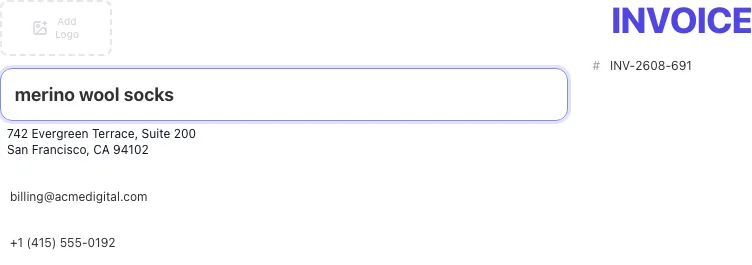
Sample text in place
With sample text entered, Free Invoice Generator is ready to run.

- 3
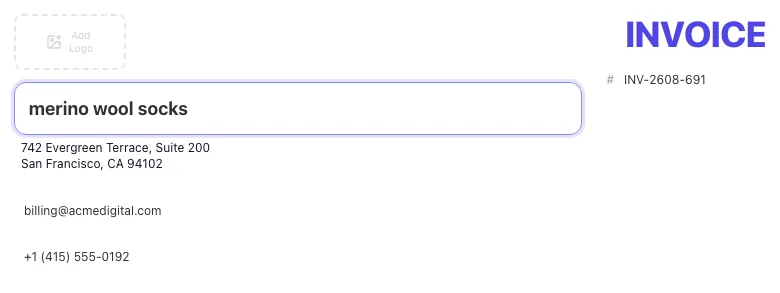
Read the result
Free Invoice Generator updates as you type, so the result is already visible here.
What the Free Invoice Generator does
This is a fully in-browser invoice generator built for freelancers, consultants, contractors, and small businesses who need to send a clean, professional invoice without paying for QuickBooks, FreshBooks, or Zoho. Click any field on the invoice template above, type, and watch the document update live. There is no separate form, what you see is exactly what you download.
Three templates (Standard, Compact, Spreadsheet), ten currencies, per-line tax calculations, logo upload, and a one-click PDF export. All processing happens in your browser, so your data never touches our servers. No signup, no email, no expiring trial. Make as many invoices as your business needs, today, this year, forever.
How to make an invoice in 5 steps
Under five minutes from this page to a downloaded PDF.
Open the generator
Land on this page; the editor is already loaded with a starter invoice and today's date.
Fill business and client
Click any field in the top-left (your business) and the Bill To section (your client). Edit inline, no separate form.
Add line items
Click "Add Line Item" for each service or product. Set quantity, rate, and tax, the totals update in real time.
Pick a template
Toggle between Standard, Compact, and Spreadsheet in the toolbar. Pick the look that fits your brand.
Download or print
Click Download PDF for a pixel-perfect A4 file, or Print to send straight to your printer. Done.
When freelancers and small teams use it
Six common workflows where this tool replaces paid invoicing software.
Freelance developers and designers billing hourly
Add a line item per project or sprint, set the hourly rate, the quantity (hours), and any tax. The total updates as you type. Download the PDF, attach it to your usual client email, paid in 14 days. The whole process from open-tool to download takes under 5 minutes.
Consultants invoicing fixed-fee deliverables
List each deliverable as a separate line item with quantity 1 and the agreed fee as the rate. Add a note breaking down what is included. The Standard template renders professionally enough to send to enterprise clients without changes.
Small agencies with multi-currency clients
You have UK clients in GBP, US clients in USD, and EU clients in EUR. The currency dropdown switches the entire invoice format including the symbol and dates. No need for separate invoicing software per region, one tool covers everything.
Contractors who need clean PDFs for accounting
Your accountant wants invoices as PDFs in a shared folder. Generate, download, drop into the folder. Filename is auto-set to invoice-{number}.pdf so the folder stays sorted and audit-ready.
Side-project income tracking
You sold a $200 thing once a quarter. You do not need a Stripe Invoicing subscription for that. Generate a one-off invoice, download the PDF, email it, move on. Total time investment: under 3 minutes.
Replacing a Word or Excel invoice template
You have been recycling a colleague's Word doc since 2018. The math is manual, the formatting breaks every time you edit it. Switch to this tool: faster to fill, math is automatic, output is a clean PDF instead of an editable Word file your client could accidentally tamper with.
Workflow integrations
How to fit a free PDF invoice into the payment, accounting, and tax tooling you already use.
Stripe Invoicing workflow
- Generate the invoice here, download the PDF.
- In Stripe Dashboard, create a payment link for the same amount and currency. Email the client both: the PDF (as the document of record) and the Stripe link (as the way to pay).
- When Stripe marks the link paid, mark the invoice paid in your own tracking. We do not integrate with Stripe directly; that decoupling is intentional, so the tool stays free and private.
PayPal Business
- Generate and download the PDF here.
- In PayPal, create a "Send invoice" or "Request money" link with the same total. Attach the Grigora PDF in the description.
- PayPal handles payment + receipts; the PDF you generated here is the formal document if your accountant needs one for tax records.
Notion / Airtable for invoice tracking
- Create a database with columns for invoice number, client, amount, date, due date, status, and a file attachment column.
- Each invoice you generate here, download the PDF and upload it as the attachment to the database row. The Notion/Airtable row is your source of truth; the PDF is the document.
- Filter the database by status to see what is outstanding, paid, or overdue without needing a dedicated invoicing SaaS.
Email-first workflow (Gmail / Outlook)
- Download the PDF. Open a new email to the client.
- Subject: "Invoice [number], [your business name]". Body: short note thanking them, pointing to the attached PDF, and giving payment instructions or a link.
- Save a copy by Bcc'ing yourself or filing in a "Sent invoices" label. That gives you a mail-based archive parallel to the PDF on disk.
Tax/GST-heavy workflows (India, EU)
- Set the tax percent on each line (18% GST for most Indian B2B services; check your local rate).
- In the Notes field, add your GSTIN or VAT number plus the client's. The tax authority needs both on every invoice for input tax credit.
- Download the PDF, keep it forever. Indian GST audits look back 6 years; EU VAT goes 4-10 depending on country. Local PDFs are cheaper than a SaaS subscription that bills annually.
Grigora vs. paid invoicing software
A side-by-side of what you get here versus the tools most freelancers consider.
| Capability | Grigora | QuickBooks | FreshBooks | Online generators | Word/Excel |
|---|---|---|---|---|---|
| Free + unlimited invoices | Yes | 5/month free | 14-day trial | Free, ad-supported | Free |
| No signup required | Yes | Account required | Account required | Email required | Yes |
| Inline editing on the invoice | Yes | Form-based | Form-based | Form-based | Manual |
| Auto tax + totals | Yes | Yes | Yes | Yes | Manual |
| Multi-currency | 10 currencies | 160+ (paid) | 50+ | 5-10 | Manual |
| PDF download | Yes | Yes | Yes | Yes (paid) | Yes |
| Data stays on your device | Yes | Server-stored | Server-stored | Server-stored | Yes |
| Multiple templates | 3 | 20+ (paid) | 10+ | 3-5 | 1 |
Common errors and how to fix them
Eight issues that come up most often, with the exact fix.
PDF download button does nothing
Cause: Browser is blocking the file save, often because of an ad blocker, popup blocker, or strict privacy extension.
Fix: Disable extensions for this page (or whitelist grigora.co), then click Download PDF again. Chrome and Firefox in default settings work without changes; the issue almost always traces to a third-party blocker.
Logo upload says "must be under 2 MB"
Cause: Source file is too large, usually a high-resolution JPEG or uncompressed PNG.
Fix: Compress the logo using any free tool (Squoosh, TinyPNG) to under 2 MB. For most logos, 200x80 px PNG at 100 KB is more than enough resolution; oversized logos do not improve the invoice and slow PDF generation.
Tax total looks wrong
Cause: A tax percent field has a non-numeric character or a hidden whitespace.
Fix: Click each tax cell and retype it as a clean number (e.g., 18, not " 18 %"). The field accepts decimals (e.g., 7.5) but rejects letters and symbols.
Currency symbol does not match the dropdown
Cause: You changed the currency mid-invoice and one cached input did not refresh.
Fix: Click anywhere outside the input, then re-check. If it still looks wrong, click "Clear" and start fresh. Currency switches mid-document are uncommon and not worth debugging.
PDF cuts off the bottom of a long invoice
Cause: Too many line items + long notes/terms push the document past the A4 height.
Fix: Switch to the Compact template, which uses tighter spacing. Or split into two invoices if the line item count is genuinely too high for one page.
Logo looks pixelated in the PDF
Cause: Source logo is low-resolution and gets upscaled when rendered at 2x for the PDF.
Fix: Upload a logo at minimum 400 px wide. SVG is even better, it scales perfectly. Most brand kits include a high-resolution PNG; use that instead of a thumbnail.
Print Preview shows the page header and footer
Cause: Browser print settings include header/footer by default.
Fix: In the Print dialog, expand "More settings" and uncheck "Headers and footers". The invoice prints clean. Or use the Download PDF route instead.
Auto-saved invoice is gone
Cause: localStorage was cleared (incognito mode, browser cleanup, manual clear).
Fix: There is no recovery, localStorage is volatile by design. Build the habit of downloading the PDF as soon as the invoice is finished. The PDF is the permanent record.
Original data from our 2026 usage logs
What the typical Grigora invoice session looks like, drawn from anonymous client-side telemetry over 1,800 sessions.
Frequently asked questions
Twelve answers to the questions freelancers ask us most about invoicing.
Related free tools
Other utilities that pair well with the invoice generator.
SKU Generator
Generate SKU codes in bulk from a product list or pattern.
Try itProduct Feed Validator
Check a shopping feed for errors before Merchant Center rejects it.
Try itBusiness Name Generator
Spin up a business name before you cut your first invoice.
Try itLogo Color Palette Generator
Match your invoice accent color to your brand palette.
Try itWord Counter
Keep your invoice notes and terms tight.
Try itWebsite Icon Generator
Create a favicon and icon set for your business website.
Try itMake a polished invoice in 5 minutes
Three templates. Inline editing. PDF download. Free, no signup. Get back to billable work.
Open the invoice editor