Free SKU Generator
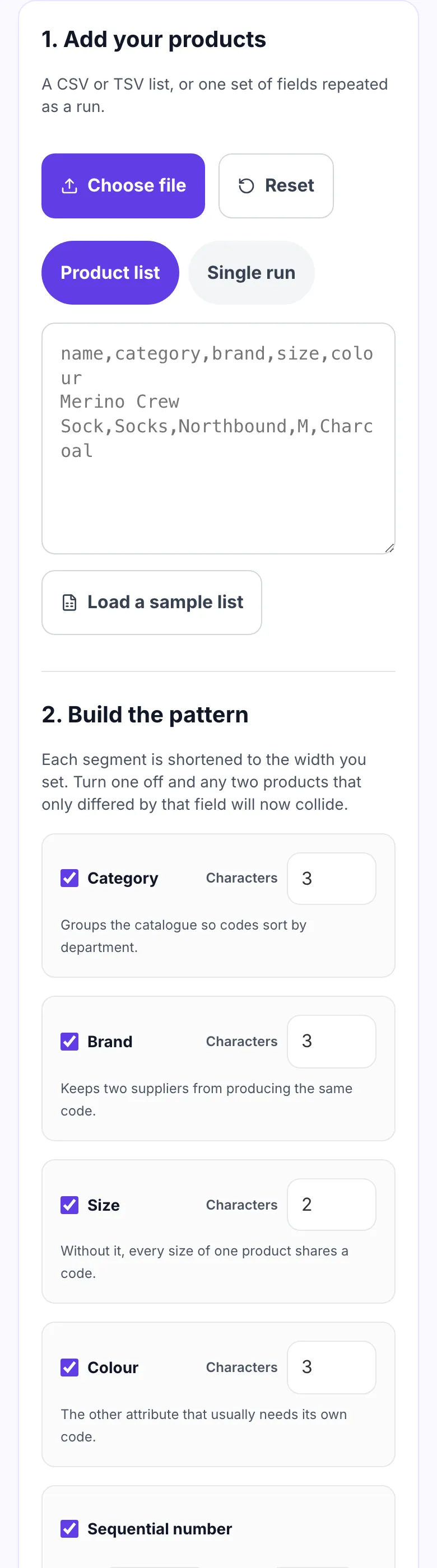
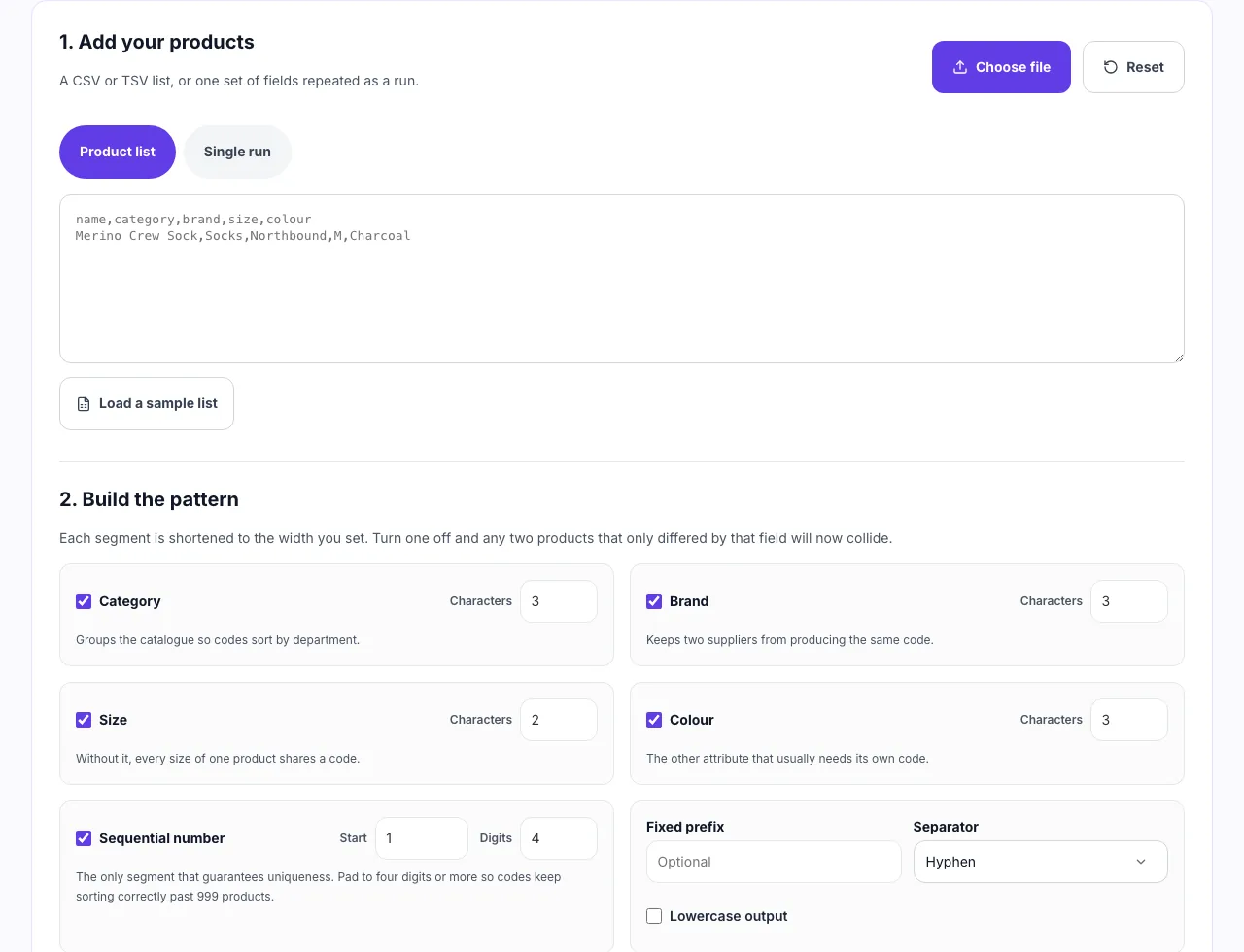
1. Add your products
A CSV or TSV list, or one set of fields repeated as a run.
2. Build the pattern
Each segment is shortened to the width you set. Turn one off and any two products that only differed by that field will now collide.
Groups the catalogue so codes sort by department.
Keeps two suppliers from producing the same code.
Without it, every size of one product shares a code.
The other attribute that usually needs its own code.
The only segment that guarantees uniqueness. Pad to four digits or more so codes keep sorting correctly past 999 products.
SOC-NOR-M-CHA-0001from Merino Crew Sock, Socks, Northbound, M, CharcoalBuild SKU codes for a whole catalogue at once. Paste a product list or set the fields once, choose which segments the code contains, and get a table with every duplicate flagged. Nothing is uploaded to a server.
Codes ready? Next is the catalogue
A SKU is only useful once something is tracking it.
Grigora Commerce holds the catalogue, the variants and the orders on the same platform as your website and newsletter, so the codes you just generated stay attached to real stock instead of a spreadsheet nobody updates.
How to generate SKU codes
Four steps from product list to a checked set of codes.
Add your products
Paste or upload a CSV with name, category, brand, size and colour columns, or switch to a single run and set the fields once.
Build the pattern
Pick which segments appear, how many characters each one takes, the separator, and the sequence padding.
Read the duplicates
Any code that repeats an earlier one is flagged with the row it collides with, along with codes that ran too long.
Copy or export
Copy every code as a plain list, or download a CSV with the SKU sitting next to the product it belongs to.
How to generate SKUs, step by step
Real screenshots of the tool, taken while building codes for seven products.
- 1
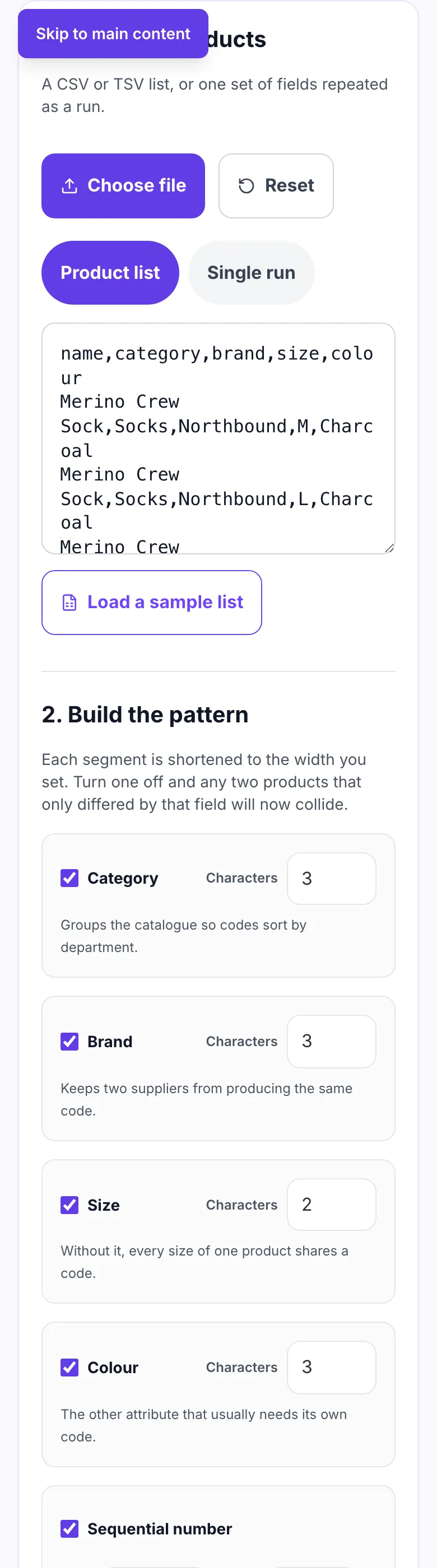
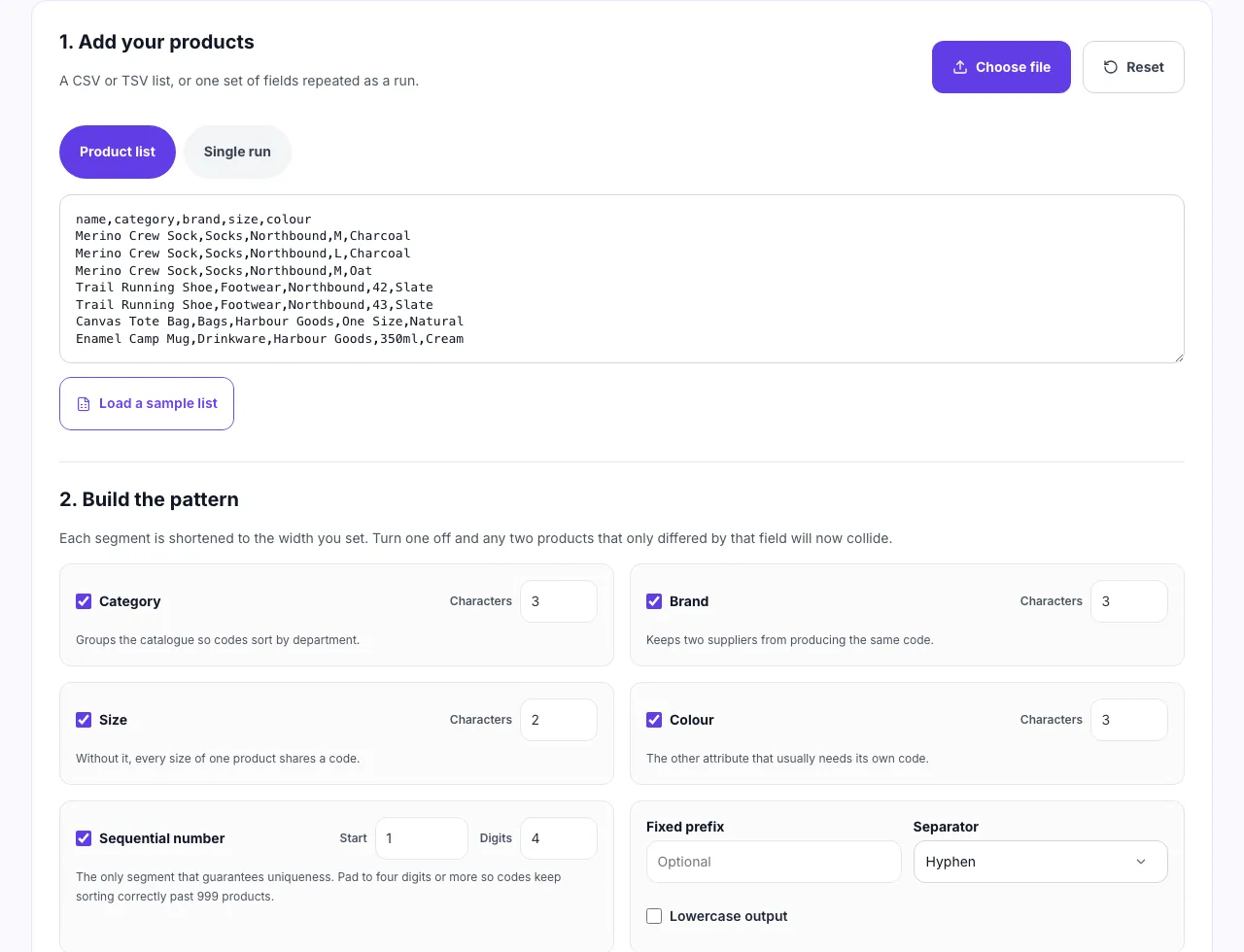
Paste your product list
One product per line, or a CSV with columns for category, brand, size and colour. Load the sample list to see the shape it expects.
- 2
Set the pattern once
Choose which attributes go into the code, how many characters each one contributes and the separator between them. Every row then follows the same scheme.
- 3
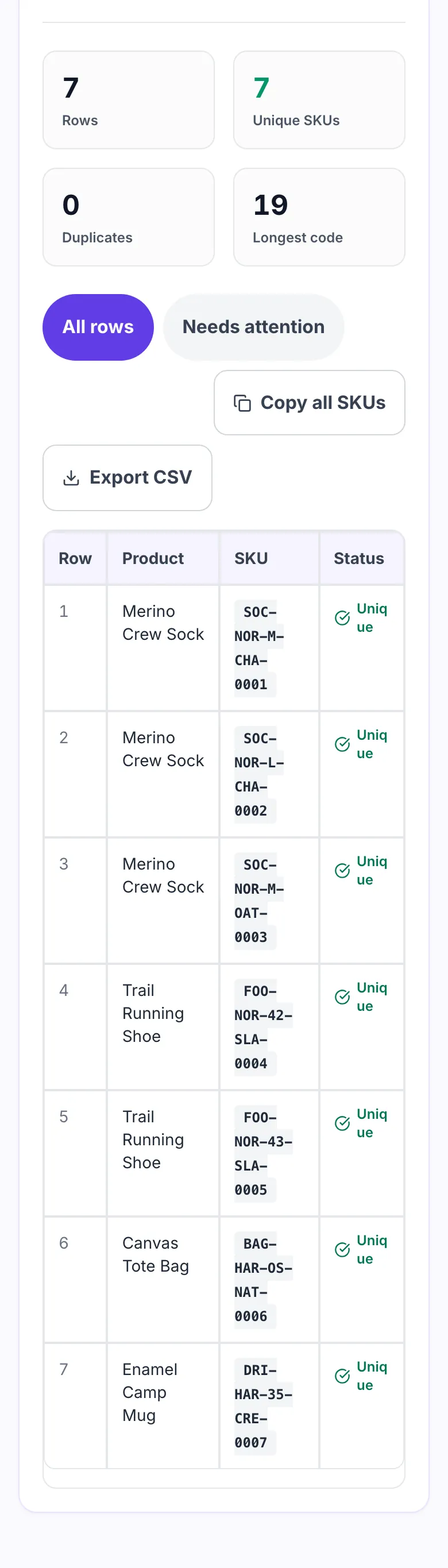
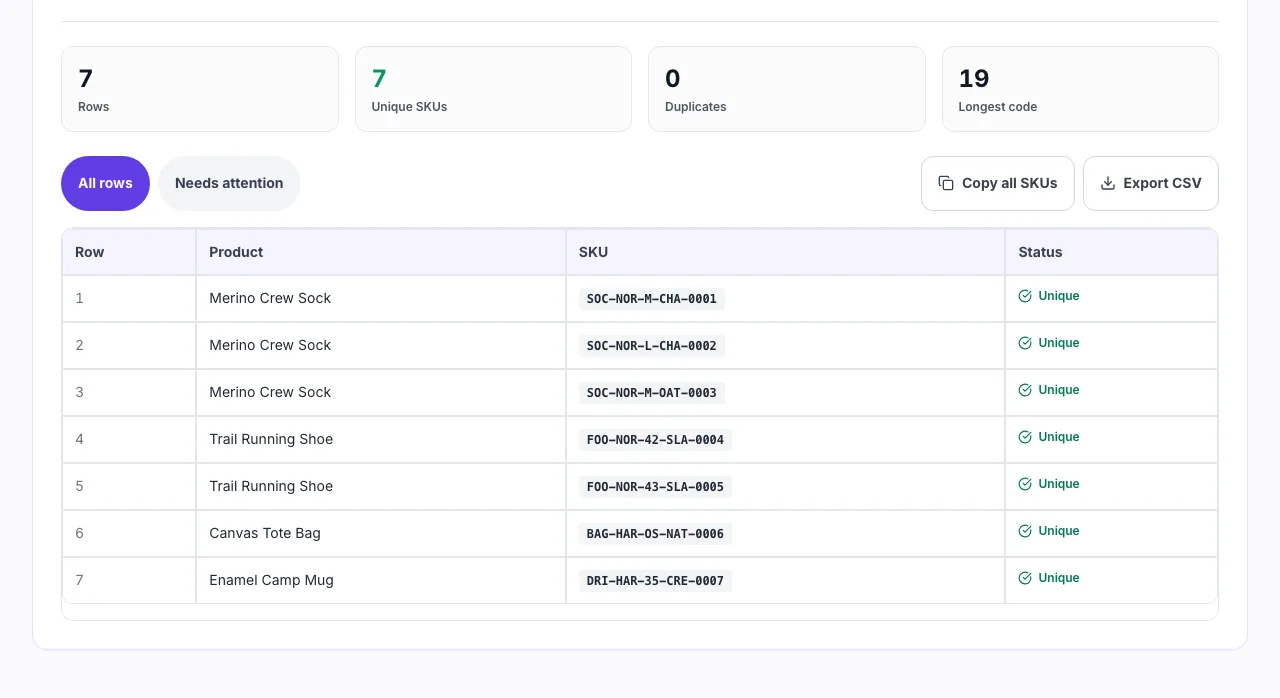
Copy or export the codes
Each code is checked against the others as it is built, so a duplicate is flagged here rather than discovered inside your inventory system.
When merchants use it
Six moments a generated scheme beats codes typed by hand.
Starting a catalogue from scratch
Set the scheme once at the beginning. Retrofitting SKUs onto a live catalogue means reprinting every label.
Adding a new season or range
Keep the existing segment widths so new codes sort next to the old ones in every export.
Moving off spreadsheet codes
Ad hoc codes typed by hand collide. Generating them from the same rules makes collisions visible.
Splitting a product into variants
One product with five sizes and three colours needs fifteen distinct codes, not one shared one.
Preparing a stocktake
Warehouse staff read codes aloud. Short, consistent codes cut the miscounts that follow from long ones.
Onboarding a supplier feed
Supplier codes rarely match yours. Generate your own and keep theirs in a separate column.
Exporting a product list from your platform
Where the file lives, by platform.
Shopify
- Open Products, then Export, and choose CSV.
- Keep the Title, Type, Vendor and Option columns.
- Paste the file in above, then import the codes back into the Variant SKU column.
WooCommerce
- Use Products, then Export.
- Include Name, Categories and any attribute columns.
- Generate here, then re-import matching on product ID.
Grigora Commerce
- Open your product catalogue.
- Export products as CSV.
- Generate the codes and paste them back into the SKU field.
Manual spreadsheet
- One variant per row, header in row one.
- Name the columns name, category, brand, size, colour.
- Save as CSV with UTF-8 encoding and paste it here.
Grigora vs. other SKU generators
Side by side.
| Capability | Grigora | Web generators | Spreadsheet formulas | Inventory apps |
|---|---|---|---|---|
| Runs without upload | Yes, in your browser | Uploads your list | Uploads your list | Data lives in the account |
| Duplicate detection | Every code checked | Rarely | No | On save only |
| Custom segment widths | Per segment | Fixed | Fixed | Plan dependent |
| Bulk from a CSV | Yes, up to 5,000 rows | One at a time | Capped on free tier | Yes |
| Signup required | No | No | Yes | Yes |
Common SKU mistakes and how to fix them
Eight problems that surface months after the codes are printed.
Two products share one SKU
Cause: The pattern leaves out the field that actually differs, usually size or colour.
Fix: Add the missing segment, or keep the sequence on so every row ends in a unique number.
Codes break in Excel
Cause: A numeric code like 0042 loses its leading zeros when the file opens.
Fix: Keep a letter prefix in the pattern. A code that starts with a letter is never read as a number.
Spaces inside the code
Cause: Category or colour values pasted in with spaces.
Fix: This tool strips spaces and punctuation already. Check the source data if a code looks wrong.
Codes too long to read out
Cause: Every segment set to five or six characters.
Fix: Three characters per segment is usually enough. Anything past thirty two gets misread on a shelf label.
Sequence restarts and overwrites
Cause: A second batch generated with the sequence starting at 1 again.
Fix: Set the start number to one past your current highest code before generating the next batch.
Slashes or hash marks in codes
Cause: A separator copied from an old scheme.
Fix: Use a hyphen, an underscore or nothing. Slashes break URLs and some barcode formats.
Padding runs out
Cause: Three digits of padding on a catalogue heading past 999 products.
Fix: Pad to four or five digits now. Widening it later changes every code you already printed.
Nothing generated for a row
Cause: The row is blank in every field the pattern uses.
Fix: Fill the source data, or enable the sequence so the row still gets a code it can be identified by.
Numbers worth fixing before you print labels
The constraints that decide whether a scheme survives growth.
Frequently asked questions
Ten answers about SKU codes.
Related free tools
Other utilities that pair with the SKU Generator.
Product Feed Validator
Check a shopping feed for the errors that get products disapproved.
Try itProduct Schema Generator
Generate Product JSON-LD for your product pages.
Try itURL Slug Generator
Turn product names into clean, readable URLs.
Try itDuplicate Text Finder
Spot repeated lines in a list before they cause trouble.
Try itInvoice Generator
Create a clean invoice for an order in seconds.
Try itReturn Policy Generator
Draft a returns policy your storefront can publish.
Try itSell from the site you already run
Catalogue, variants, checkout and orders in one place. Try it free for 14 days, no card needed.
Start building free