Free Product Feed Validator
Add your feed
CSV, TSV or XML. Paste it or choose a file.
Check a Google Shopping, Meta or TikTok catalogue feed for the errors that get products disapproved. Upload a CSV, TSV or XML file and read the problems in plain language. Nothing is uploaded to a server.
Feed clean? Next is the storefront
A valid feed still needs product pages behind it.
Grigora Commerce builds the catalogue, the product pages and the checkout on the same platform as your site and newsletter, so the feed you just validated is generated from real products rather than maintained by hand.
How to validate a product feed
Four steps from file to clean submission.
Add your feed
Upload a CSV, TSV or XML feed file, or paste the contents straight in.
Read the summary
See how many products parsed, how many carry errors, and how many carry warnings.
Fix errors first
Errors get an item rejected. Warnings reduce its reach but still list.
Re-check and submit
Validate again after fixing, then upload to Merchant Center with confidence.
How to validate a product feed, step by step
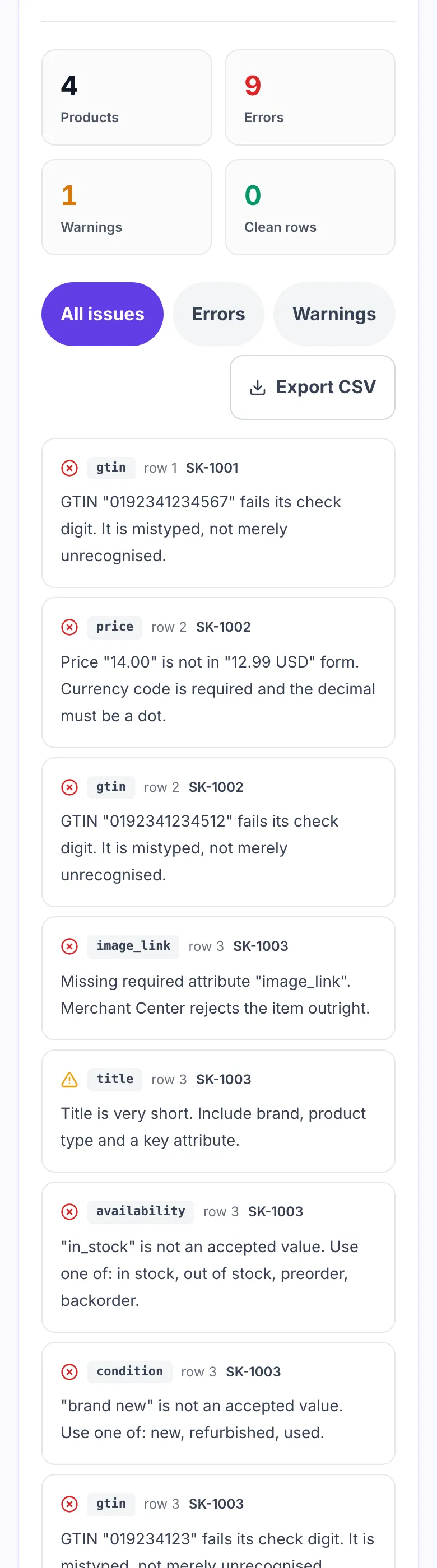
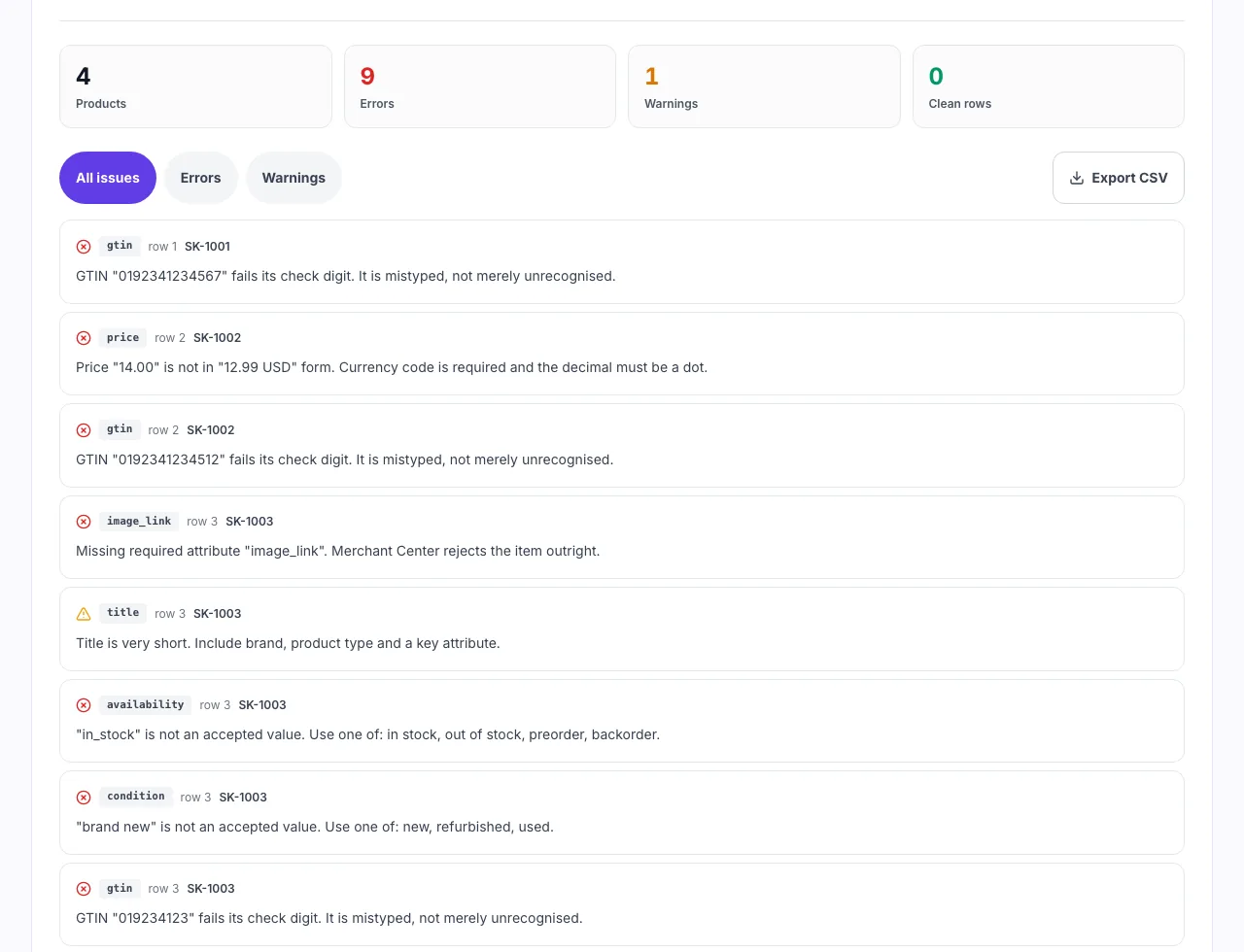
Real screenshots of the tool, taken while checking a four row feed.
- 1
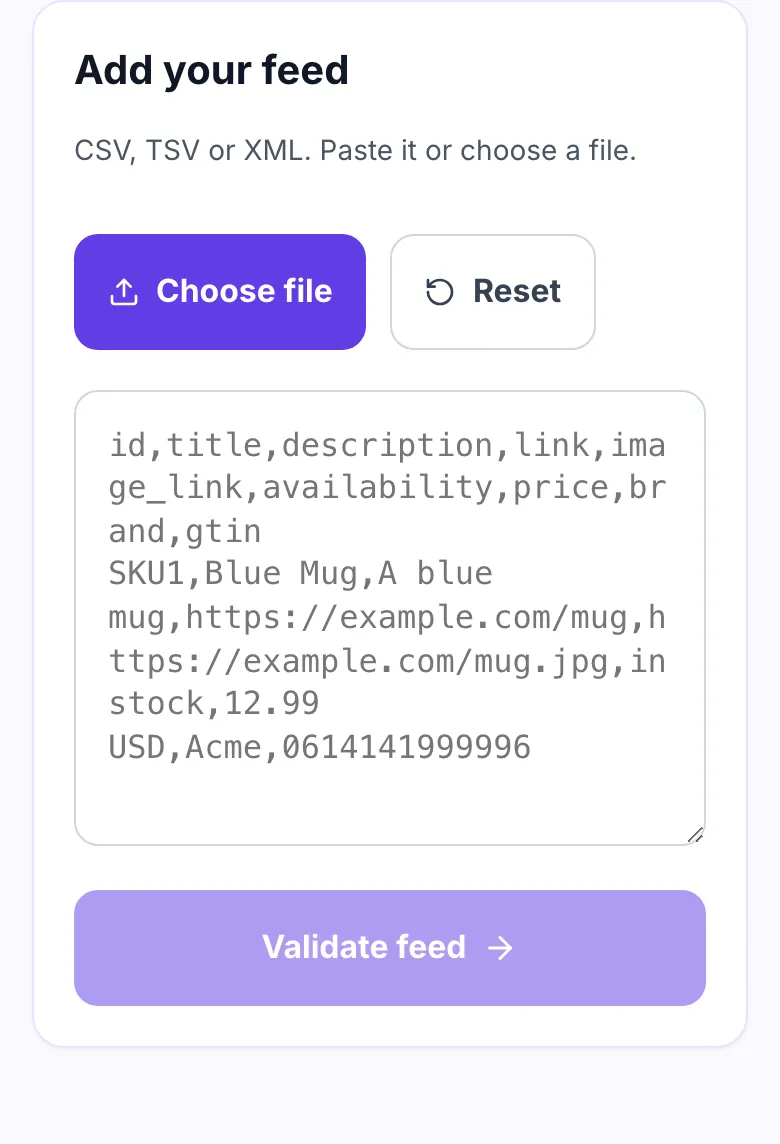
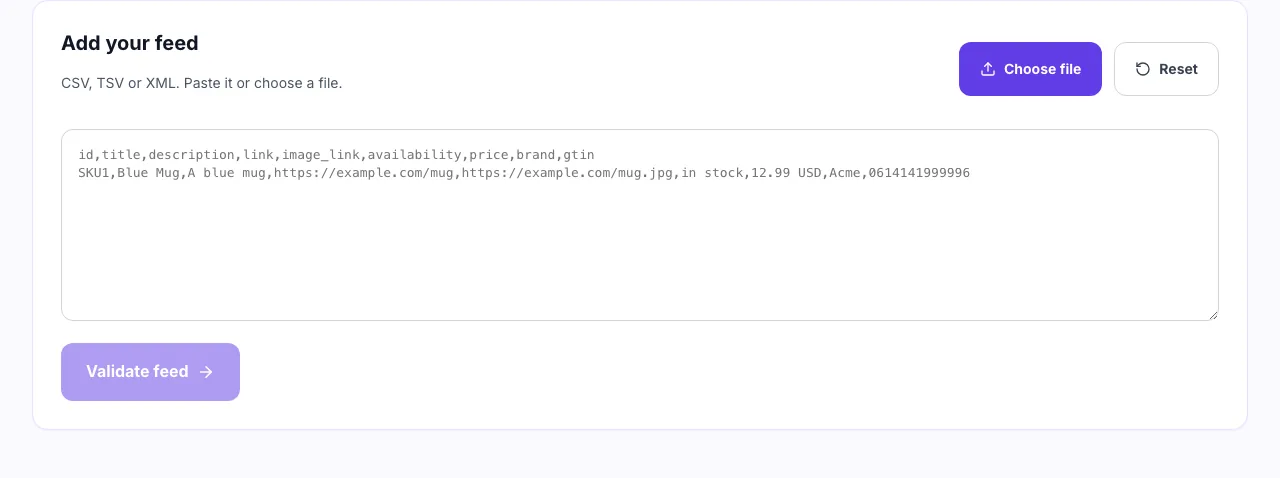
Paste the feed or choose a file
CSV, TSV and XML all work. Nothing leaves the browser, so a supplier file you have not published yet is safe to test.
- 2
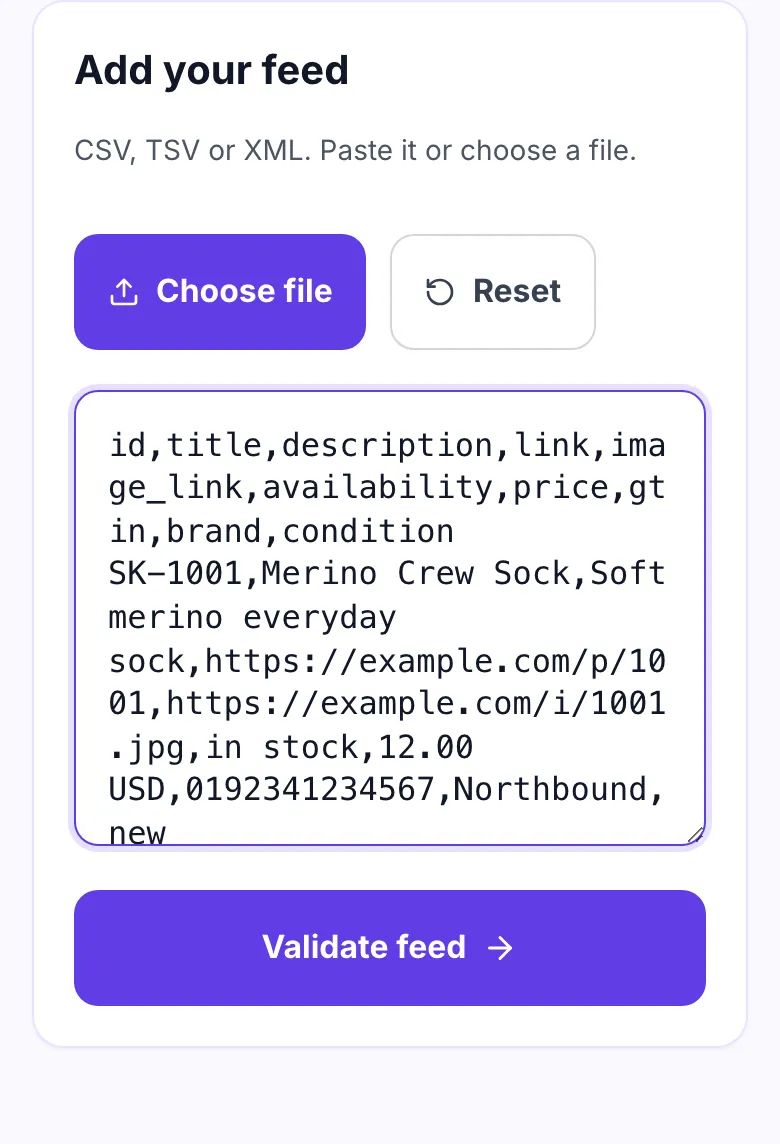
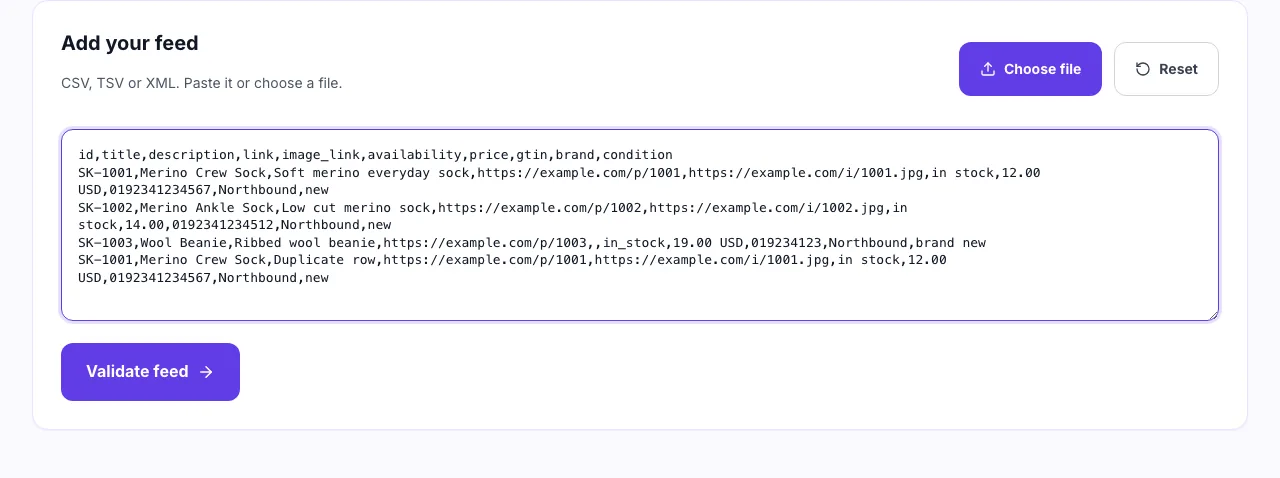
Check what you pasted
Headers on the first line, one product per row. The feed here carries a mistyped GTIN, a price with no currency code and a duplicate id.
- 3
Fix the errors before the warnings
An error gets the item rejected by Merchant Center. A warning still lists but reaches fewer people. Every row names the attribute and the row it came from.
When merchants use it
Six moments a feed check pays for itself.
Before a first Merchant Center upload
Catch missing attributes before the account picks up a disapproval history.
After a catalogue migration
Moving platforms rewrites field names. Check the mapping survived.
When products go disapproved
Find the malformed rows without reading thousands of lines by hand.
Before a seasonal push
A feed error the week of a sale costs the whole campaign.
Auditing a supplier feed
Dropship feeds arrive in whatever shape the supplier felt like.
Checking Meta and TikTok catalogues
They share most of the Google attribute set, so the same errors apply.
Exporting a feed from your platform
Where the file lives, by platform.
Shopify
- Open Settings, then Apps and sales channels.
- Export the Google or Meta feed as CSV.
- Drop the file in above.
WooCommerce
- Use your feed plugin to generate the XML feed.
- Open the feed URL and save the page.
- Upload the saved XML.
Grigora Commerce
- Open your product catalogue.
- Export products as CSV.
- Validate here before submitting to Merchant Center.
Manual spreadsheet
- Keep one product per row with the header in row one.
- Save as CSV with UTF-8 encoding.
- Paste or upload.
Grigora vs. other feed checkers
Side by side.
| Capability | Grigora | Feed tools | Agency tools | Merchant Center |
|---|---|---|---|---|
| Runs without upload | Yes, in your browser | Uploads your feed | Uploads your feed | Requires account |
| GTIN check digit | Validated | Sometimes | No | Yes |
| Explains each rule | Yes | Error codes only | Error codes only | Yes |
| Signup required | No | No | Yes | Yes |
| Row limit | None | Capped on free tier | Capped | Plan based |
Common errors and how to fix them
Eight issues that get products disapproved.
Price rejected
Cause: Price written as $12.99 or 12,99.
Fix: Use "12.99 USD": dot decimal, space, then the ISO currency code.
Invalid GTIN
Cause: A digit is mistyped, so the check digit fails.
Fix: Re-read the barcode. A GTIN either passes its checksum or is wrong.
Missing brand
Cause: Brand column empty for branded goods.
Fix: Add brand, or set identifier_exists to "no" for genuinely unbranded items.
Availability rejected
Cause: Values like "In Stock" or "available".
Fix: Use exactly: in stock, out of stock, preorder, backorder.
Duplicate ids
Cause: Two variants sharing one id.
Fix: Give every variant its own stable id and keep it stable over time.
Relative image links
Cause: Feed exported with /images/x.jpg.
Fix: Image links must be absolute and publicly reachable.
Title truncated
Cause: Keyword stuffing pushed it past 150 characters.
Fix: Lead with brand and product type. The tail is never shown.
Nothing parsed
Cause: File is an Excel workbook, not CSV.
Fix: Export as CSV, TSV or XML. .xlsx is a zip archive, not text.
Feed rules worth memorising
The constraints that cause most rejections.
Frequently asked questions
Ten answers about product feeds.
Related free tools
Other utilities that pair with the Product Feed Validator.
Product Schema Checker
Check Product JSON-LD against Google rich result rules.
Try itSKU Generator
Generate SKU codes in bulk from a product list or pattern.
Try itProduct Schema Generator
Generate Product JSON-LD for your product pages.
Try itSchema Validator
Test any structured data for errors before it ships.
Try itInvoice Generator
Create a clean invoice for an order in seconds.
Try itImage Alt Text Extractor
Pull alt text from a page and spot the gaps.
Try itReturn Policy Generator
Draft a returns policy your storefront can publish.
Try itRefund Policy Generator
Draft a refund policy that matches your terms.
Try itSell from the site you already run
Catalogue, product pages, checkout and orders in one place. Try it free for 14 days, no card needed.
Start building free