Free LinkedIn Share Preview
Simulate a LinkedIn card from the public Open Graph tags we can fetch. Catch missing og:image and title fields before posting.
How to use the Linkedin Share Preview, step by step
Real screenshots of the tool, taken while running it with the Preview for LinkedIn button.
- 1
Add your input
Paste or type into the field Linkedin Share Preview works from.

- 2
A page URL in place
With a page URL entered, Linkedin Share Preview is ready to run.

- 3
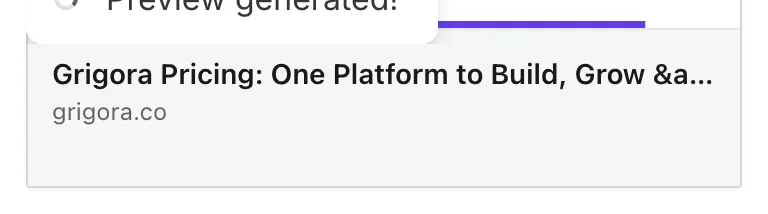
See what Preview for LinkedIn produces
Clicking Preview for LinkedIn runs the check and shows the result right below.

What this tool does
LinkedIn caches link previews for 7 days. A bad first preview is hard to fix. The Share Preview tool shows you the LinkedIn card before you post.
Catches missing og:image, wrong dimensions, generic title. Critical for B2B marketers who live on LinkedIn.
How to preview LinkedIn cards
Five steps from URL to validated card.
Paste URL
The URL you plan to share on LinkedIn.
Click Generate Preview
Tool fetches OG tags and renders LinkedIn card.
Review the card
Title, description, image, brand handle.
Spot issues
Missing image, truncated description, generic title.
Fix in CMS
Update OG tags; re-preview to verify.
When B2B marketers use it
Six common workflows.
Pre-publish article preview
Verify LinkedIn card before publishing newsletter or article links.
B2B campaign launch
For LinkedIn-led campaigns, preview every link before scheduling.
Sales link sharing
When sending links to prospects, ensure professional preview.
Company page posting
Match preview to brand voice before publishing.
Content launch QA
Audit blog post LinkedIn previews before promoting.
Newsletter link validation
Newsletter links also use OG; preview before sending.
Platform-specific guides
How to set OG tags for LinkedIn.
WordPress
- Yoast / Rank Math handle OG by default.
- Set per-post og:image in plugin.
- Verify with this tool.
Webflow
- Page-level OG settings.
- Bind dynamic OG for CMS items.
- Verify after publish.
Force LinkedIn re-scrape
- Visit LinkedIn Post Inspector (linkedin.com/post-inspector/).
- Paste URL.
- Click Inspect. LinkedIn re-fetches OG tags.
Next.js
- Use next/head or metadata API for OG.
- Set per-route metadata.
- Verify post-deploy.
Static sites
- Add OG tags to template head.
- Sitewide defaults; per-page overrides.
- Verify with this tool.
Grigora vs. LinkedIn Inspector
Side-by-side comparison.
| Capability | Grigora | LinkedIn Inspector | Link Preview Generator | Free generators | Manual |
|---|---|---|---|---|---|
| Free + unlimited | Yes | Yes | Free trial | Yes | Manual |
| Visual LinkedIn card | Yes | Limited | Yes | No | No |
| No LinkedIn account needed | Yes | No | Yes | Yes | No |
| OG tag inspection | Yes | Yes | Yes | Partial | Manual |
| Force re-scrape | No (use LI Inspector) | Yes | No | No | Manual |
| No signup | Yes | LinkedIn account | Yes | Yes | Yes |
| Result speed | <5 sec | <10 sec | <5 sec | <5 sec | Manual |
| Multiple URL preview | One | One | Multiple | One | Manual |
Common errors and how to fix them
Eight issues marketers hit when previewing LinkedIn shares.
Image missing from preview
Cause: og:image not set or returns 404.
Fix: Verify og:image is set and accessible.
Old image still showing on LinkedIn
Cause: LinkedIn cached old version.
Fix: Use LinkedIn Post Inspector to force re-scrape.
Image cropped weirdly
Cause: og:image not 1200x627 ratio.
Fix: Use exact LinkedIn-recommended dimensions.
Title is wrong
Cause: og:title falls back to <title>.
Fix: Set explicit og:title in CMS.
Description truncated
Cause: LinkedIn limits visible chars.
Fix: Front-load important info in first 120 chars.
Preview takes long time on LinkedIn
Cause: First-time scrape; LinkedIn caches.
Fix: Subsequent shares are instant from cache.
Different on company vs. personal post
Cause: LinkedIn renders both same; difference in your eye.
Fix: Match by URL not post format.
Mobile preview different from desktop
Cause: LinkedIn mobile layout slightly different.
Fix: Test in LinkedIn mobile after publishing.
Original data from our 2026 LinkedIn audit
Across 3,000 random URLs.
Frequently asked questions
Twelve answers about LinkedIn share previews.
Related free tools
Other utilities that pair with LinkedIn Preview.
Link Preview Generator
Multi-platform social preview.
Try itOpen Graph Checker
Validate OG tags on any URL.
Try itFacebook Share Preview
Preview Facebook social card.
Try itTwitter Card Validator
Validate Twitter Card markup.
Try itMeta Tag Generator
Generate meta tags for any page.
Try itSERP Snippet Preview
See how URL appears in Google.
Try itPreview LinkedIn shares right now
Catch broken cards before posting. Free, unlimited.
Try the LinkedIn Preview