Free SEO Checklist Generator
Generate a custom SEO checklist for any site or launch. On-page, technical, content, links. Free, instant.
How to use the SEO Checklist Generator, step by step
Real screenshots of the tool, taken while running it with the Generate Checklist button.
- 1
Add your input
Paste or type into the field SEO Checklist Generator works from.


- 2
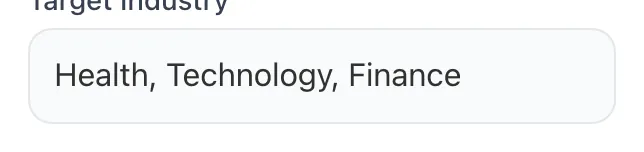
Sample text in place
With sample text entered, SEO Checklist Generator is ready to run.


- 3
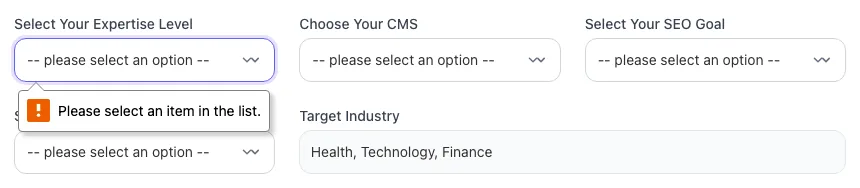
See what Generate Checklist produces
Clicking Generate Checklist runs the check and shows the result right below.
What this tool does
SEO Checklist Generator delivers fast, reliable results for generate a custom seo checklist for any site or launch. on-page, technical, content, links. free, instant.
Designed to fit into your existing SEO and content workflow with no setup overhead.
How to use it
Five steps.
Choose your page type
Select from homepage, blog post, product page, category page, or landing page. Each generates a different optimized checklist.
Specify site context
Toggle ecommerce, multilingual, has-video, and local-SEO options. The checklist filters items to only what applies to your site.
Generate the checklist
Click Generate. Receive a 25-50 item checklist grouped by Technical, On-Page, Content, Off-Page, and Tracking categories.
Assign owners and due dates
Each item includes an owner suggestion (Engineering, Content, SEO Lead). Copy to Notion/Asana and assign your team.
Verify and ship
Don't mark items complete without verification. For sitemap: GSC must show "Success" with processed URL count. Verified items only.
When teams use it
Six common workflows.
Pre-launch QA for new pages
Run the generator before publishing any blog post, product page, or landing page. Catches missing schema, weak titles, accidentally-noindexed pages, and weak internal linking before they ship to production.
Onboarding new content writers
Hand the generated checklist to junior writers as part of their content QA process. They run through it before submitting drafts, learning SEO mechanics by doing rather than reading abstract tutorials.
Site migration planning
Generate a migration-specific checklist before redesigns or domain changes. Includes redirect mapping, sitemap re-submission, schema redeployment, monitoring setup, and 30-day post-launch validation.
Agency client deliverables
Customize a checklist per client based on industry, page types, and tech stack. Use as part of monthly retainer reporting: show what was completed, what's outstanding, and impact metrics.
Quarterly content audits
Re-run the checklist against your top 20 ranking pages every quarter. Surface drift: removed schema, broken canonicals, stale content, missing internal links from newer posts. Document fixes.
Training and SOPs for SEO teams
Use the output as the foundation for your team's SEO Standard Operating Procedure. Document the rationale for each item, owner, and verification method. Living document that evolves with algorithm updates.
Platform guides
Integrate with major platforms.
WordPress
- Generate the checklist with "blog post" page type
- Wire automated checks via Yoast/Rank Math (title length, focus keyword, meta description)
- Add manual items as a Gutenberg sidebar plugin or pre-publish checklist via PublishPress Checklists plugin
- Document SOP in your team Notion/Confluence linking to the WordPress workflow
Shopify
- Generate with "ecommerce" + "product page" selected
- Add Schema App or JSON-LD for SEO to handle Product/Review/Breadcrumb schema automatically
- Use Smart SEO or SEO Manager for bulk title/meta auditing across the catalog
- Manual items (unique copy, multi-angle images, customer reviews) tracked in your PIM workflow
Webflow
- Generate checklist with appropriate page type
- Use Webflow native SEO tab for title/description/OG/canonical fields
- Add JSON-LD via custom code in page settings
- Maintain checklist in Notion linked from your Webflow CMS workflow. Items live alongside content drafts
Next.js
- Generate checklist matching your app structure (blog vs landing pages)
- Wire automated validation in your CI pipeline. Fail builds on missing title/meta/canonical/schema
- Use next-seo or next/head consistently across routes
- Manual items (content quality, intent match) reviewed in PR templates
Notion / Asana
- Paste the generated checklist as a template
- Create one task per item with owner (Eng/Content/SEO) and due date
- Build a "Pre-Launch Approval" status that requires 100% checklist completion before publish
- Reuse the template for every content launch. Improves quality + speed
Grigora vs. alternatives
Side-by-side.
| Capability | Grigora | Ahrefs Checklist | Semrush | Free | Manual |
|---|---|---|---|---|---|
| Customized by page type | Yes | No | Partial | No | Manual |
| Technical + on-page + content split | Yes | Partial | Yes | No | Manual |
| Ecommerce-specific items | Yes | No | Partial | No | Manual |
| Multilingual / hreflang items | Yes | No | No | No | Manual |
| Pre-launch + ongoing cadence | Yes | Static | Static | Static | Manual |
| Free with no signup | Yes | Trial only | Limited | Yes | N/A |
| Owner assignment per item | Yes | No | No | No | Manual |
| Project tool export (Notion, Asana) | Yes | No | No | No | Manual |
Common errors and fixes
Eight issues users hit.
Skipping the technical foundation to chase keywords
Cause: Teams obsess over keyword research while leaving robots.txt, sitemap, and schema unfinished: Googlebot can't crawl what it can't reach.
Fix: Complete technical items (robots.txt, sitemap submitted to GSC, HTTPS, canonical strategy) BEFORE publishing content. Foundation first, keywords second.
Using the same checklist for every page type
Cause: A homepage checklist applied to a product page misses Product schema, reviews, breadcrumbs, and inventory status: items critical only to ecommerce.
Fix: Maintain page-type-specific checklists: homepage, blog post, product, category, landing page. Each has a different schema, intent, and conversion goal.
Marking items complete without verification
Cause: Someone "submits the sitemap" but never checks GSC > Sitemaps to confirm it processed without errors. Six weeks later, 0 pages are indexed.
Fix: Every checklist item needs a "verified by" signature. For sitemap: GSC must show "Success" + processed URL count. Don't trust unverified completion.
Setting noindex on pages that should rank
Cause: A copy-paste from a staging template, or a CMS default for "draft" status, leaves noindex live on launch: page never enters Google's index.
Fix: Audit every template after deploy. Use our SEO Audit tool on launch URLs. Verify with curl -I to check headers + meta tag.
Forgetting redirect mapping in migrations
Cause: A redesign or domain change ships without a 1:1 URL redirect plan: old URLs return 404, killing accumulated link equity and rankings.
Fix: Before any migration, export all indexed URLs from GSC + Ahrefs, build a 1:1 mapping spreadsheet, deploy 301s. Test 50 sample URLs post-deploy. Monitor 404s in GSC for 30 days.
Title tags optimized for length but not click intent
Cause: Title hits 58 characters with the keyword but reads like a database dump ("SEO Tools - Free SEO Tools - Best SEO Tools | Brand").
Fix: Write titles for humans clicking in SERPs. "Free SEO Audit Tool: Check Any URL in 60 Seconds | Brand" beats keyword-stuffed length. CTR matters more than character count.
Adding schema that contradicts visible content
Cause: Review schema marks up 4.7 stars but the page shows 3.2; FAQ schema lists questions not visible on the page. Google penalizes this.
Fix: Schema must reflect on-page content exactly. Validate with Rich Results Test, then verify the marked-up content is visible to users. Remove deceptive markup immediately.
Tracking GA4 events that don't map to SEO outcomes
Cause: Teams set up generic GA4 tracking without thinking about SEO funnel: no organic-source conversions, no rank-to-revenue attribution.
Fix: Configure GA4 to track conversions tagged by source/medium=google/organic. Connect GSC to GA4. Tag landing pages so you can attribute revenue back to ranking keywords.
Original data
2026 study.
Frequently asked questions
Twelve answers.
Related free tools
Other utilities.