Free URL Redirect Generator
Generate 301/302 redirect rules for Apache, Nginx, PHP, or HTML meta refresh. Free, instant.
How to use the URL Redirect Generator, step by step
Real screenshots of the tool, taken while running it with the Generate Code button.
- 1
Add your input
Paste or type into the field URL Redirect Generator works from.


- 2
Sample text in place
With sample text entered, URL Redirect Generator is ready to run.


- 3
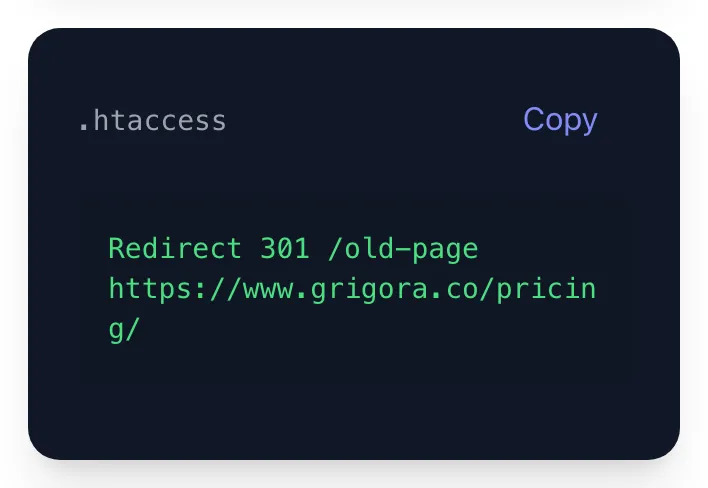
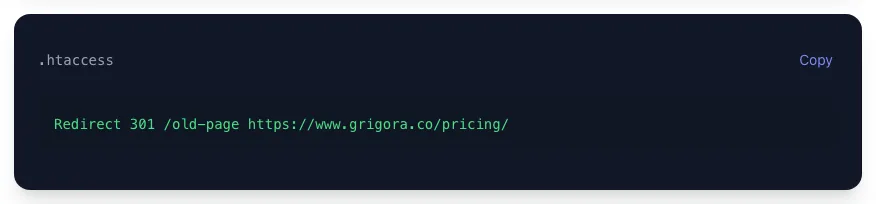
See what Generate Code produces
Clicking Generate Code runs the check and shows the result right below.
What this tool does
URL Redirect Generator delivers fast, reliable results for generate 301/302 redirect rules for apache, nginx, php, or html meta refresh. free, instant.
Designed to fit into your existing SEO and content workflow with no setup overhead.
How to use the URL Redirect Generator
Five steps.
Enter the old and new URLs
Paste the source URL (the one being redirected from) and the destination URL (where users land instead).
Pick the output type
Select Apache htaccess, Nginx, PHP, or HTML meta refresh based on your hosting platform.
Choose 301 or 302 status code
Use 301 for permanent moves to transfer link equity; 302 for temporary redirects like A/B tests.
Copy the generated rule into your config
Paste into htaccess, nginx.conf, a PHP file, or an HTML page as appropriate.
Test with curl and Search Console
Run curl -I https://yourdomain.com/old-url to confirm 301 status and Location header. Submit via Search Console URL Inspection.
When teams use it
Six common workflows.
Site migration redirect map
Generate hundreds of 301 redirects for a domain change or URL restructure. Preserve link equity and prevent 404 floods.
HTTPS and www canonicalization
Force HTTPS and consolidate www/non-www into a single canonical with one 301 hop. Standard launch checklist item.
Blog post slug refresh
When updating evergreen posts, change slugs to reflect new keyword targets and 301 the old slugs to maintain rankings.
A/B test traffic split (302)
Use temporary 302 redirects to split traffic between variants without consolidating ranking signals onto either URL.
Removing low-quality pages
When pruning thin content, 301-redirect each removed URL to its most relevant remaining page rather than letting it return 404.
Multi-region site routing
Geo-redirect users to regional subdomains (us.example.com, uk.example.com) with proper hreflang and 302 status.
Platform guides
Integrate with major platforms.
Apache (htaccess)
- Open or create .htaccess in your document root.
- Add RewriteEngine On at the top, then your Redirect or RewriteRule directives.
- Save and test with curl -I https://yoursite.com/old-url.
- If you see a 500 error, comment out recent edits and validate syntax with apachectl configtest.
Nginx
- Edit /etc/nginx/sites-available/yourdomain.conf or your main nginx.conf.
- Add return 301 statements inside server { } blocks; for patterns, use location ~ regex syntax.
- Run nginx -t to validate syntax, then nginx -s reload to apply without downtime.
- Verify with curl -I against the live domain.
PHP
- Create or edit the PHP file that should redirect.
- Paste the generated header() redirect before any output is sent.
- Choose 301 for permanent moves or 302 for temporary redirects.
- Open the old URL and confirm it lands on the destination.
HTML meta refresh
- Use HTML meta refresh only when server-side redirects are not available.
- Paste the generated meta tag into the head of the old HTML page.
- Keep the delay at zero for an immediate redirect.
- Test in a browser and confirm the destination URL loads.
Grigora vs. alternatives
Side-by-side.
| Capability | Grigora | htaccess Generator | NGINX Config | Cloudflare Rules | Manual Code |
|---|---|---|---|---|---|
| htaccess output | Yes | Yes | Yes | Yes | Manual |
| Nginx config output | Yes | Yes | No | Yes | Manual |
| PHP redirect output | Yes | No | No | Yes | No |
| HTML meta refresh output | Yes | No | No | No | Manual |
| 301 vs 302 toggle | Yes | Limited | No | Yes | Manual |
| Bulk URL list input | No | Paid | No | Paid | No |
| Free with no signup | Yes | Yes | Yes | Trial | Yes |
| Chain detection warning | No | No | No | Paid | No |
Common errors and fixes
Eight issues users hit.
Redirect loop (URL redirects to itself)
Cause: Misconfigured rule causes /a to redirect to /a, often from missing exception conditions on htaccess RewriteRules.
Fix: Add RewriteCond to skip rule when source equals destination. Test with curl -I -L --max-redirs 5 to detect loops.
Redirect chain with 3+ hops
Cause: HTTPS, www, and trailing-slash rules stacked sequentially without consolidating into a single redirect.
Fix: Combine rules into one rewrite that handles all canonical changes in a single 301. Audit chains via Screaming Frog.
302 used for a permanent move
Cause: Default redirect type chosen at platform level (Vercel permanent: false, Netlify default 302) without overriding.
Fix: Explicitly set 301 status. In Vercel: permanent: true. In Netlify: append 301 to _redirects line.
Redirect points to 404 destination
Cause: New URL was deleted or never existed; redirect map was generated from outdated sitemap.
Fix: Audit destinations with a tool like httpstatus.io. Update mapping to a live URL or remove the redirect.
htaccess syntax error returns 500
Cause: Missing closing tag, incorrect flag, or unsupported directive crashes Apache config parsing.
Fix: Comment out recent edits and test incrementally. Validate syntax with apachectl configtest before deploy.
Redirects do not apply (rule never triggers)
Cause: Rule order conflict: another redirect or routing rule matches first and bypasses the new rule.
Fix: Move new rule above conflicting rules. In Apache use [L] flag to stop further processing once matched.
Query string lost on redirect
Cause: htaccess RewriteRule by default discards query string when destination contains its own query.
Fix: Add [QSA] flag (Query String Append) or [QSD] (Query String Discard) explicitly. Test with ?utm tags.
Redirects work locally but fail in production
Cause: Edge cache, CDN, or load balancer overrides server redirects; or production runs different web server software.
Fix: Move redirects up to the CDN/edge layer (Cloudflare Page Rules, Vercel redirects, Cloudfront behavior).
Original data
2026 study.
Frequently asked questions
Twelve answers.
Related free tools
Other utilities.