
A Payload CMS alternative for a managed website without a custom CMS build
Grigora is a Payload CMS alternative for teams that need a managed website, blog, newsletter and store from $12/month billed annually. Payload offers TypeScript-defined collections, generated APIs and code ownership for custom applications. Payload Cloud has paused new projects, but third-party hosting remains available; choose based on engineering control and the publishing workflow you need.
Published by Grigora · Updated · Sources and method
Is Grigora the right Payload CMS alternative?
Grigora is a Payload CMS alternative for teams that need a managed website, blog, newsletter and store from $12/month billed annually. Payload offers TypeScript-defined collections, generated APIs and code ownership for custom applications. Payload Cloud has paused new projects, but third-party hosting remains available; choose based on engineering control and the publishing workflow you need.
Choose Grigora if you want…
- A new content field added by an editor, not by a pull request
- A published page without writing a front end first
- Managed hosting that is open to new customers today
- Newsletter, subscriber list and campaigns in the same bill
- A store with checkout already built, at 0% platform commission
Stick with Payload CMS if you…
- •Need a content model too specific for pages, posts and collections
- •Are already building the front end in Next.js and TypeScript
- •Want your content in your own Postgres, MongoDB or SQLite database
Payload CMS or Grigora: the decision in one view
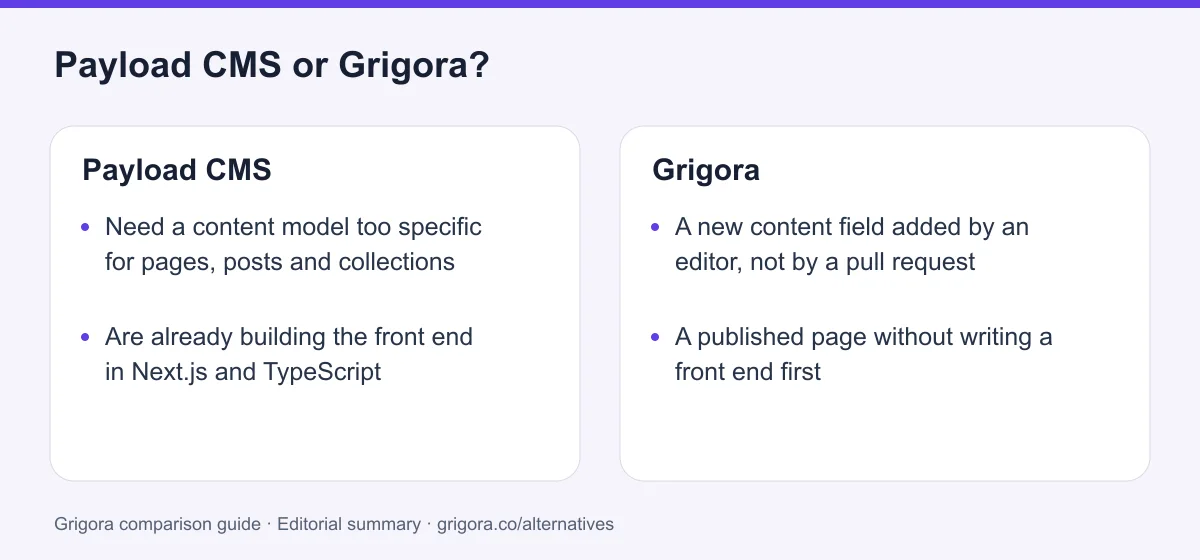
Payload CMS alternatives at a glance
How Grigora compares with the other content platforms Payload users shortlist.
Swipe the table sideways to see every column
| Platform | Best for | Free access | Starting price | Sales fees | Data and site portability |
|---|---|---|---|---|---|
| Grigora | Site, CMS, email and store in one dashboard | Free trial | From $12/mo billed annually | 0% platform fee; Stripe/Razorpay fees apply | Posts/content; rebuild design |
| Payload CMS | Next.js teams modelling content in TypeScript | MIT licensed, free to self-host | No price published | 0% (Stripe fees apply) | Yes |
| Strapi | Headless CMS with a UI-driven content builder | Community edition is free | Free self-hosted; Cloud from $29/mo yearly | Not a store | Content/database; frontend separately |
| Sanity | Structured content with real-time collaboration | Yes | Growth $15/seat/mo plus usage | Not a store | Dataset/assets; frontend separately |
| Contentful | Large enterprise content operations | Yes | Free tier, then per seat | Not a store | Yes |
| WordPress | Plugin breadth and a front end that already exists | Software is free | Hosting + plugins | 0% (processing only) | Yes |
Positioning as of September 2026. Payload publishes no prices on payloadcms.com; the others change tiers often. Verify current pricing on each provider's site.
Sources for the overview table
- Grigora: official reference 1
- Strapi: official reference 1, official reference 2
- Sanity: official reference 1, official reference 2
Why people move from Payload CMS to Grigora
Consider these trade-offs against your existing setup before planning a move.
Every small content change becomes a release
The collection lives in payload.config.ts, so a new field means editing code, running a migration on Postgres or SQLite, regenerating types and shipping. Teams start batching requests, and the batch is where content ideas go to wait.
You cannot put a number in the budget
Payload publishes no price on any live page, and Enterprise is a demo form. What you can budget is Vercel, Neon or Cloudflare, plus the engineering time to keep Node, the database and a supported Next.js version in step.
The managed option closed behind you
Payload joined Figma in June 2025 and the open-source project is still shipping releases. Payload Cloud, though, has paused new deployments and tells existing customers they will eventually need to migrate, so self-hosting is the only path in.
Marketing has nowhere to work
No campaigns, no lists, no automations, no analytics, and SEO that stops at meta title, description and image. Two headline Enterprise draws, Visual Editor and Multi-Player Editing, are still labelled Coming Soon on the live Enterprise page.
What Payload CMS does well
- Content modelled in TypeScript, with REST and GraphQL APIs generated from it
- MIT licensed and self-hostable, with your content in your own database
- Admin panel built from React components you can replace or white label
- Runs inside your own Next.js app, so rendering and caching are entirely yours
Where Payload CMS falls short
- Changing a field is a code change, a migration and a deploy
- No front end ships, so nothing renders until a developer builds it
- No published pricing anywhere, and Payload Cloud is closed to new projects
- No marketing email, no analytics, and SEO limited to meta fields
Grigora vs Payload CMS at a glance
What changes when the content model stops being a file in your repository.
| Feature | Payload CMS | Grigora |
|---|---|---|
| Adding a content field | Edit config, commit, deploy | Add it in the dashboard |
| Published price | None on any live page | $12/mo annual billed |
| Front end included | No | website templates |
| Runtime you maintain | Node 20.9+, database, storage | None |
| Managed hosting for new projects | Cloud deployments paused | Included |
| Email marketing | Transactional adapters only | Campaigns and automations |
| Storefront and checkout | Backend collections only | Built in, 0% commission |
| SEO output | Meta fields; you build the rest | Schema, sitemaps, IndexNow |
| Custom collections and APIs | Unlimited, REST and GraphQL | Collections and directories |
Grigora vs Payload CMS: feature by feature
A category-by-category breakdown, pricing, AI, design, e-commerce, email, SEO, performance, and support.
Adding a field: pull request or dropdown
Fit: GrigoraThis is the whole difference in one task. A client asks for a 'reading time' field on articles. In Payload you open payload.config.ts, add the field to the collection, run a migration if you are on Postgres or SQLite, regenerate types, open a pull request, wait for review, and ship a release. In Grigora somebody adds a field in the CMS and carries on.
| Feature | Grigora | Payload CMS |
|---|---|---|
| Where the content model lives | The dashboard | A TypeScript config file in your repo |
| Who can add a field | Any editor with access | Someone with commit rights |
| Steps to ship the change | Add field, save | Edit, migrate, review, deploy |
| Schema migration needed | No | On Postgres and SQLite, yes |
| Rollback if it was wrong | Delete the field | Revert and redeploy |
Takeaway: Content modelling as source code gives you review and version history. It also puts an engineer between a marketer and a checkbox.
Collections, hooks and generated APIs
Fit: Payload CMSAn honest category, and Payload's strongest. Declare a collection in TypeScript and you get a typed schema, REST and GraphQL endpoints, authentication, field-level and document-level access control, hooks at every lifecycle point, drafts, versions, autosave and localisation, all generated from the same definition. Grigora offers posts, categories, authors and collections, which is a sliver of that.
| Feature | Grigora | Payload CMS |
|---|---|---|
| Custom content types | Collections and directories | Anything you can define in code |
| Auto-generated REST and GraphQL | No | Yes |
| Field-level access control | Basic roles | Per field and per document |
| Lifecycle hooks and custom logic | No | Best in class |
| Drafts, versions and autosave | Drafts and publishing | Versions with autosave |
| Content localisation | No | Built in |
Takeaway: If your content model is genuinely bespoke, Payload will express it and Grigora will not. This page is not going to pretend otherwise.
Budgeting against a price nobody publishes
Fit: GrigoraChecked on 11 September 2026, payloadcms.com shows no dollar figure anywhere. The self-hosted card says free forever, the two instant-deploy cards hand the bill to Vercel, Neon or Cloudflare, and the Enterprise card is a demo form. That is defensible for open-source software. It also means the only number you can put in a budget is the one you assemble yourself from four other invoices.
| Feature | Grigora | Payload CMS |
|---|---|---|
| Price on the vendor's own site | $12, $20, $45 per month | None published |
| What you are actually billed for | One subscription | Host, database, storage, CDN |
| Enterprise pricing | White Label at $199/mo | Quote only, via a demo form |
| Licence or platform fee | Included in the plan | $0, MIT licensed |
| Cost of a second site | Included on Pro and above | Another stack to host |
Takeaway: Free software with an unpublished total. Grigora's number is on the page; Payload's arrives from your infrastructure providers.
Hosting after Payload Cloud paused
Fit: GrigoraPayload was acquired by Figma, announced on the Figma blog on 17 June 2025 at Config 2025. The open-source project is unaffected and actively released, with v3.89.0 shipping on 10 September 2026. The managed product is a different story: the live Cloud page states that deployment of new projects is currently paused, and its FAQ answers the migration question with 'Yes, eventually.' Self-hosting is the practical route for anyone starting today.
| Feature | Grigora | Payload CMS |
|---|---|---|
| Managed hosting for a new project | Included on every plan | New deployments paused |
| Who runs the server | Grigora | You, or Vercel and Neon |
| Database you administer | None | MongoDB, Postgres or SQLite |
| SSL, CDN and backups | Included | Your providers, your configuration |
| Open-source project status | Not open source | MIT, active, roughly 44.7k stars |
Takeaway: Payload Cloud has paused new deployments; evaluate third-party hosting and the maintenance responsibilities of each option.
An admin panel made of React you can replace
Fit: Payload CMSPayload's admin panel is not a skin you theme around the edges. Fields, views and the whole shell are React components you can substitute, so an agency can hand a client an editing interface in the client's own branding and vocabulary. An official multi-tenant plugin runs many brands from one installation. Grigora offers a White Label plan, which is a real answer but a narrower one.
| Feature | Grigora | Payload CMS |
|---|---|---|
| Replace an individual field UI | No | Custom React component |
| Add custom admin views | No | Yes |
| White labelling | White Label plan at $199/mo | Built into the panel |
| Many brands, one install | Multiple sites per plan | Official multi-tenant plugin |
| Editing interface without a build step | Yes | No |
Takeaway: Payload gives agencies more control over what the client sees. The price of that control is that a designer alone cannot change it.
What a visitor sees before the front end exists
Fit: GrigoraPayload is headless by design, which is a feature until you count the work. Install it and you have an admin panel and an API. There is no theme, no page, no blog index and nothing for a visitor to load until a developer builds the Next.js front end. The official website template and the Vercel one-click deploy shorten that, and they still produce a starter you then design.
| Feature | Grigora | Payload CMS |
|---|---|---|
| Live page on day one | AI generates a first draft | Admin panel and API only |
| Templates to start from | Template library | Official starter templates |
| Visual page building | Block editor on the page | Layout Builder feeding your code |
| Front end written by | Nobody, it ships | Your developers |
| Changing a layout later | Drag blocks | Edit components, deploy |
Takeaway: Payload hands you a very good backend and an empty browser tab. Somebody has to fill the second one.
Selling: a backend kit versus a working checkout
Fit: GrigoraPayload's official ecommerce plugin adds Products, Variants, Carts, Orders, Transactions, Addresses and Customers collections, plus React utilities. That is a genuinely useful foundation. The documentation is also candid that it does not handle shipping, taxes or subscriptions natively, Stripe is the only native payment adapter, and no storefront or checkout interface is included. Every screen a customer touches is custom development.
| Feature | Grigora | Payload CMS |
|---|---|---|
| Storefront and checkout UI | Built in | You build it |
| Tax and shipping rules | Configured in the dashboard | Implement yourself |
| Payment gateways | Stripe and Razorpay | Stripe natively, others via an adapter |
| Digital downloads | Included | Custom fulfilment logic |
| Stock and variants | Included | Collections exist, UI does not |
| Platform commission | 0% | 0%, Stripe fees apply |
Takeaway: Both take zero commission. Only one of them lets a customer complete a purchase without a sprint first.
Email, SEO and analytics: the marketing surface
Fit: GrigoraPayload's email is transactional by design. Two adapters, Nodemailer and Resend, exist for password resets, verification and your own payload.sendEmail calls. There are no campaigns, lists, segments or automations anywhere in the product. The SEO plugin adds a meta group with title, description and image, generator functions, a search preview and character counters. Sitemaps, robots.txt, canonical tags and structured data are not in it. Redirects are a separate plugin.
| Feature | Grigora | Payload CMS |
|---|---|---|
| Newsletter campaigns | 2,500 to 25,000 subscribers | No |
| Automations and segmentation | Included | No |
| Transactional email | Included | Nodemailer or Resend adapter |
| Sitemaps and IndexNow | Built in | Write them in your front end |
| Schema and structured data | Schema controls included | Extend the meta fields yourself |
| Free SEO tool suite | Free tools | No |
Takeaway: Payload is not trying to be a marketing platform, so everything a marketing team touches becomes a ticket for an engineer.
Owning the database and the exit route
Fit: Payload CMSPayload has the better ownership story and it is not close. MIT licence, your repository, your MongoDB, Postgres or SQLite instance, no per-seat or per-page fee, and no vendor able to change the terms on content you already published. Grigora exports your content, and the platform itself is not something you can take with you.
| Feature | Grigora | Payload CMS |
|---|---|---|
| Export your content | Yes | Yes |
| Direct database access | No | Yes |
| Source code you can fork | No | MIT licensed |
| Move to a different host | Content only | The whole application |
| Per-seat or per-page fees | None, plan based | None |
| Support | Email, priority on higher plans | Community, or a quoted Enterprise plan |
Takeaway: If ownership is the requirement that decides the project, Payload wins this outright and you should weight it heavily.
Explore Grigora before switching from Payload CMS
Current public product pages and plans, so you can inspect what you would be moving to. Open any image at full size.

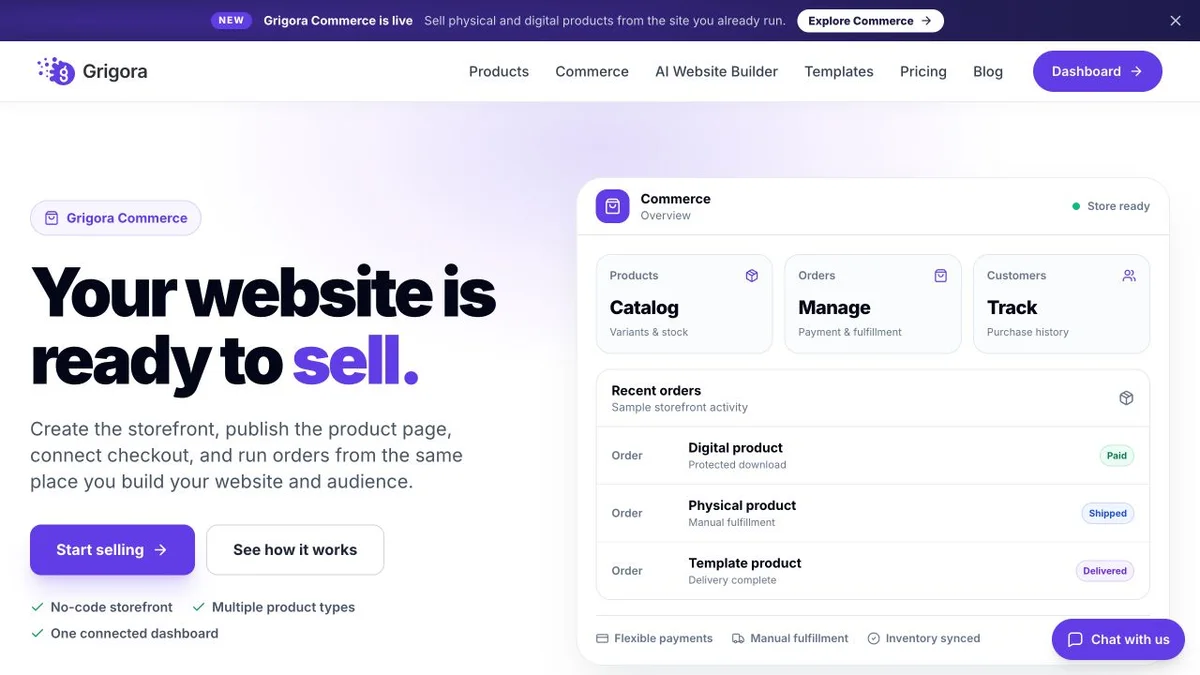
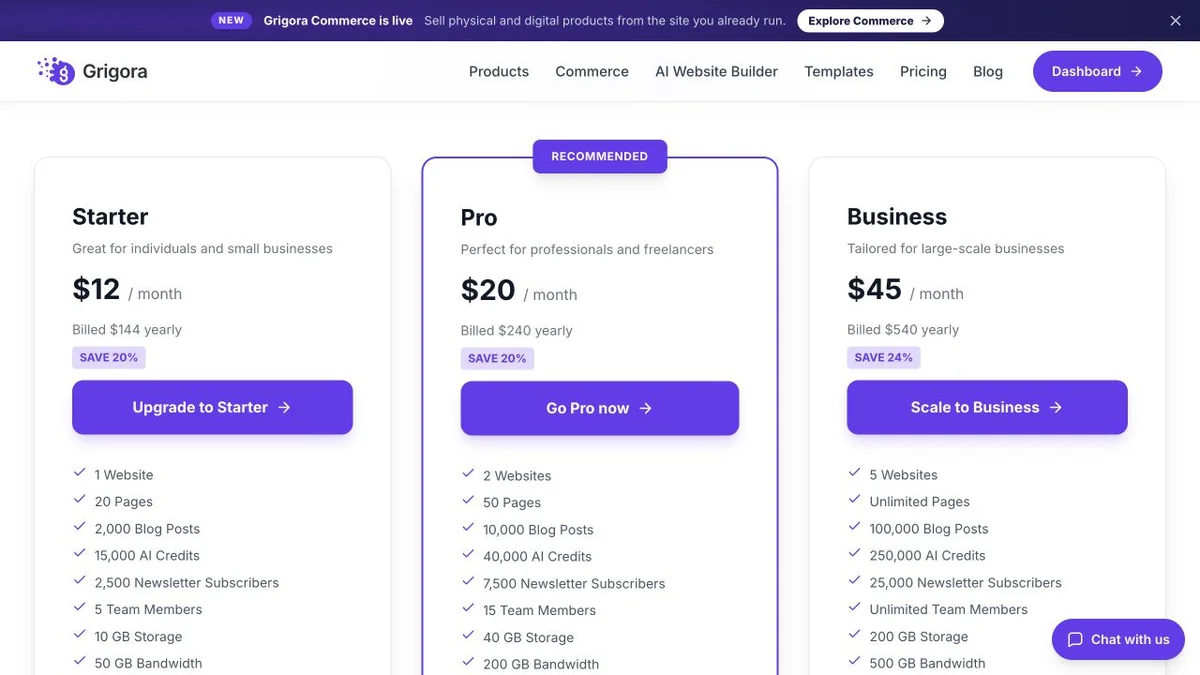
Grigora vs Payload CMS pricing
Payload publishes no prices at all. Here is what each side costs to get a site a visitor can actually load.
Site, CMS, newsletter and store in one plan
Grigora Starter, Pro and Business rates are $12, $20 and $45 per month billed annually ($144, $240 and $540 per year), or $15, $25 and $59 month to month. Plan limits apply to sites, storage, bandwidth, AI credits and newsletter subscribers. Payment-provider fees and optional paid services are additional.
Open source, with the invoice sent by somebody else
Checked 11 September 2026 on payloadcms.com/get-started and payloadcms.com/cloud-pricing. Payload shows no dollar figure on either page, and Enterprise is quote-only. Third-party sites circulate legacy Payload Cloud figures that appear on no live Payload page, so they are not repeated here. Payload Cloud has paused new project deployments.
Grigora Starter is $12 a month billed annually for the site, hosting, CMS, newsletter and store. Payload's software is free, its Enterprise price is unpublished, and the rest of the bill arrives from your host, your database and your storage provider.
The real cost: Grigora vs Payload CMS
Take a small marketing site with a blog, a contact form, a monthly newsletter and a handful of products. Count the year, not the licence.
| What you pay for | Payload CMS | Grigora |
|---|---|---|
| Platform fee | $0, MIT licensed | $12 to $45/mo, all in |
| Hosting, database and storage | Vercel, Neon or Cloudflare, billed separately | Included |
| Building the front end | Next.js development before anything renders | website templates, AI first draft |
| Adding a content field later | Developer time plus a review and a deploy | A dropdown in the CMS |
| Newsletter | External platform and an integration | Included, 2,500 to 25,000 subscribers |
| Store with a working checkout | Plugin gives the backend, you build the shop | Included, 0% commission |
| Custom content model and APIs | Unlimited, typed, REST and GraphQL | Not available beyond collections |
| Node, database and dependency upkeep | Yours, inside a supported Next.js version band | Managed |
Payment-processor fees apply on both sides. Payload publishes no prices, so the competitor column describes work and third-party bills rather than a figure. Grigora loses the custom content model row outright.
Payload CMS and Grigora: public website references
These captures show each product’s public website. See the feature and pricing sections for capabilities and plan details.

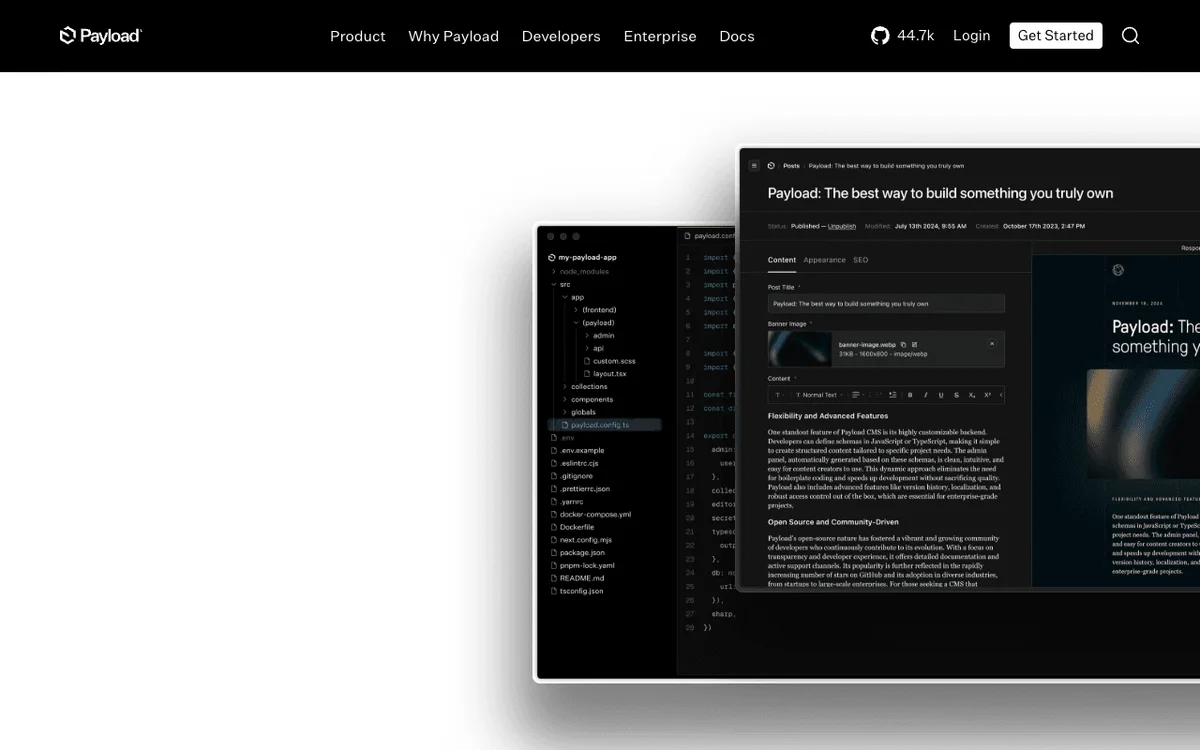
Is Grigora the right Payload CMS alternative for you?
Where Grigora is the stronger Payload CMS alternative, by situation.
Payload CMS alternative for marketing teams
When the people who need a new field, a new landing page or a new section are marketers, routing every schema change through a release cycle is the bottleneck, not the safety net.
… for founders without an engineer on call
Payload asks for Node 20.9 or newer, a database, a package manager and a supported Next.js version before a single page exists. If nobody on the team maintains that, the site never launches.
… for projects that lost their managed path
Payload Cloud has paused new deployments, so a team that expected a hosted option now owns the servers. A managed platform removes that question entirely.
Payload CMS is the right call if…
You are already building in Next.js and TypeScript, your content model is genuinely custom, and you want the schema in version control with typed REST and GraphQL APIs generated from it. Nothing on this page replaces that.
Which one is right for you?
Choose Grigora if…
- A content change should not queue behind a deployment
- Nobody on the team wants to run Node, a database and a CDN
- You need a published page today, not an API today
- The newsletter and the store should be in the same subscription
- You want a fixed monthly number rather than four provider bills
Choose Payload CMS if…
- •Your content model needs types, hooks and access rules in code
- •A bespoke Next.js front end is being built regardless
- •Owning the database and the repository is a hard requirement
How to move from Payload CMS to Grigora
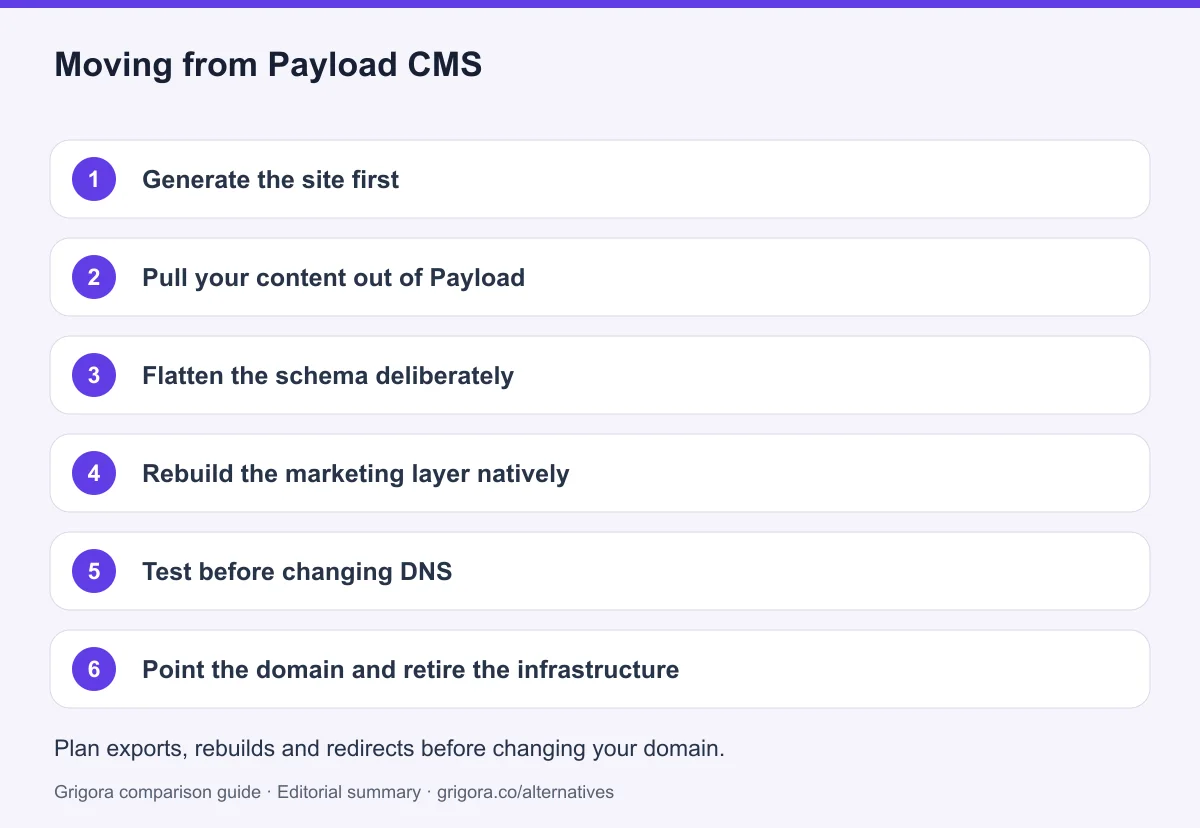
Payload's REST and GraphQL APIs make the content easy to get out, which is one of the benefits of owning the database. What gets rebuilt is the front end and the schema, and for most teams that rebuild is the reason for moving.
- 1
Generate the site first
Describe the business in a sentence and Grigora produces a first-draft site with pages, layout and copy, so you are editing something rather than starting from an empty project.
- 2
Pull your content out of Payload
Query the auto-generated REST or GraphQL endpoints, or export straight from MongoDB or Postgres, and bring posts, categories, authors and media across.
- 3
Flatten the schema deliberately
Some collections can map to Grigora pages, posts or supported collections; others need redesign or an external application. Map them on purpose instead of recreating a config file that no longer needs to exist.
- 4
Rebuild the marketing layer natively
Review transactional email separately, import your subscriber list into the built-in newsletter, and add products to the store if you sell. Set metadata, schema and sitemaps in the SEO panel.
- 5
Test before changing DNS
Export a sample collection, relationship fields and media, then map them to supported Grigora structures. Preserve the database backup, access-control rules and application code until all dependent services have replacements. Check page titles, descriptions, canonical URLs, internal links, image alt text, forms and checkout on the new site. Keep an old-to-new URL map, add relevant 301 redirects and monitor indexing after launch; redirects cannot guarantee unchanged rankings.
- 6
Point the domain and retire the infrastructure
Connect your domain, redirect the old routes to map previous addresses to their closest replacement, then retire only infrastructure that no longer serves any application, asset or integration.
Why people look for a Payload CMS alternative in 2026
Payload has a strong claim to being the best content backend a Next.js team can adopt. You declare a collection in TypeScript, and the framework produces the database schema, a typed client, REST and GraphQL endpoints, authentication, field-level access control, lifecycle hooks, drafts, versions and localisation. It is MIT licensed and it runs inside your own application rather than behind somebody else's API. Teams that pick it rarely regret the engineering. They come looking for an alternative for a different reason: the shape of the daily work after launch.
The content model is a file, so content work is engineering work
Because collections and fields live in payload.config.ts, the schema is under version control. That is a genuine advantage for review, history and consistency across environments. It also means a request as small as adding a subtitle to a landing page collection travels the full path of a code change: edit the config, run a migration on Postgres or SQLite, regenerate types, raise a pull request, get a review and deploy. A marketing team that files five of those a month is not asking for much. They are still spending an engineer's week to get it.
Nothing renders until someone writes the front end
Headless is the point of the product, and it has a cost that shows up on day one. Install Payload and you have an admin panel and an API. There is no theme, no homepage, no blog index and nothing for a visitor to load. The official website template and the one-click Vercel deploy shorten the distance, and what they produce is a starter you then design and build. Before any of that, the documented requirements are Node.js 20.9.0 or newer, a JavaScript package manager with pnpm preferred and yarn 1.x unsupported, one of MongoDB, Postgres or SQLite, and a Next.js version inside a narrow supported band, with an explicit warning that not all Next.js 15 and 16 releases are compatible.
No published price, and no managed path for new projects
Checked on 11 September 2026, payloadcms.com carries no dollar figure on any live page. The self-hosted card says free forever, the instant-deploy cards hand you to Vercel, Neon or Cloudflare, and Enterprise is a Get a Demo form. Figures circulating on third-party aggregator sites for the old Payload Cloud tiers appear on no live Payload page, so this comparison does not repeat them. Payload joined Figma, announced on the Figma blog on 17 June 2025 at Config 2025, and the open-source project has kept shipping, with v3.89.0 released on 10 September 2026. The managed product moved the other way: the live Cloud page says deployment of new projects is currently paused, existing projects continue running as normal, and the FAQ answers the migration question with 'Yes, eventually.' The Enterprise card still offers self-hosted or with Payload, which sits awkwardly beside that, so treat Payload-run infrastructure as unsettled rather than available.
How Grigora compares
Grigora takes the opposite position on every one of those trade-offs. The content model is edited in a dashboard, so a new field is a dropdown and a save rather than a commit and a release. The site exists before anyone opens an editor, because the AI generates a first draft from a description of the business and there are website templates underneath it. Hosting, SSL, CDN and backups are included and there is no runtime for you to keep current, so the supported Next.js version band and the Node upgrade schedule stop being your problem.
One subscription instead of four invoices and a sprint
Starter is $12 a month billed annually. That covers the website and its hosting, the CMS with posts, categories, author profiles, directories and moderated comments, a newsletter with 2,500 subscribers and a campaign builder with automations and segmentation, and a store with a catalogue, variants, stock and digital downloads at 0% platform commission through Stripe or Razorpay. SEO ships as part of the product: metadata, schema controls, sitemaps and IndexNow submission, alongside free SEO tools on the marketing site. On Payload, the CMS is the product and each of those other things is either a plugin that stops at the API, an external service to integrate, or software somebody writes. Pro is $20 a month for two sites and 7,500 subscribers, and Business is $45 a month for five sites and 25,000 subscribers. Professional mailboxes start at $5 each, and White Label is a separate plan at $199 a month for agencies reselling under their own brand.
Where Payload CMS still wins, and it wins clearly
Two places. The first is the content model. If you need twenty related collections with typed fields, hooks on every lifecycle event, access rules evaluated per field and per document, localisation across languages and a generated GraphQL API over all of it, Payload does that and Grigora does not come close. The second is ownership. MIT licence, your repository, your MongoDB or Postgres instance, no per-seat or per-page fee, and nobody able to change the terms on content you already published. Add to that an admin panel built from React components you can replace outright, which is why agencies reach for it when a client needs an editing interface in the client's own vocabulary. Weigh those honestly. If either one is the requirement that decides the project, stay on Payload. If the requirement is that the person who wants a new field can add it themselves this morning, that is what Grigora is built around.
Frequently asked questions
Grigora is a Payload CMS alternative for teams that need a managed website, blog, newsletter and store from $12/month billed annually. Payload offers TypeScript-defined collections, generated APIs and code ownership for custom applications. Payload Cloud has paused new projects, but third-party hosting remains available; choose based on engineering control and the publishing workflow you need.
Payload publishes no prices. Checked on 11 September 2026, payloadcms.com/get-started and payloadcms.com/cloud-pricing show no dollar figure on any plan card, and the Enterprise tier is quote-only through a Get a Demo form. The software itself is MIT licensed and free to self-host; your real bill comes from hosting, a database and storage, plus engineering time. Figures for the old Payload Cloud tiers that circulate on third-party sites could not be confirmed on any live Payload page, so they are not quoted here. Grigora, by comparison, is $12, $20 or $45 a month billed annually.
Yes. Payload joined Figma, announced on the official Figma blog on 17 June 2025 at Config 2025. Financial terms were not disclosed. Payload remains open source under the MIT licence and the project is actively developed, with v3.89.0 released on 10 September 2026. The practical consequence for buyers is on the managed side: the live Cloud page says deployment of new projects is currently paused, and existing Cloud customers are told they will eventually need to migrate.
In practice, yes, and specifically a Next.js one. The documented requirements are Node.js 20.9.0 or newer, a JavaScript package manager with pnpm preferred, one of MongoDB, Postgres or SQLite, and a Next.js version inside a supported band, with a warning that not all Next.js 15 and 16 releases are compatible. Collections are defined in TypeScript, and no page reaches a visitor until someone builds the front end.
Partly. The official ecommerce plugin adds Products, Variants, Carts, Orders, Transactions, Addresses and Customers collections plus React utilities, which is a solid backend. The documentation states it does not handle shipping, taxes or subscriptions natively, Stripe is the only native payment adapter, and no storefront or checkout interface ships. Grigora includes the catalogue, variants, stock, digital downloads and a working checkout through Stripe or Razorpay at 0% platform commission.
Content modelling in TypeScript with generated REST and GraphQL APIs, lifecycle hooks, field-level access control, content localisation, a replaceable React admin panel, and full ownership of the code and database. Grigora covers the common ground natively, including pages, posts, categories, authors, directories, moderated comments, forms, a newsletter and a store, but it has no headless API, no code export and no self-hosting.
Sources and comparison method
Published by Grigora, one of the products compared here. This is a comparison of public product documentation and published plans. Recommendations reflect the use cases described; they are not independent performance benchmarks. Homepage screenshots show how each product presents itself and do not establish feature availability.
Check the billing term, currency, regional availability, usage limits and add-ons before purchasing. A content export does not necessarily include the design, integrations or a working store. Migration steps need testing on your own site.
- Payload deployment and support options
Self-hosted and third-party deployment options, templates and enterprise support.
- Payload Cloud notice
Official pause on new Cloud project deployments; existing projects continue operating.
- Grigora pricing and included features
Annual and monthly billing, plan allowances, included features and trial terms.
Grigora references: plans and limits, commerce, MCP access, and help documentation.
Compare Grigora with other platforms


Move off the config file and onto a dashboard
Build your site, newsletter and online store in one place, and change a content field without opening an editor or shipping a release. Try Grigora free, no credit card required.
14-day free trial • No credit card required • Cancel anytime