
A Storyblok alternative when you do not want to build the frontend as well
Storyblok gives editors a live, click-to-edit preview of your website. Somebody still has to build that website, host it and deploy it. Grigora renders the pages itself, with the CMS, the newsletter and the store already attached, from $12/mo billed annually.
Published by Grigora · Updated · Sources and method
Is Grigora the right Storyblok alternative?
Grigora is a Storyblok alternative when the requirement is a managed business website with a blog, newsletter and store. Storyblok is a stronger fit when developers need a headless CMS to deliver structured, localised content to several frontends. Budget for frontend development and hosting alongside Storyblok's content-platform subscription.
Choose Grigora if you want…
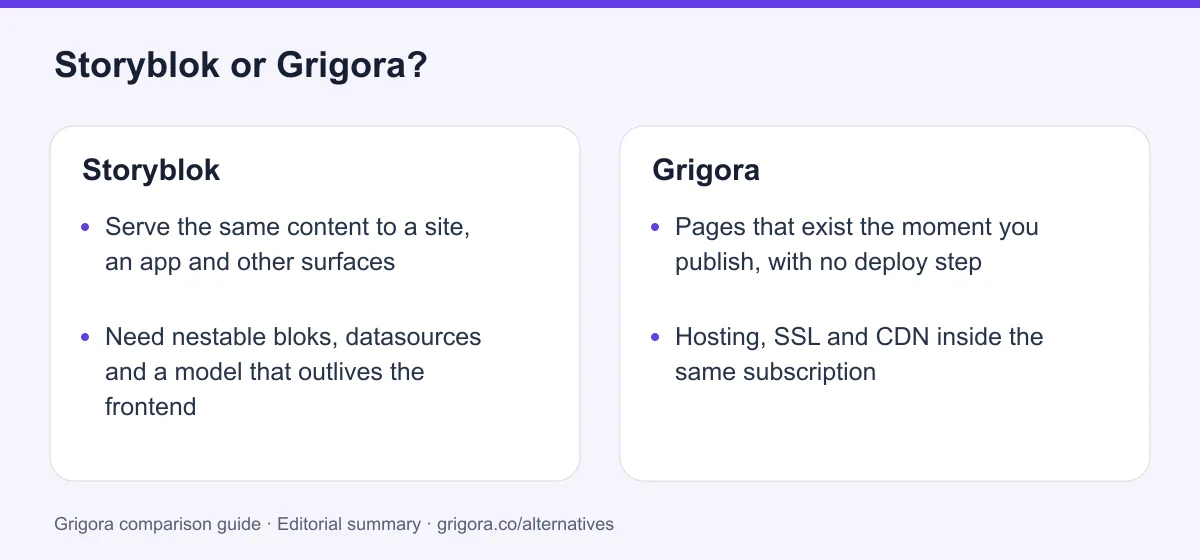
- Pages that exist the moment you publish, with no deploy step
- Hosting, SSL and CDN inside the same subscription
- A newsletter and a store without two more vendors
- Traffic spikes that do not arrive as an invoice
- Editors who can add a page type, not just fill one in
Stick with Storyblok if you…
- •Serve the same content to a site, an app and other surfaces
- •Need nestable bloks, datasources and a model that outlives the frontend
- •Run multi-market publishing with real localisation and editorial governance
Storyblok or Grigora: the decision in one view
Storyblok alternatives at a glance
How Grigora and the other platforms people shortlist against Storyblok compare on the essentials.
Swipe the table sideways to see every column
| Platform | Best for | Free access | Starting price | Sales fees | Data and site portability |
|---|---|---|---|---|---|
| Grigora | Site, CMS, newsletter and store in one plan | Free trial | From $12/mo billed annually | 0% platform fee; Stripe/Razorpay fees apply | Posts/content; rebuild design |
| Storyblok | Headless content for a frontend you build | Yes (Starter, 1 seat) | Growth $90.75/mo billed annually | None, it sells nothing | Content/assets; frontend separately |
| Contentful | Enterprise content operations | Yes | Published tiers plus enterprise quotes | None, it sells nothing | Yes |
| Sanity | Developer-shaped content with a custom studio | Yes | Growth $15/seat/mo plus usage | None, it sells nothing | Dataset/assets; frontend separately |
| Prismic | Marketing pages assembled from slices | Yes | From $10/mo per repository, billed annually | None, it sells nothing | Documents/assets; frontend separately |
| WordPress | A renderer and a plugin for everything | Software is free | Hosting + plugins | 0% (processing only) | Yes |
Only the Grigora and Storyblok figures were read live on 11 September 2026, Storyblok's from storyblok.com/pricing. Headless platforms charge for content delivery, not for a rendered site, so frontend hosting is an extra bill on all of them. Verify current pricing on each provider's site.
Sources for the overview table
- Grigora: official reference 1
- Storyblok: official reference 1, official reference 2
- Sanity: official reference 1, official reference 2
- Prismic: official reference 1, official reference 2
Why people switch from Storyblok to Grigora
The friction points Storyblok users hit most often, and how Grigora handles them.
The subscription buys content, not a website
Storyblok's own developer guidance tells you to choose fast frontend hosting such as AWS, Netlify or Vercel, which is an honest way of saying the site is your build and your bill. Teams who expected a platform find they have bought a component of one.
Every new section is a developer ticket
Editors can only place bloks a developer has already defined in code. Adding a widget, a new page type or a layout variant means a schema change and a frontend release, which is why marketing backlogs on Storyblok tend to be engineering backlogs.
The ladder runs out before your team does
One space on every self-serve plan, two seats on Starter, ten on Growth, and a hard fifteen on Growth Plus with extra seats listed as unavailable. Growing past any of those means a custom quote rather than an upgrade button.
Success is billed by the gigabyte
Traffic and API requests are metered, with overage at $75.00 a month per extra 250GB and $10.00 a month per extra million requests on Growth, and ceilings above that. Grigora's plan price does not move when the campaign works.
What Storyblok does well
- Click-to-edit visual editing against a real, deployed frontend
- Nestable bloks, datasources and field-level permissions that protect the design system
- Total freedom of framework and host, so performance is your engineering decision
- Serious localisation, with translatable slugs and purchasable locales on Growth
Where Storyblok falls short
- No website until a developer builds, hosts and deploys the frontend
- One space on Starter, Growth and Growth Plus alike
- Seats capped at 2, 10 and 15, with no self-serve route past fifteen
- Metered traffic, API requests and AI credits, plus a 97% SLA on both paid self-serve tiers
Grigora vs Storyblok at a glance
The differences that decide whether you also need a frontend project.
| Feature | Storyblok | Grigora |
|---|---|---|
| Starting cost (billed annually) | $90.75/mo Growth ($0 Starter) | $12/mo all in |
| A rendered website included | No | Yes |
| Frontend hosting and CDN | Your own Vercel, Netlify or AWS bill | Included |
| Developer required to go live | Yes | No |
| Sites per plan | 1 space on every self-serve tier | 1 to 5 sites |
| Traffic and API metering | 400GB and 1M requests on Growth | Bandwidth and usage allowances apply |
| Email marketing included | No | List, campaigns, automations |
| Online store with checkout | No | Built in, 0% commission |
| Headless API for apps and screens | The core of the product | No |
Grigora vs Storyblok: feature by feature
A category-by-category breakdown, pricing, AI, design, e-commerce, email, SEO, performance, and support.
What exists the moment you hit publish
Fit: GrigoraThis is the whole comparison in one row. Publishing a story in Storyblok updates a JSON response at a content API. Whether a human being can see it depends on a frontend application that you specify, build, host and deploy. Publishing in Grigora puts the page on your domain.
| Feature | Grigora | Storyblok |
|---|---|---|
| What publishing produces | A live page on your domain | Updated JSON at a content API |
| Frontend application | Rendered by the platform | You build it in Next.js, Nuxt, Astro or similar |
| Hosting, SSL and CDN | Included in the plan | Your own Vercel, Netlify, Cloudflare or AWS account |
| Deploy step between edit and visitor | None | Build and deploy, or a revalidation hook |
| Starting points | AI first draft plus website templates | Starter repos, then a developer |
Takeaway: Storyblok's job is finished when the API returns your content. The website is a separate project that starts there.
The Visual Editor and the preview it needs
Fit: StoryblokThe honest concession, and it is a big one. Storyblok's Visual Editor is better than any page builder on this site at one specific thing: giving editors click-to-edit live preview of a real, production frontend while the content underneath stays structured and framework-agnostic. It has one precondition, which is that the frontend already exists, is deployed at a registered preview URL and has the bridge wired in.
| Feature | Grigora | Storyblok |
|---|---|---|
| Click to edit against a live preview | You edit the page itself | Yes, against your own frontend |
| Registered preview environments | Not applicable | 2 URLs on Starter, 6 on Growth and Growth Plus |
| Same content on a site, an app and a screen | No | Yes |
| What an editor can place | Any block, plus custom code | Components a developer has defined |
| Usable before a frontend exists | Nothing to build first | No |
Takeaway: For a team that already has a frontend, Storyblok's editor is the best in this comparison. It simply cannot exist before the frontend does.
Bloks, datasources and content modelling
Fit: StoryblokStoryblok's second real win. Content types are components, components nest inside other components, and option lists live in datasources rather than being retyped. Field-level permissions mean a marketing team physically cannot break the design system, and because the model is separate from the rendering, you can rebuild the entire frontend without re-entering a single story.
| Feature | Grigora | Storyblok |
|---|---|---|
| Content model | Pages, posts, categories, collections and directories | Nestable, reusable bloks |
| Reusable option lists | Basic | Datasources, 10 on Starter, 20 on Growth |
| Conditional fields | No | Premium and Elite only |
| Re-skin the frontend without touching content | No | Yes |
| Version history and rollback | Drafts and publishing | 1 day Starter, 30 days Growth, unlimited on Elite |
| Taxonomies and shared asset libraries | Categories and media library | Premium and Elite only |
Takeaway: If your content has to outlive three frontends, model it in Storyblok. Grigora's content is shaped by the site it renders, and that is the trade.
One space, even on the $349 plan
Fit: GrigoraThe live plan comparison shows Spaces (Projects) set to 1 on Starter, on Growth and on Growth Plus alike. A second website, or even a separate staging space, is not something you can buy on the self-serve ladder. Environments and content staging are Premium and Elite rows, and neither carries a published price.
| Feature | Grigora | Storyblok |
|---|---|---|
| Projects included | 1 on Starter, 2 on Pro, 5 on Business | 1 on Starter, Growth and Growth Plus |
| Adding a second site | Move up a tier | Premium or Elite, custom quote |
| Separate staging space | Not applicable, edits are drafts | Environments are Premium and Elite only |
| Cost of the second site | $20/mo on Pro, billed annually | Not published |
| Multi-space content distribution | Not applicable | Elite only |
Takeaway: Storyblok's most popular self-serve plan is $349 a month billed monthly and still runs exactly one space.
Seat ceilings that end in a sales call
Fit: GrigoraSeats on Storyblok are not just charged, they are capped. Starter allows two people. Growth includes five and stops at ten. Growth Plus includes fifteen and lists additional seats as 'Not available' rather than giving them a price, so a sixteenth colleague cannot be added at any figure on the self-serve ladder.
| Feature | Grigora | Storyblok |
|---|---|---|
| Seats on the free plan | Free trial | 1 included, 2 maximum, 2nd at $15.00/mo |
| Seats on the entry paid plan | Seats are not a Grigora pricing dimension | 5 included, 10 maximum, $15.00/mo each extra |
| Hard ceiling | None published | 15 on Growth Plus, extras listed 'Not available' |
| Adding a sixteenth person | No tier change on that account | Premium or Elite, contact sales |
| What the plan is priced on | Sites, AI credits and subscribers | Seats, traffic, API requests and locales |
Takeaway: Growth Plus stops at fifteen people, and there is no price you can pay to add the sixteenth without a sales call.
Traffic, API calls and AI credits on the meter
Fit: GrigoraStoryblok publishes traffic, API and AI-credit allowances with plan-specific overages. Grigora also limits bandwidth, storage and AI usage. Compare realistic monthly usage across both platforms instead of treating one subscription as unlimited.
| Feature | Grigora | Storyblok |
|---|---|---|
| Traffic included | Hosting and CDN in the plan price | 100GB Starter, 400GB Growth, 1TB Growth Plus |
| Traffic overage | No traffic line item | $75.00/mo per extra 250GB on Growth, 1TB ceiling |
| Content API requests | No public content API to meter | 100k Starter, 1M Growth, 4M Growth Plus |
| API overage | Not applicable | $10.00/mo per extra 1M on Growth, 5M ceiling |
| AI allowance | 15,000 to 250,000 credits by plan | 25k Starter, 100k Growth, $20.00/mo per extra 200k |
| Uptime SLA | Managed hosting, no published SLA figure | None on Starter, 97% on Growth and Growth Plus |
Takeaway: On Storyblok a traffic spike is a variable cost with a ceiling behind it. Grigora also has plan limits.
Commerce connectors instead of a checkout
Fit: GrigoraStoryblok has no cart, no checkout, no payment processing, no catalogue and no order management, and does not pretend otherwise. Selling means connecting an external platform. On the self-serve tiers the only commerce integration available is Shopify, from Growth up; BigCommerce, commercetools, Saleor, Salesforce Commerce Cloud, Shopware, Spryker, Centra, Nacelle, SAP and CommerceLayer are all marked unavailable until Premium. Even then the connector lets an editor reference a product inside content. The storefront, the cart and the checkout remain yours to build.
| Feature | Grigora | Storyblok |
|---|---|---|
| Cart and checkout | Built in | No |
| Catalogue, variants and stock | Built in | Referenced from an external platform |
| Shopify integration | Not applicable | Growth and above |
| Other commerce connectors | Not applicable | Premium and Elite only |
| Digital downloads | Included | No |
| Platform commission | 0% on Stripe or Razorpay | None, because it sells nothing |
Takeaway: Storyblok takes no commission because there is nothing to take it from. Your store is a second subscription and a second build.
The newsletter that is not in the plan table
Fit: GrigoraRead Storyblok's full plan comparison from top to bottom and there is no email row in it. No subscriber list, no campaign builder, no automation, no sending, no deliverability tooling. Any newsletter or lifecycle email means a separate provider, a separate bill, and a form in your frontend that a developer wires to it.
| Feature | Grigora | Storyblok |
|---|---|---|
| Subscriber list | 2,500 to 25,000 by plan | No |
| Campaign builder | Included | No |
| Automations and segmentation | Included | No |
| Signup forms tied to the list | Included | Build the form, wire the provider |
| Professional mailboxes | From $5 per mailbox | No |
Takeaway: There is no email row anywhere in Storyblok's pricing, because there is no email product to put in one.
SEO fields on one side, rendered output on the other
Depends on your needsStoryblok gives you an SEO Meta Tags field type from Growth upward, explicitly unavailable on the free Starter plan, plus a Semrush integration on the same tiers and an AI SEO feature reserved for Premium and Elite. What it cannot give you is output, because it does not render your site. Sitemaps, redirects, canonicals, robots rules and structured data are things your frontend has to emit. The upside is real: page weight, caching and Core Web Vitals are entirely under your own engineering control rather than dictated by a platform renderer.
| Feature | Grigora | Storyblok |
|---|---|---|
| SEO meta tag fields | Every plan | Growth and above, not on Starter |
| Sitemap generation | Built in | Implement it in your frontend |
| IndexNow submission | Yes | Implement it yourself |
| Schema controls | Built in | Implement it yourself |
| Core Web Vitals | Managed delivery | Entirely yours, for better and worse |
| Free SEO tools suite | Free tools | Semrush integration from Growth |
Takeaway: Grigora ships the output; Storyblok ships the fields and hands you the performance budget. Performance depends on the implementation and should be measured on representative pages.
Explore Grigora before switching from Storyblok
Current public product pages and plans, so you can inspect what you would be moving to. Open any image at full size.
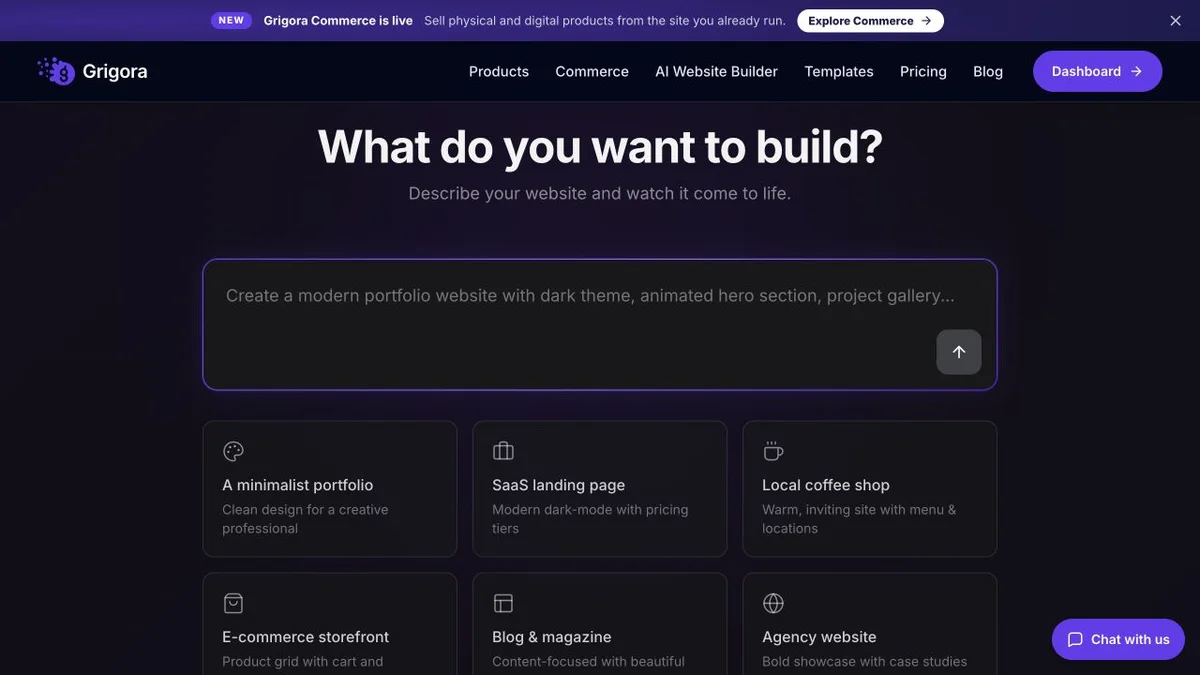
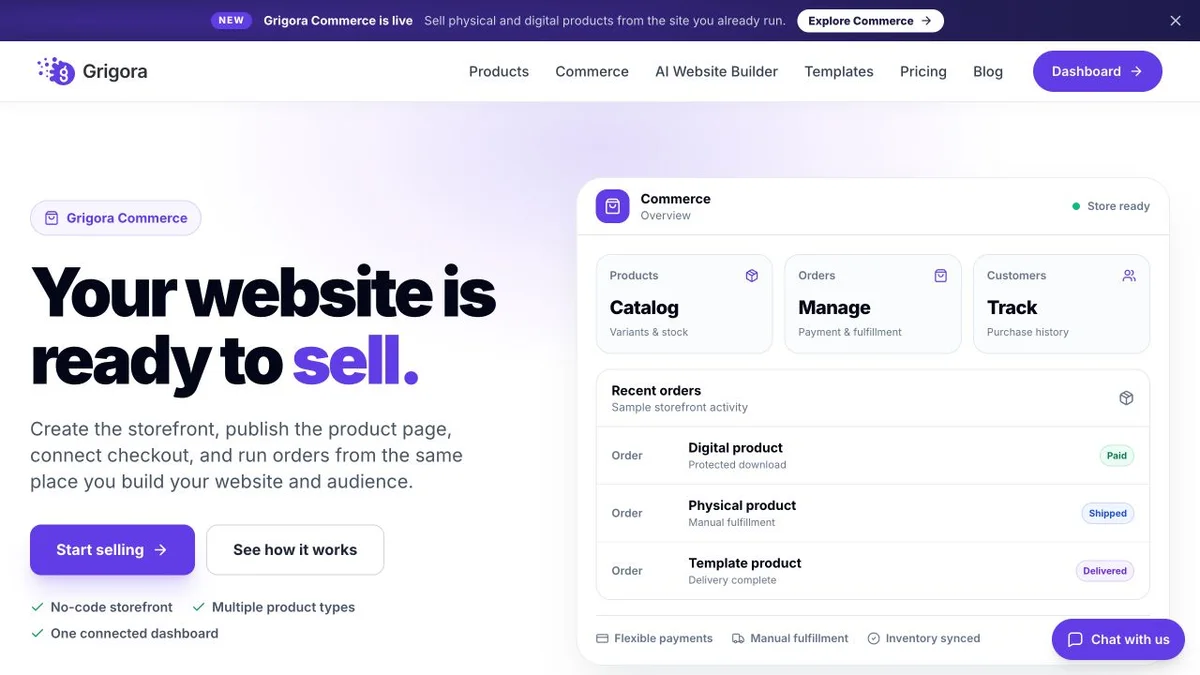
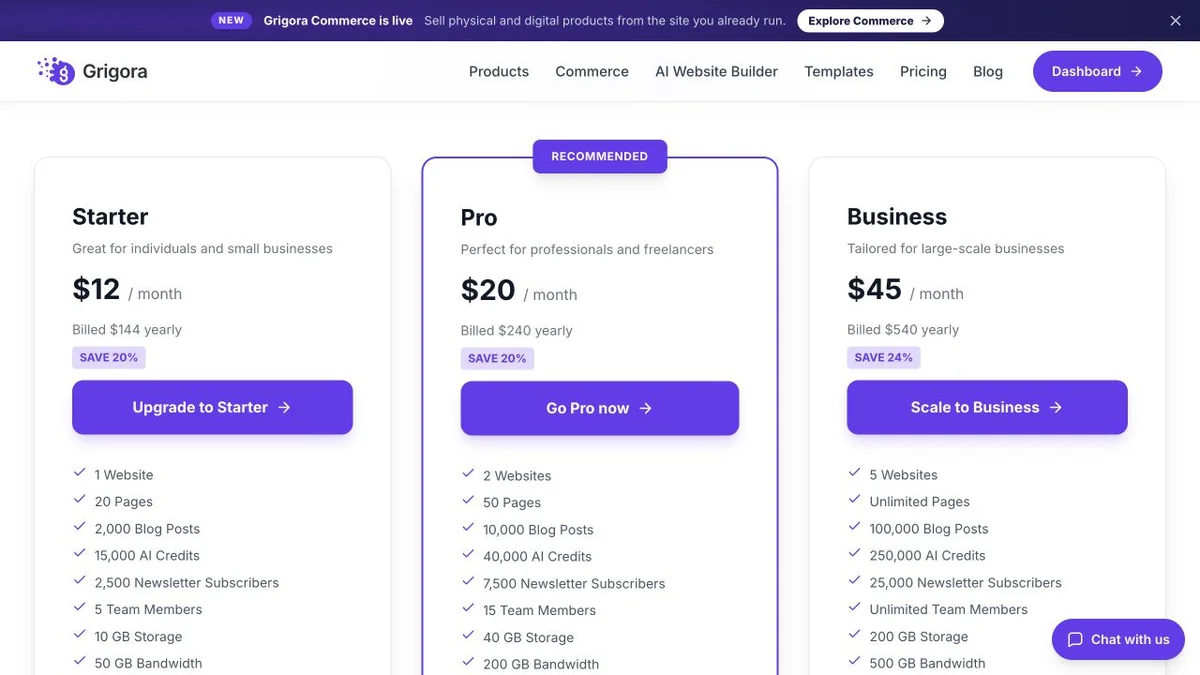
Grigora vs Storyblok pricing
Storyblok's plan is one of two bills. Compare it with what Grigora charges for a site that is already rendered and hosted.
Website, newsletter & store in one plan
Annual rates shown. Hosting, CDN, SSL, backups, the CMS, the newsletter and the store are included on every plan, with 0% platform commission on Stripe or Razorpay. White Label is a separate plan at $199/mo.
Content delivery, priced by seats and traffic
Figures read from storyblok.com/pricing on 11 September 2026. Storyblok prints a per-month-if-billed-annually rate rather than a yearly total, so the annual totals are not shown here. Premium and Elite are custom quotes with no published price. Growth overages: $15.00/mo per extra seat, $75.00/mo per extra 250GB, $10.00/mo per extra 1M requests, $20.00/mo per extra locale. Frontend hosting is not included on any tier.
Grigora Starter at $12/mo billed annually is the whole bill: site, hosting, CMS, newsletter and store. Storyblok Growth at $90.75/mo billed annually is the content layer only, and the frontend that turns it into a website is a separate build and a separate hosting account.
The real cost: Grigora vs Storyblok
Take a six-person marketing team running one website with a blog, a newsletter and a small store. Storyblok prices the content; everything that makes it visible is a second column of costs.
| What you pay for | Storyblok | Grigora |
|---|---|---|
| Content platform | Growth at $90.75/mo billed annually | $12 to $45/mo, all in |
| A sixth editor seat | One seat past the five included, $15.00/mo | Seats are not a pricing dimension |
| Frontend build | A Next.js, Nuxt or Astro app, built by a developer | AI first draft plus website templates |
| Frontend hosting and CDN | Your own Vercel, Netlify, Cloudflare or AWS bill | Included |
| A traffic spike | $75.00/mo per extra 250GB, $10.00/mo per extra 1M requests | Bandwidth and usage allowances apply |
| Email marketing | Separate provider, plus a form your developer wires in | Included (2,500 to 25,000 subscribers) |
| Online store | Shopify or similar, its own subscription and its own storefront work | Included, 0% platform commission |
| Publishing to an app or in-store screen | Same content API serves every surface | Website only, no headless API |
| Uptime commitment | 97% on Growth and Growth Plus, 99.9% needs Premium | Managed hosting, no published SLA figure |
Storyblok figures from storyblok.com/pricing, 11 September 2026. Frontend development rates and hosting bills vary enormously and are deliberately left unpriced here; what does not vary is that both line items exist on the Storyblok side and neither exists on the Grigora side. Payment-processor fees apply to any store on either platform.
Storyblok and Grigora: public website references
These captures show each product’s public website. See the feature and pricing sections for capabilities and plan details.
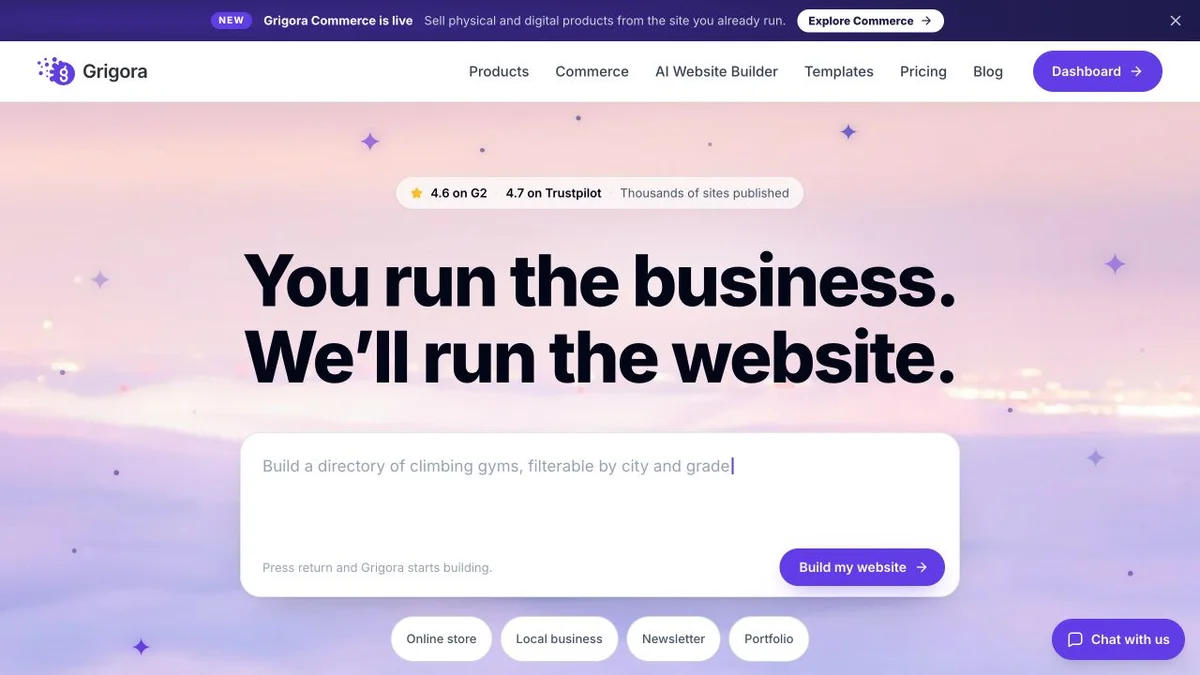
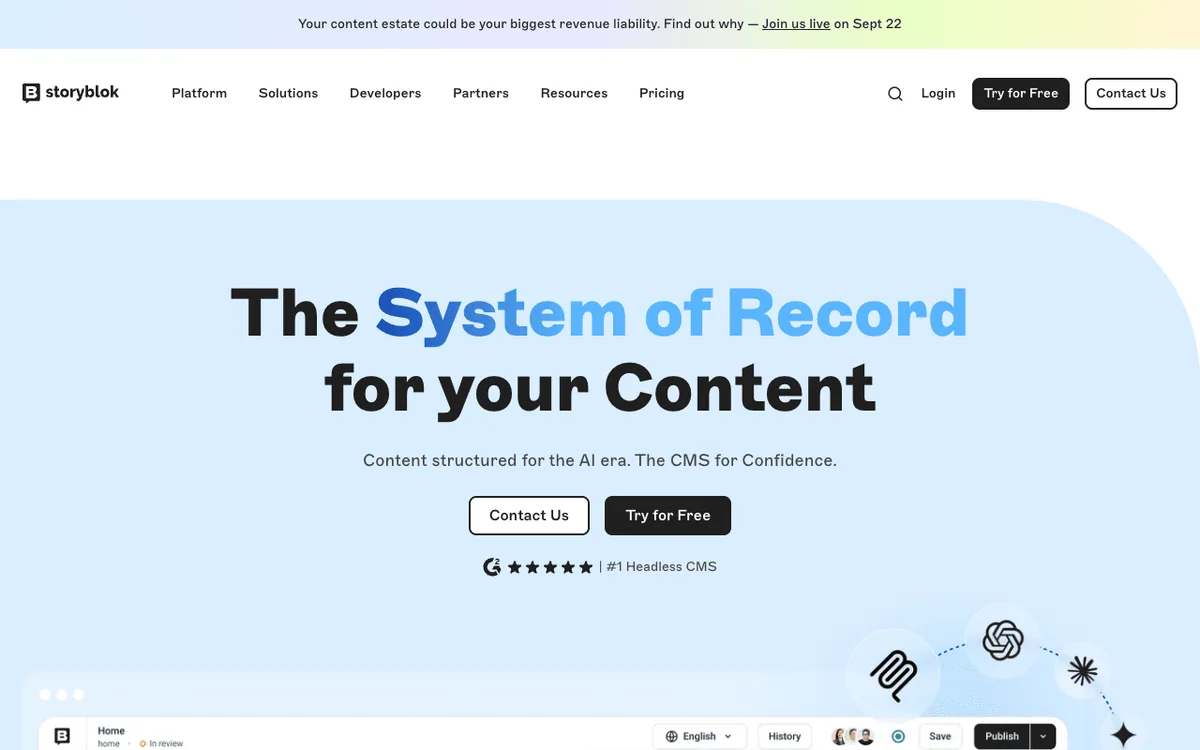
Is Grigora the right Storyblok alternative for you?
Where Grigora is a suitable Storyblok alternative, by use case.
Best Storyblok alternative for marketing teams without engineers
If the roadmap for your site is 'more landing pages', a content API plus a frontend repository is a permanent dependency on a developer who has other work. Grigora lets the person who wants the page make the page.
… for teams whose frontend developer moved on
A Storyblok space with an unmaintained Next.js app in front of it is content nobody can safely reshape. Moving the same content to a platform that renders it ends that category of risk.
… for small businesses that also need a newsletter and a store
Storyblok has neither, so a working setup means three subscriptions and two integrations. Grigora bundles the list, the campaigns, the catalogue and the checkout into the same $12 to $45 a month.
Storyblok is the right call if…
Your content must serve more than one surface, or you need nestable bloks, datasources, conditional fields, translatable slugs and language-specific workflows across several markets. If a developer is building the frontend anyway, Storyblok's Visual Editor is the best editor experience in this comparison and you should keep it.
Which one is right for you?
Choose Grigora if…
- You want a public page the moment you press publish
- There is no frontend developer, or no appetite for a second repository
- Hosting, CDN and SSL should be in the same bill as the CMS
- You need a newsletter and a store without adding two vendors
- You are an agency delivering small client sites under your own brand
Choose Storyblok if…
- •The same content must render on a website, an app and other surfaces
- •You need a component content model that survives a frontend rebuild
- •You publish into several locales with real editorial governance
How to switch from Storyblok to Grigora
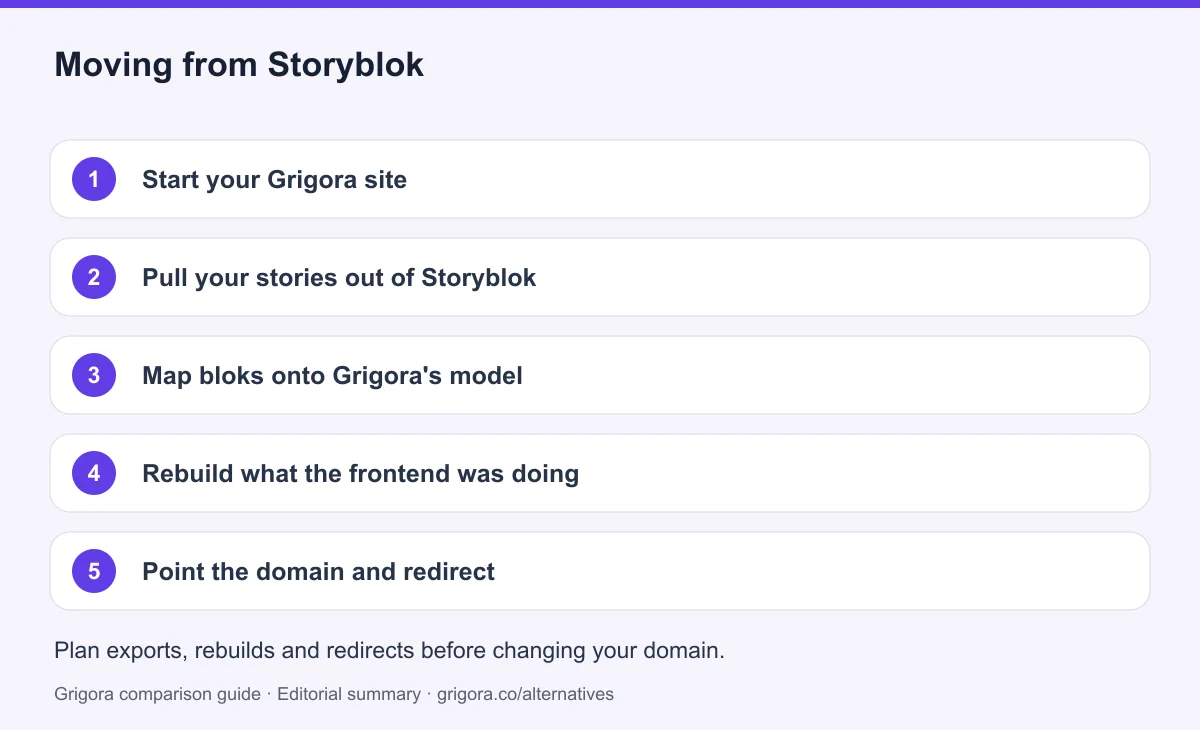
Your stories are already structured JSON behind an API, which makes the content half of this move easier than most. The part that disappears is the frontend repository, and that is usually why people are moving. Before moving everything, test a representative content export and check supported import formats. Keep media backups, reconcile product variants and retain subscriber consent and unsubscribe records; an export does not guarantee a direct import.
- 1
Start your Grigora site
Describe the business in a sentence and the AI generates a first-draft site with pages, layout and copy, or pick a website template and edit from there.
- 2
Pull your stories out of Storyblok
Use the Content Delivery API or the management API to export your stories, assets and datasources as JSON while your space is still active.
- 3
Map bloks onto Grigora's model
Most blok schemas collapse into pages, posts with categories and author profiles, and one or two collections or directories. Map them deliberately rather than recreating every component.
- 4
Rebuild what the frontend was doing
Navigation, listing pages, forms, search and the SEO tags your code was emitting all become platform settings instead of application code. This is the step that removes the repository.
- 5
Point the domain and redirect
Keep the old service active while you test the new site. Match existing URL paths or configure permanent redirects, verify canonicals and the sitemap, and test forms and checkout on mobile. Change DNS after these checks, then monitor indexing and errors before cancelling services you no longer need. Rankings may change during a migration.
Why people look for a Storyblok alternative in 2026
Storyblok is not a website builder and has never claimed to be. It is a headless content management system: you model content as components, editors fill them in, and an API hands the result to whatever you have built. Teams choose it because the Visual Editor makes that arrangement bearable for non-technical staff, who get a live preview of the real page instead of a form full of fields. People go looking for an alternative because of the sentence that follows. Somebody still has to build, host and deploy the thing being previewed.
The frontend is the project, and it is not in the price
A Storyblok subscription buys content storage, an editing interface and an API. It does not buy a website. A developer picks a framework, wires the Storyblok bridge into it, defines every component twice (once as a blok schema, once as a rendered component), configures a build pipeline and chooses a host. Storyblok's own developer material tells you to choose fast frontend hosting options like AWS, Netlify or Vercel, which is a straightforward admission that hosting is your account and your invoice, not theirs. After launch, the same dependency persists in miniature: editors can only place bloks that already exist in code, so a new widget, a new page type or a layout variant is a schema change plus a frontend release. For a product team with engineers on staff, that is a sensible trade and the structure pays for itself. For a marketing team that wanted a website, it is a permanent queue.
One space, five to fifteen seats, and a wall at the top
The live plan comparison lists Spaces (Projects) as 1 on Starter, on Growth and on Growth Plus alike, so a second website, or even a separate staging space, means Premium or Elite and a custom quote with no published figure. Seats follow the same shape. Starter allows two people, with the second at $15.00 a month. Growth includes five and stops at ten, each extra at $15.00 a month. Growth Plus includes fifteen and marks additional seats as unavailable rather than pricing them, so a sixteenth colleague cannot be added at any figure without a sales conversation. Environments, release management, native A/B testing, taxonomies, GraphQL, shared asset libraries, organization analytics, SSO and SCIM are all marked unavailable on every self-serve tier as well, which means the moment a growing team needs any of them, the self-serve pricing page stops being the relevant document.
The bill moves with your traffic
Because Storyblok charges for content delivery rather than for a rendered site, consumption is metered. Growth includes 400GB of traffic and one million API requests a month, with overage at $75.00 a month per additional 250GB and $10.00 a month per additional million requests, and hard ceilings of 1TB and five million above that. AI credits are metered too, at $20.00 a month per extra 200,000, although the pricing page does not define what a single credit buys. Growth Plus lists no overage rate at all for traffic or API requests, so what actually happens when a Growth Plus customer passes 1TB or four million requests is not published. Underneath all of it, both paid self-serve tiers carry a 97% uptime SLA, which permits roughly twenty-one hours of downtime in a month; 99.9% starts at Premium, and the free Starter plan has no SLA at all. A campaign that works, on this pricing model, is a variable cost.
How Grigora compares
Grigora is built on the opposite assumption: that most people asking for a content platform actually want the pages to exist. Describe your business in a sentence and the AI produces a first-draft site with pages, layout and copy, or start from a website template. Everything is editable in the block editor, including custom code injection where you need it, and hosting, SSL and the CDN are part of the subscription. There is no bridge to wire up, no build to configure, no preview URL allowance and no separate hosting account, because the platform that stores the content also renders and serves it.
Publishing and rendering are the same action
On Storyblok, publishing a story updates an API response, and a deploy or a revalidation hook decides when a visitor sees it. On Grigora, publishing puts the page on your domain. That single difference removes the frontend repository, the CI pipeline, the deployment step and a separate frontend hosting bill, and it changes who is allowed to act: a marketer can add an entire new page type on Grigora, where on Storyblok they can only fill in components someone else defined. The rest of the platform follows the same logic. The CMS ships with posts, categories, author profiles, directories and collections, and moderated comments with admin replies. The newsletter ships with a subscriber list, a campaign builder, automations and segmentation, from 2,500 subscribers on Starter up to 25,000 on Business. The store ships with a catalogue, variants, stock and digital downloads, and takes 0% platform commission, with checkout on Stripe or Razorpay. SEO metadata, schema controls, sitemaps and IndexNow submission are included on every paid plan, alongside free SEO tools on the marketing site. Annual pricing is $12, $20 and $45 a month, against $90.75 a month for Storyblok Growth billed annually before anyone has been paid to build a front end for it.
Where Storyblok still wins
Content modelling and multi-surface delivery, and it is not a close contest. Storyblok's nestable bloks, datasources, field-level permissions and conditional fields let you define a structure that outlives whatever renders it, so a team can rebuild an entire frontend without re-entering a single story. The same API can feed a marketing site, a mobile app and an in-store screen at once, which no page-rendering platform on this site can do. Localisation is serious rather than decorative: locales are purchasable on Growth at $20.00 a month each with translatable slugs, and language-specific workflows, custom roles, release management and content staging arrive on Premium and Elite. Freedom of framework and host is a genuine advantage too, because bundle size, caching and Core Web Vitals become your engineering decisions rather than a platform's. Grigora has none of that. There is no headless API, no code export and no self-hosting, and the content model is shaped by the website it renders. If your content truly has to serve several surfaces, or several markets under real editorial governance, Storyblok is the correct tool and this page is not trying to argue otherwise. This page is for the teams who bought a content API when what they needed was a website.
Frequently asked questions
Grigora is a Storyblok alternative when the requirement is a managed business website with a blog, newsletter and store. Storyblok is a stronger fit when developers need a headless CMS to deliver structured, localised content to several frontends. Budget for frontend development and hosting alongside Storyblok's content-platform subscription.
There is a free Starter plan at $0 with one space, one seat (two maximum), 100GB of traffic and 100k API requests a month, and no uptime SLA. Growth is $99.00 a month billed monthly or $90.75 a month billed annually. Growth Plus, marked Most Popular, is $349.00 a month billed monthly or $319.91 a month billed annually. Premium and Elite are custom quotes with no published figure. Figures read from storyblok.com/pricing on 11 September 2026.
No. Storyblok stores and serves content through an API. The frontend that turns stories into pages has to be built in a framework of your choice, hosted in your own Vercel, Netlify, Cloudflare or AWS account, and deployed by you. Nothing is visible to a visitor until that work is done, and it is not included in the subscription.
Neither. There is no subscriber list, campaign builder, automation or sending anywhere in Storyblok's plan comparison, and there is no cart, checkout, catalogue or payment processing. Commerce is handled by connecting an external platform: Shopify from the Growth plan up, and every other connector such as BigCommerce, commercetools or Salesforce Commerce Cloud only on Premium and Elite. Grigora includes the newsletter and the store on every paid plan.
Yes. Stories, assets and datasources can be exported as JSON through Storyblok's delivery and management APIs while your space is active. Most blok schemas collapse into Grigora pages, posts with categories, and one or two collections or directories. Redirect the old URL structure after you point the domain to help preserve access to the same content, then close the frontend hosting account.
The headless content API and everything that depends on it: serving the same content to a mobile app or an in-store screen, nestable blok modelling, datasources, conditional fields, and multi-locale publishing with language-specific workflows. You also lose free choice of framework and host. Grigora has no content API, no code export and no self-hosting, and in exchange the website, its hosting, the newsletter and the store stop being separate projects.
Sources and comparison method
Published by Grigora, one of the products compared here. This is a comparison of public product documentation and published plans. Recommendations reflect the use cases described; they are not independent performance benchmarks. Homepage screenshots show how each product presents itself and do not establish feature availability.
Check the billing term, currency, regional availability, usage limits and add-ons before purchasing. A content export does not necessarily include the design, integrations or a working store. Migration steps need testing on your own site.
- Storyblok pricing
Primary source for the product, plan or migration scope discussed in this comparison.
- Storyblok official documentation
Primary source for the product, plan or migration scope discussed in this comparison.
- Grigora pricing and plan limits
Annual and monthly billing, free trial, page/bandwidth/storage allowances, support and optional services.
Grigora references: plans and limits, commerce, MCP access, and help documentation.
Compare Grigora with other platforms


Make the switch from Storyblok to Grigora
Get the website, the CMS, the newsletter and the store in one subscription, with no frontend to build, host or deploy. Try Grigora free, no credit card required.
14-day free trial • No credit card required • Cancel anytime