
A Hygraph alternative for a managed website with publishing included
Grigora is a Hygraph alternative for teams that need a hosted website, blog, newsletter and small store in one platform. Starter costs $12/month billed annually or $15 monthly. Hygraph is the better fit for GraphQL delivery, content federation, localization and several frontends; Grigora does not replace those capabilities.
Published by Grigora · Updated · Sources and method
Is Grigora the right Hygraph alternative?
Grigora is a Hygraph alternative for teams that need a hosted website, blog, newsletter and small store in one platform. Starter costs $12/month billed annually or $15 monthly. Hygraph is the better fit for GraphQL delivery, content federation, localization and several frontends; Grigora does not replace those capabilities.
Choose Grigora if you want…
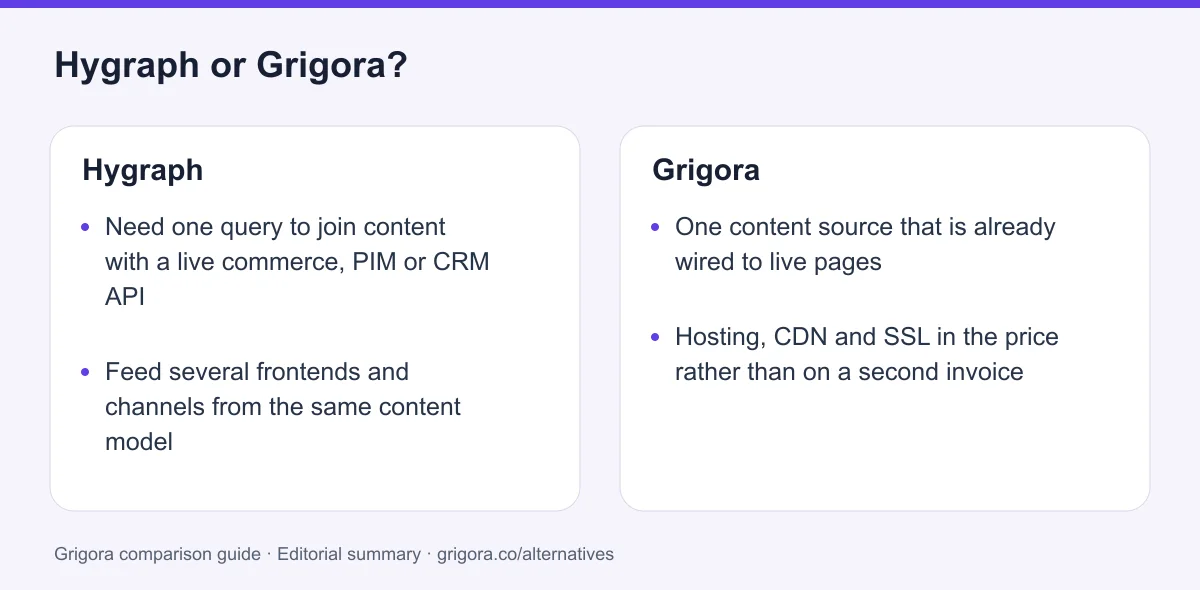
- One content source that is already wired to live pages
- Hosting, CDN and SSL in the price rather than on a second invoice
- A newsletter and subscriber list without bolting on an ESP
- A real cart and checkout instead of a product reference field
- A flat bill with no API operations or asset traffic to meter
Stick with Hygraph if you…
- •Need one query to join content with a live commerce, PIM or CRM API
- •Feed several frontends and channels from the same content model
- •Have a frontend team and want the content kept vendor-neutral
Hygraph or Grigora: the decision in one view
Hygraph alternatives at a glance
How Grigora and the other platforms on a Hygraph shortlist compare on the essentials.
Swipe the table sideways to see every column
| Platform | Best for | Free access | Starting price | Sales fees | Data and site portability |
|---|---|---|---|---|---|
| Grigora | All-in-one sites, fully managed | Free trial | From $12/mo billed annually | 0% platform fee; Stripe/Razorpay fees apply | Posts/content; rebuild design |
| Hygraph | Federating content across several back ends | Hobby, $0 | Growth $199/mo annually or $299 monthly | No store | Content and assets via API |
| Contentful | Large enterprise content operations | Yes | Published tiers, then sales | No store | Yes |
| Sanity | Custom editing interfaces | Yes | Growth $15/seat/mo plus usage | No store | Dataset/assets; frontend separately |
| Storyblok | Visual editing on a headless stack | Yes | Growth $90.75/mo billed annually | No store | Content/assets; frontend separately |
| Strapi | Self-hosted, open-source headless CMS | Software is free | Free self-hosted; Cloud from $29/mo yearly | No store | Content/database; frontend separately |
Hygraph pricing read from hygraph.com/pricing on 11 September 2026. Contentful, Sanity, Storyblok and Strapi pricing was not re-verified for this page and is described in shape only. Verify current pricing on each provider's site. Website frontend hosting, email marketing and checkout are separate decisions; some providers host the CMS or content API itself.
Sources for the overview table
- Grigora: official reference 1
- Hygraph: official reference 1, official reference 2
- Sanity: official reference 1, official reference 2
- Storyblok: official reference 1, official reference 2
- Strapi: official reference 1, official reference 2
Reasons to consider moving from Hygraph to Grigora
Consider these trade-offs against your existing setup before planning a move.
You are paying for federation you never turn on
Remote sources are the reason Hygraph exists, and there are zero of them on Hobby and exactly one on Growth. Ten of them sit behind an Enterprise quote. Teams with a single source of truth pay federation-platform prices for a feature that stays at zero.
The content arrives and the website still does not
Hygraph delivers entries over GraphQL. Pages, templates, navigation, forms, a domain, a host and a deployment pipeline are all yours to build and keep running, which is where the real budget goes.
The bill has two shapes at once
There is the $199 a month for Growth billed yearly, and then there is the metered part: $0.20 per 10,000 API operations and $0.20 per gigabyte of asset traffic, charged automatically at the end of the cycle. Busy months cost more and you find out afterwards.
Everything around the content is still missing
No email of any kind, no cart or checkout, no SEO panel, no forms. Each of those is another vendor to choose, another integration to wire and another system to keep in sync with the schema.
What Hygraph does well
- Remote sources join live external APIs into one GraphQL query
- Deep modelling: up to 500 models, 150 components, taxonomies and variants
- Up to 80 locales with per-locale permissions on Enterprise
- Frontend-agnostic, so a redesign never touches the content
Where Hygraph falls short
- Renders and hosts nothing, so a website needs a framework, a host and a developer
- Only two published prices: $0 and $199/mo billed yearly, with no tier between
- No email, no cart, no checkout and no SEO tooling anywhere in the product
- Metered on entries, API operations, asset traffic and payload size, with automatic overages on Growth
Grigora vs Hygraph at a glance
What each side hands you at the end of the month.
| Feature | Hygraph | Grigora |
|---|---|---|
| Starting paid price | $199/mo billed yearly | $12/mo billed annually |
| Publishes a live website | No | Yes |
| Hosting, CDN and SSL | Bring your own | Included |
| Visual page editing | Click to edit on your own frontend | Block editor |
| Newsletter and subscriber list | No | Included |
| Cart and checkout | Integrate Shopify or commercetools | Built in, 0% commission |
| Joins other back ends into one query | 1 remote source on Growth; more on Enterprise | No |
| Frontend developer required | Yes | No |
| Free SEO tools suite | No | Free tools |
Grigora vs Hygraph: feature by feature
A category-by-category breakdown, pricing, AI, design, e-commerce, email, SEO, performance, and support.
Remote sources & content federation
Fit: HygraphThis is the thing Hygraph does that nothing else on this page attempts, and it deserves the honest win. Enterprise plans connect remote REST or GraphQL services so a single query returns your entries stitched to live rows from a commerce platform, a PIM, a CRM or an internal service. Nothing is copied and nothing is migrated. Grigora can only serve the content it owns.
| Feature | Grigora | Hygraph |
|---|---|---|
| Join a live external API into one query | No | Up to 10 remote sources (Enterprise) |
| Remote sources on the free and paid self-serve tiers | Not applicable | 0 on Hobby, 1 on Growth |
| One schema across several systems | No | Yes |
| Serve the same content to apps, screens and agents | Website and store only | Any client over GraphQL |
| MCP server for editing content from an IDE | MCP server access | Yes |
Takeaway: If your content genuinely lives in four systems, Grigora cannot help you and Hygraph was built for exactly that job.
Models, components & locale governance
Fit: HygraphHygraph's modelling depth is the second reason people buy it. Reusable components, taxonomies, variants and per-locale permissions go well past anything a site builder offers. The caveat is where those controls sit on the price list: the governance that makes deep modelling safe in a large team is almost entirely behind the Enterprise call.
| Feature | Grigora | Hygraph |
|---|---|---|
| Custom content models | Posts, categories, directories and collections | 20 on Hobby, 40 on Growth, up to 500 on Enterprise |
| Reusable components | Editor blocks | 10 on Hobby, 20 on Growth, up to 150 on Enterprise |
| Locales | No | 2 on Hobby, 3 on Growth, up to 80 on Enterprise |
| Custom roles and field-level permissions | Basic roles | 0 on Hobby and Growth, Enterprise only |
| Scheduled publishing | No | Enterprise only |
| Version retention | Not applicable | None on Hobby, 14 days on Growth |
Takeaway: Hygraph models content far more precisely than Grigora, and most of the governance around that modelling starts at a quote.
What actually renders the page
Fit: GrigoraA headless CMS is a back end by definition, so this is not a flaw so much as a scope decision. It is still the decision that costs the most. Hygraph hands you JSON over GraphQL. Turning that into a website means a framework, a deployment pipeline, a host, a domain, templates and someone who maintains all four.
| Feature | Grigora | Hygraph |
|---|---|---|
| Hosting, CDN and SSL | Included | Bring your own |
| Templates to start from | Template library | None, you build the frontend |
| Visual page editing | Block editor with custom code | Click to edit, pointed at your own build |
| Domain management | Yes | No |
| Forms | Yes | No |
| Time to a live public page | Minutes | A frontend project |
Takeaway: Hygraph federates your back ends beautifully and then leaves the front of the website entirely to you.
Two published prices, then a phone call
Fit: GrigoraHygraph's self-serve ladder has exactly two rungs and a long drop between them. Hobby is genuinely free forever with no card. The next step is Growth at $199 a month billed yearly, or $299 billed monthly. There is no mid tier, and everything above Growth is quoted by sales with no published figure at all.
| Feature | Grigora | Hygraph |
|---|---|---|
| Free plan | Free trial | Hobby, $0 forever, no card |
| First paid step | $12/mo billed annually | $199/mo billed yearly ($299 monthly) |
| A tier between free and enterprise | $20 and $45/mo | Growth at $199/mo billed yearly |
| Top tier price | White Label at $199/mo | Custom, not published |
| What the first paid step buys | Site, CMS, newsletter and store | Content API and 10 seats |
| Add-on prices | Mailboxes from $5 | Not published for any add-on |
Takeaway: Grigora Starter costs less than Hygraph Growth and includes website hosting. Hygraph buys a different capability: a content API with structured models and developer control.
Entries, API calls & asset traffic
Fit: GrigoraFederation-grade platforms are metered like infrastructure, because that is what they are. Hygraph counts entries, API operations, asset traffic, request rate and even request payload size. The detail that catches people is in the live FAQ: assets count against the entry limit, so every image you upload eats a content slot.
| Feature | Grigora | Hygraph |
|---|---|---|
| Content entries | Plan-based content allowances | 1,000 on Hobby, 10,000 on Growth |
| Do images count as entries | No | Yes, assets count towards the entry limit |
| At the limit | Plan-based allowances; check pricing | Hobby blocks until next cycle, Growth bills overages |
| Overage rate | Check plan limits and upgrade terms | $0.20 per 10,000 API operations, $0.20 per GB of asset traffic |
| Uncached request rate | Managed delivery | 5 req/sec Hobby, 25 on Growth |
| Request payload cap | Not applicable | 10 KB queries on Hobby, 15 KB on Growth, over cap returns 413 |
Takeaway: A good traffic month becomes an invoice you find out about at the end of the cycle, and every photo you upload counts as content.
Newsletters, which Hygraph does not send
Fit: GrigoraThere is no email anywhere in Hygraph. No lists, no campaigns, no automations, no transactional sending, nothing on the pricing comparison table and nothing on the features page. A newsletter means choosing an email platform, paying for it, and wiring it to Hygraph through webhooks or the API.
| Feature | Grigora | Hygraph |
|---|---|---|
| Subscriber list | 2,500 to 25,000 included | No |
| Campaign builder | Included | No |
| Automations and segmentation | Included | No |
| Signup forms tied to the list | Yes | Webhook to an external platform |
| Professional inbox | From $5/mailbox | Separate provider |
Takeaway: Email becomes yet another back end in the stack, and this is the one thing Hygraph will not federate for you.
Selling: a product picker vs a checkout
Fit: GrigoraHygraph's commerce story is an integration story. The marketplace ships a Shopify app whose product picker references items stored in Shopify, plus a commercetools app, and Enterprise remote sources can federate a commerce API into the schema. All of that describes products. None of it takes money.
| Feature | Grigora | Hygraph |
|---|---|---|
| Products, variants and stock | Built in | Stored in Shopify or commercetools |
| Cart and checkout | Built in | No |
| Payments | Stripe and Razorpay | Your separate commerce platform |
| Digital downloads | Yes | No |
| Orders, tax and shipping | Built in | No |
| Platform commission | 0% | No store to take a cut of |
Takeaway: The Shopify app points at products. Selling them still means a second platform, a second subscription and a second set of fees.
SEO when nothing renders a page
Fit: GrigoraHygraph has no SEO panel, no meta editor, no sitemap or robots generation and no Core Web Vitals reporting, and that is consistent rather than careless: it does not render or host the pages those things describe. The common pattern is to model your own reusable SEO component with title, description and OG image fields, then implement every one of them in your frontend.
| Feature | Grigora | Hygraph |
|---|---|---|
| Meta and schema controls | Built in | Model your own SEO component |
| Sitemap and robots.txt | Generated | Your frontend's job |
| IndexNow submission | Yes | No |
| Page speed responsibility | Managed delivery | Depends on the frontend you built |
| AI help with content | AI writing in the CMS | AI Agents can run content SEO cleanups |
| Free SEO tools suite | Free tools | No |
Takeaway: Every item on this list is real work that moves from the platform onto your frontend team.
Portability, lock-in & who answers
Depends on your needsBeing frontend-agnostic is a genuine advantage and Grigora should not pretend otherwise. Hygraph content survives a redesign, a framework migration and a full rebuild untouched, because the renderer was never Hygraph's. Grigora's answer is narrower and simpler: your content exports, but the renderer, the host and the support all come from the same place and the same bill.
| Feature | Grigora | Hygraph |
|---|---|---|
| Export your content | Yes | Yes |
| Headless API for other clients | No | GraphQL, and it is the whole product |
| Swap the frontend without touching content | No | Yes |
| Self-hosting | No | No |
| Support on the entry paid plan | Email, priority on higher plans | Community and email on Growth, community only on Hobby |
| Uptime SLA | Managed platform | Enterprise only, up to 99.95% |
Takeaway: Hygraph wins portability outright. Grigora wins the part where the renderer, the host and the support are already paid for.
Explore Grigora before switching from Hygraph
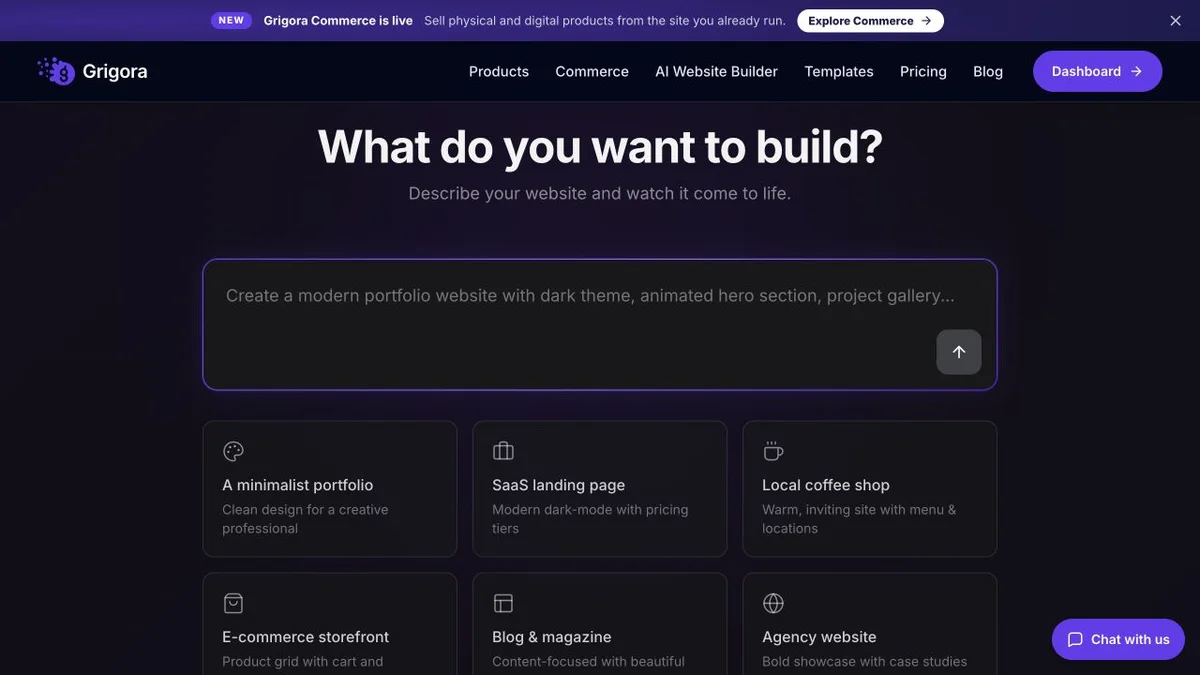
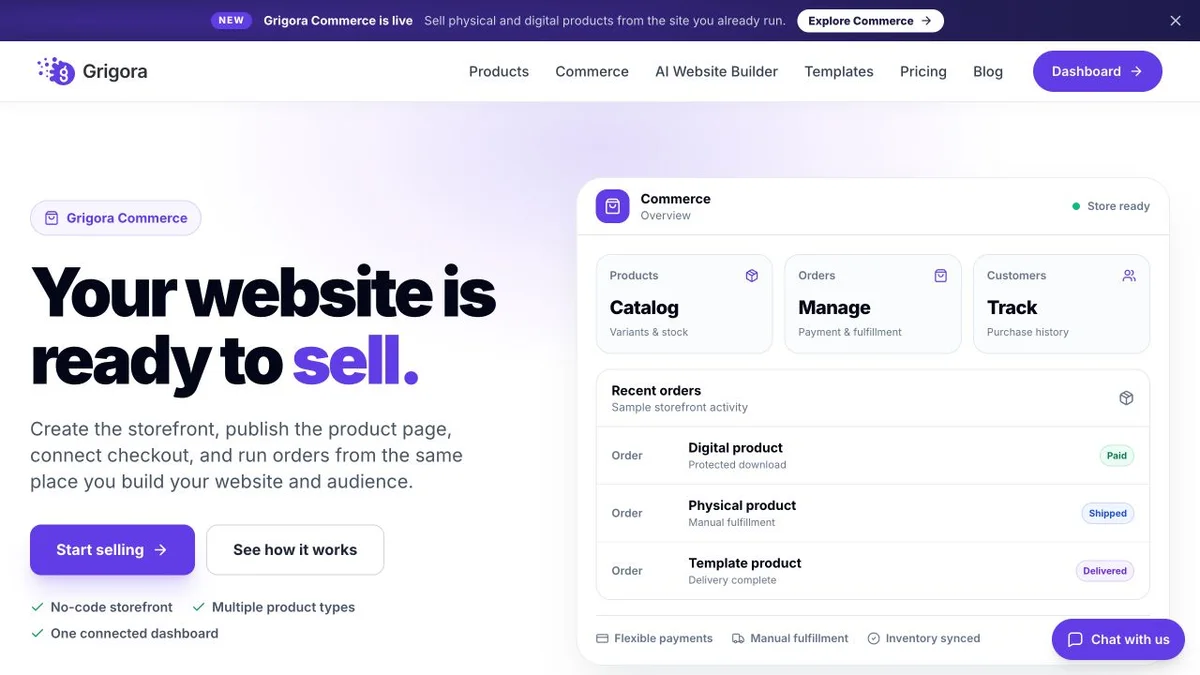
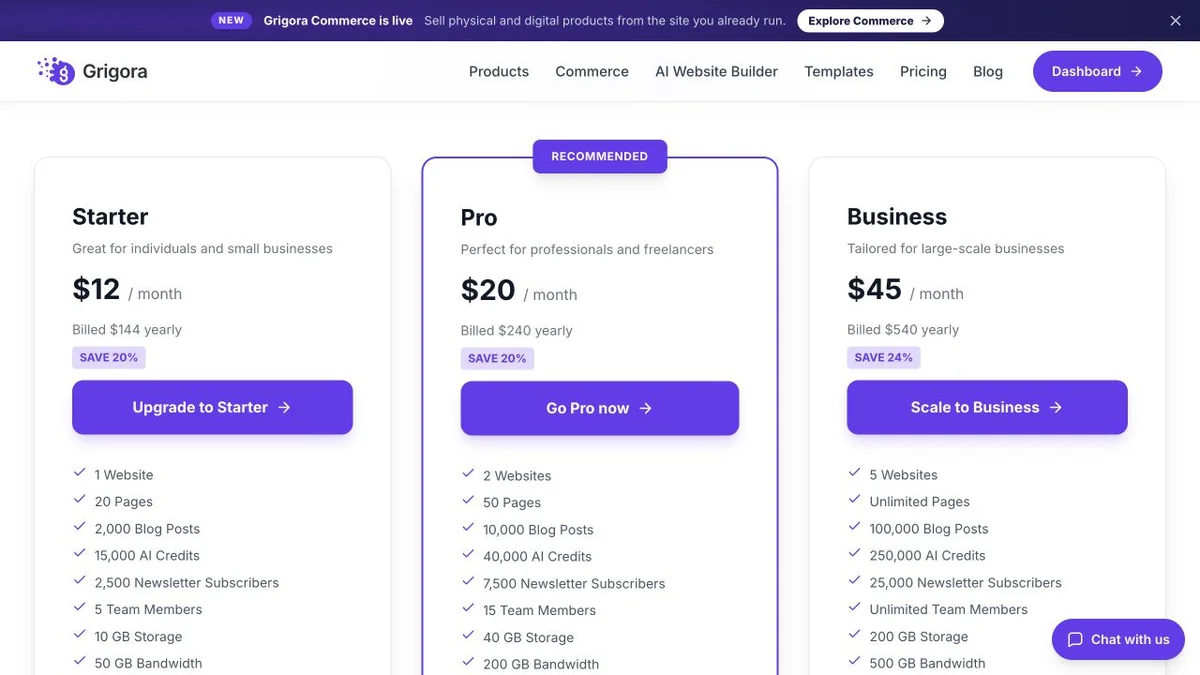
Current public product pages and plans, so you can inspect what you would be moving to. Open any image at full size.
Grigora vs Hygraph pricing
Hygraph publishes two prices. Here is what each side costs once the site is actually live.
Website, newsletter & store in one plan
Grigora Starter, Pro and Business rates are $12, $20 and $45 per month billed annually ($144, $240 and $540 per year), or $15, $25 and $59 month to month. Plan limits apply to sites, storage, bandwidth, AI credits and newsletter subscribers. Payment-provider fees and optional paid services are additional.
A free tier, one paid price, then a quote
Hygraph plan prices read from hygraph.com/pricing on 11 September 2026, with limits cross-checked against hygraph.com/docs on the same date. Growth is $199 per month billed yearly or $299 billed monthly; the pricing page does not state whether the annual rate is invoiced once up front, so no annual total is quoted here. Enterprise carries no published price, and add-on prices for extra locales, seats and content stages are not published either.
Grigora's whole ladder, $12 to $45 a month, sits well under Hygraph's single paid step. Growth at $199/mo billed yearly buys a content API with one remote source, and you still have to build, host and market the site around it.
The real cost: Grigora vs Hygraph
Model a normal website: roughly forty pages, a blog, a newsletter and a small store, with one source of truth and nothing to federate. Count everything the month actually costs.
| What you pay for | Hygraph | Grigora |
|---|---|---|
| Content platform | $199/mo on Growth, billed yearly | $12 to $45/mo, all in |
| Frontend build | Next.js, Astro or Nuxt app, built by a developer | AI first draft, then edit the blocks |
| Hosting, CDN and SSL | Separate host, separate invoice | Included |
| Email marketing | External platform plus webhook wiring | Included, 2,500 to 25,000 subscribers |
| Online store | Shopify or commercetools subscription and its fees | Included, 0% platform commission |
| Traffic overages | $0.20 per 10,000 API operations and $0.20 per GB of asset traffic | Bandwidth allowances apply |
| Joining a live PIM, CRM or commerce API | Remote sources, up to 10 on Enterprise | Not available |
Hygraph figures from hygraph.com/pricing and hygraph.com/docs, 11 September 2026. Payment-processor fees apply on both sides. Frontend development and hosting rates vary enormously; the presence of those line items does not. Enterprise is not publicly priced, so the federation row cannot be costed here at all.
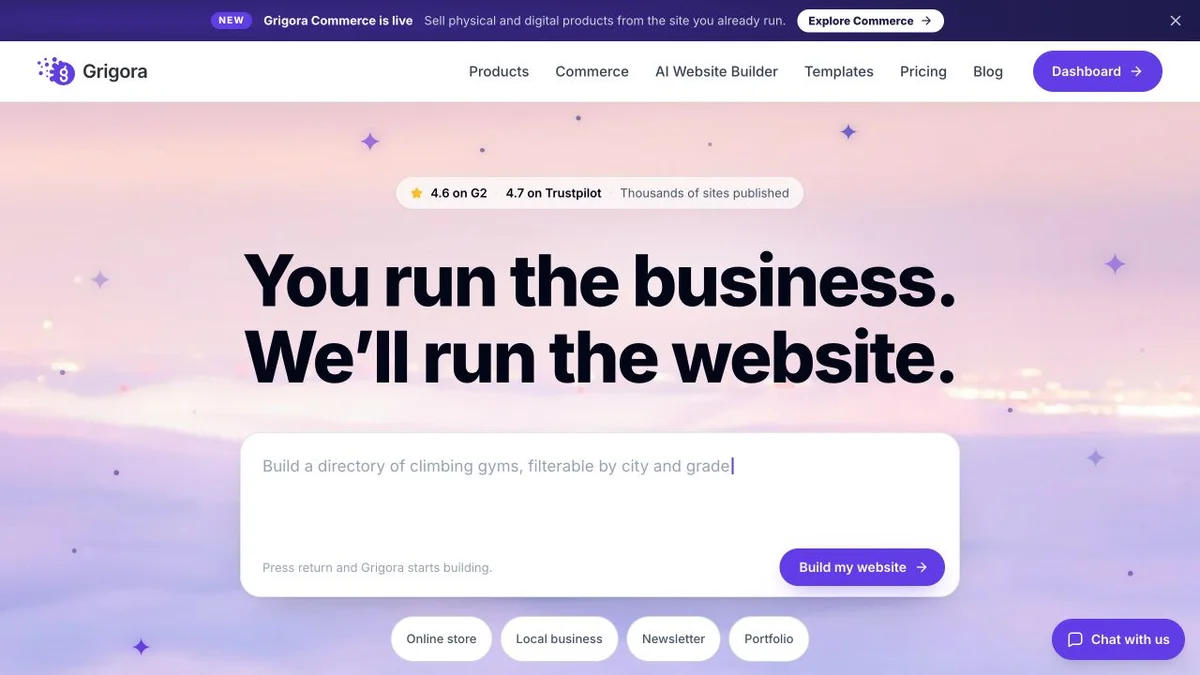
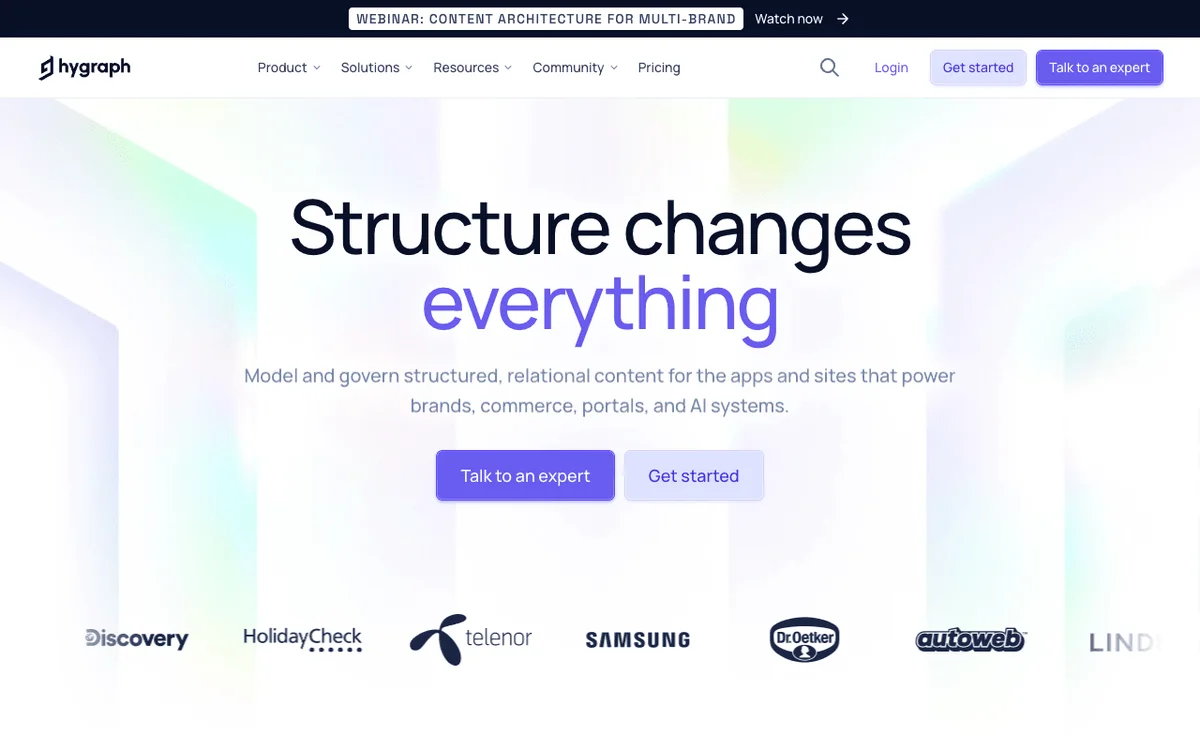
Hygraph and Grigora: public website references
These captures show each product’s public website. See the feature and pricing sections for capabilities and plan details.
Is Grigora the right Hygraph alternative for you?
Where Grigora is a suitable Hygraph alternative, by use case.
Hygraph alternative for single-source websites
If your content lives in one place and always will, federation is machinery you pay for and never switch on. Grigora keeps the source of truth and the published page in the same product.
… for marketing teams without a frontend
Hygraph assumes someone builds and hosts the site. When there is no frontend team on the other side of the API, the content sits in a beautiful schema that nobody can see.
… for sites that also have to sell and email
A newsletter and a checkout are two more systems to buy and integrate around Hygraph. On Grigora they are already part of the same subscription.
Hygraph is the right call if…
You need one query to join your content with live data from a commerce platform, a PIM, a CRM or an internal service, or you are feeding several frontends and channels from one model with per-locale governance. Grigora does none of that and no amount of page copy will change it.
Which one is right for you?
Choose Grigora if…
- You have one content source and no plans for a second
- Nobody on the team is going to build and host a frontend
- The website has to publish, email and sell from the same place
- A flat monthly bill beats metered API operations and asset traffic
- You want the first paid step to cost $12, not $199
Choose Hygraph if…
- •Content has to be joined with live data from other back ends
- •Several frontends and channels read from the same content model
- •You need deep locale, role and workflow governance at enterprise scale
How to switch from Hygraph to Grigora
Hygraph content comes out cleanly over its own GraphQL API, which is the upside of a headless platform. The part you rebuild is the frontend, and on Grigora you do not rebuild it so much as stop needing it.
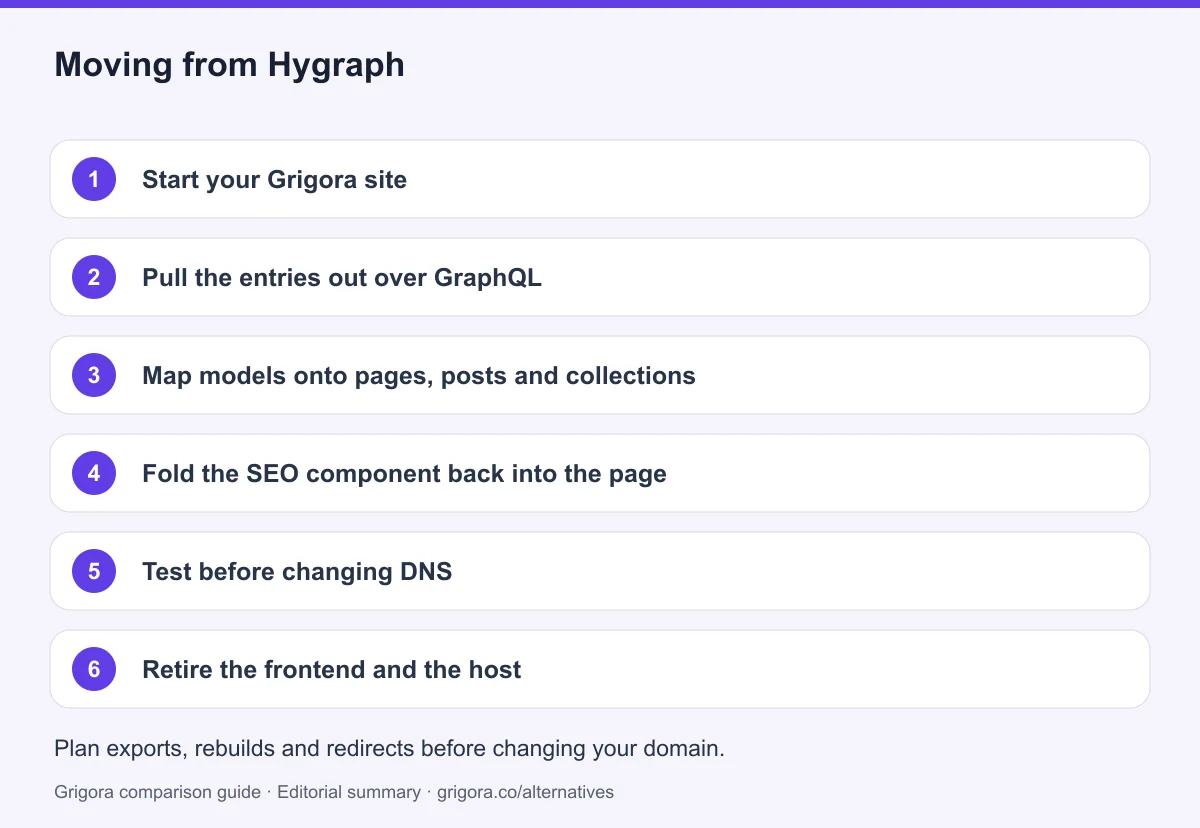
- 1
Start your Grigora site
Describe the business in a sentence and the AI generates a first-draft site with pages, layout and copy, or start from one of the website templates.
- 2
Pull the entries out over GraphQL
Query your models through the Hygraph content API and export the entries and assets. Remember that assets counted against your entry limit, so the asset list is usually longer than people expect.
- 3
Map models onto pages, posts and collections
Most Hygraph schemas collapse into pages, blog posts and one or two collections or directories. Map them deliberately instead of recreating a model structure that existed to serve several frontends.
- 4
Fold the SEO component back into the page
The title, description and OG image fields you modelled by hand become native page settings, so drop the component rather than porting it.
- 5
Test before changing DNS
Export a sample content type, its linked entries and original media first. Confirm how references, locales and custom fields will map to Grigora before migrating the full library. Check page titles, descriptions, canonical URLs, internal links, image alt text, forms and checkout on the new site. Keep an old-to-new URL map, add relevant 301 redirects and monitor indexing after launch; redirects cannot guarantee unchanged rankings.
- 6
Retire the frontend and the host
Point your domain at Grigora, redirect the old URLs to map previous addresses to their closest replacement, then shut down the deployment pipeline, the host and the Hygraph project.
Why people look for a Hygraph alternative in 2026
Hygraph is not a weak product being outgrown. It is a strong product bought for the wrong shape of problem. The platform was built around federation: the idea that a modern business has content scattered across a CMS, a commerce platform, a PIM, a CRM and a handful of internal services, and that the answer is a single GraphQL schema which queries all of them at once. For the companies that live that way, it is an elegant answer and there is very little competition for it.
The trouble is that most websites do not live that way. They have one source of truth, and the source of truth is the CMS. Buying a federation platform for a single back end means paying for the hardest problem in the category and then solving all the easy ones yourself.
Federation answers a question most sites never ask
Look at where remote sources actually sit on the price list. There are zero on Hobby. There is exactly one on Growth, the only paid self-serve plan. Up to ten sit behind an Enterprise contract with no published price. So the feature that defines the product is either absent, singular, or a sales conversation. A team with one content source spends a year on Growth without ever connecting a remote source, which means the entire reason to choose Hygraph over anything else was never switched on.
That is not a criticism of the engineering. Joining live external APIs into one typed schema with no duplication is genuinely difficult and Hygraph does it well. It is a criticism of the fit. Plumbing between five systems is worth a lot when you have five systems.
Two published prices, and the second one is $199
The self-serve ladder is unusually short. Hobby is free forever with no card, and it is a real free tier: three seats, 1,000 entries, 500,000 API calls, live preview and AI Assist. The next rung is Growth at $199 a month billed yearly, or $299 billed monthly. Nothing sits between them, and everything above Growth is quoted privately.
The jump matters because Hobby's ceilings arrive quickly. Assets count against the 1,000-entry limit, so a photo library is content. Hit a limit on Hobby and usage is blocked until the next billing period. Hit one on Growth and the overages bill automatically at the end of the cycle: $0.20 per 10,000 API operations and $0.20 per gigabyte of asset traffic. The docs also cap request payloads, returning a 413 above 10 KB of query on Hobby and 15 KB on Growth. None of this is hidden, but it does mean your monthly cost tracks your traffic rather than your plan.
Hygraph hands you content, not a website
Hygraph renders nothing. There are no themes, no page templates, no URLs, no RSS and no hosting, because publishing was never in scope. A working public site is Hygraph plus a frontend framework plus a deployment host plus a developer to build and maintain it. For a product team with frontend engineers that split is a feature. For a marketing team it is a project with no end date.
The gaps compound. There is no email anywhere in the product, so a newsletter means buying an ESP and wiring it up through webhooks. There is no cart or checkout, so selling means Shopify or commercetools alongside it. There is no SEO panel, because there are no pages to describe, so teams model their own SEO component and then implement every field by hand in the frontend. Scheduled publishing, which most editors assume is baseline, is Enterprise-only and missing from Growth entirely.
How Grigora compares
Grigora starts from the opposite assumption: that there is one source of truth, and that the useful thing to do with it is publish. The content model, the pages, the hosting, the newsletter and the store are the same product, so nothing has to be joined to anything. That is a smaller ambition than federation and it is the right size for most websites.
One back end, already attached to the pages
Describe the business in a sentence and Grigora generates a first-draft site, or start from one of website templates. The CMS underneath carries posts, categories, author profiles, directories and collections, and moderated comments with admin replies, with AI writing built into the editor. Hosting, CDN, SSL and backups are included, so there is no pipeline to deploy and nothing to patch.
Starter at $12/month billed annually includes a newsletter for 2,500 subscribers and a store with 0% platform commission on supported Stripe or Razorpay checkout. Business at $45/month raises the allowance to five sites, 250,000 AI credits and 25,000 subscribers. These three website tiers are less expensive than Hygraph Growth, but they are not equivalent products. Grigora also limits bandwidth, storage and other usage; compare the actual requirements and include payment-provider fees.
Where Hygraph still wins
Federation, modelling depth and portability, and it is not close on any of the three. If your content has to be queried alongside live rows from a commerce platform, a PIM or a CRM, Hygraph does that natively with up to ten remote sources and Grigora does not do it at all. If you need 500 models, 150 reusable components, taxonomies, variants, segments and permissions scoped to the individual field, stage and locale, Grigora's collections and directories are not in the same category. If you publish in eighty languages with per-locale permissions, SSO, audit logs and a 99.95% uptime SLA, that is an Enterprise headless platform and this page will not pretend otherwise.
Portability is the honest one. Being frontend-agnostic means a Hygraph customer can rebuild their entire website in a different framework and never touch the content. Grigora content exports, but there is no headless API, no code export and no self-hosting, so the renderer and the content stay together. That is the trade: you give up the ability to swap the front end, and you stop having to build one.
Frequently asked questions
Grigora is a Hygraph alternative for teams that need a hosted website, blog, newsletter and small store in one platform. Starter costs $12/month billed annually or $15 monthly. Hygraph is the better fit for GraphQL delivery, content federation, localization and several frontends; Grigora does not replace those capabilities.
Hygraph publishes two prices. Hobby is $0 forever with no credit card, covering 3 seats, 1,000 content entries with assets counting towards that limit, 500,000 API calls and no remote sources. Growth is $199 per month billed yearly, or $299 billed monthly, and covers 10 seats, 10,000 entries, 1,000,000 API calls and one remote source. Overages on Growth are billed automatically at $0.20 per 10,000 API operations and $0.20 per gigabyte of asset traffic. Enterprise has no published price at all and is quoted by sales, and add-on prices for extra locales, seats and content stages are not published either. Figures read from hygraph.com/pricing on 11 September 2026.
Yes. The company launched as GraphCMS in Berlin in 2016 and renamed itself Hygraph in July 2022, announced alongside its federated content platform positioning. It has not been acquired or shut down. It raised a $30M Series B led by One Peak and remains private and independent, and through 2025 it added an MCP server, AI Assist, AI Agents, content workflows, taxonomies and variants as part of a move towards agentic content. The exact rebrand date and Series B date are reported inconsistently across sources, so treat both loosely.
No. Hygraph is headless, which means it stores and serves content over a GraphQL API and renders nothing. There are no themes, no page templates, no URLs, no domain management and no hosting. You build the frontend yourself in something like Next.js, Astro or Nuxt and host it somewhere else, which is why a working Hygraph site costs the subscription plus a framework plus a host plus a developer.
Only if your content genuinely lives in more than one system. Remote sources let one query return your entries joined with live data from an external REST or GraphQL service, which is powerful when a commerce platform or PIM owns half your catalogue. There are none on Hobby, one on Growth and up to ten on Enterprise. If your CMS is your only source of truth, that feature stays at zero for the life of the account and you are paying a federation platform to be a plain CMS.
Yes. Entries and assets export cleanly through Hygraph's own GraphQL API, and most schemas collapse into pages, blog posts and one or two collections or directories in Grigora's CMS. What you lose is real: remote sources and federation, deep modelling with taxonomies and variants, multi-locale publishing and enterprise governance such as SSO and audit logs, and the ability to swap frontends without touching the content, since Grigora has no headless API. What you gain is hosting, a page editor, a newsletter, a store and SEO tooling that you no longer have to buy and integrate separately.
Sources and comparison method
Published by Grigora, one of the products compared here. This is a comparison of public product documentation and published plans. Recommendations reflect the use cases described; they are not independent performance benchmarks. Homepage screenshots show how each product presents itself and do not establish feature availability.
Check the billing term, currency, regional availability, usage limits and add-ons before purchasing. A content export does not necessarily include the design, integrations or a working store. Migration steps need testing on your own site.
- Hygraph plans and usage allowances
Published Hobby, Growth and Enterprise scope; annual Growth pricing and usage charges.
- Hygraph API limits
Technical rate and payload limits for API integrations.
- Grigora pricing and included features
Annual and monthly billing, plan allowances, included features and trial terms.
Grigora references: plans and limits, commerce, MCP access, and help documentation.
Compare Grigora with other platforms


Make the switch from Hygraph to Grigora
Keep one source of truth and publish it straight to a live site, with the newsletter and the store already included and nothing to deploy. Try Grigora free, no credit card required.
14-day free trial • No credit card required • Cancel anytime