Free Mobile-Friendly Test Lite
Quick mobile-friendliness audit: viewport, tap target size, readable font, content width. Free, instant, no signup.
How to use the Mobile Friendly Test Lite, step by step
Real screenshots of the tool, taken while running it with the Run Test button.
- 1
Add your input
Paste or type into the field Mobile Friendly Test Lite works from.

- 2
A page URL in place
With a page URL entered, Mobile Friendly Test Lite is ready to run.

- 3
See what Run Test produces
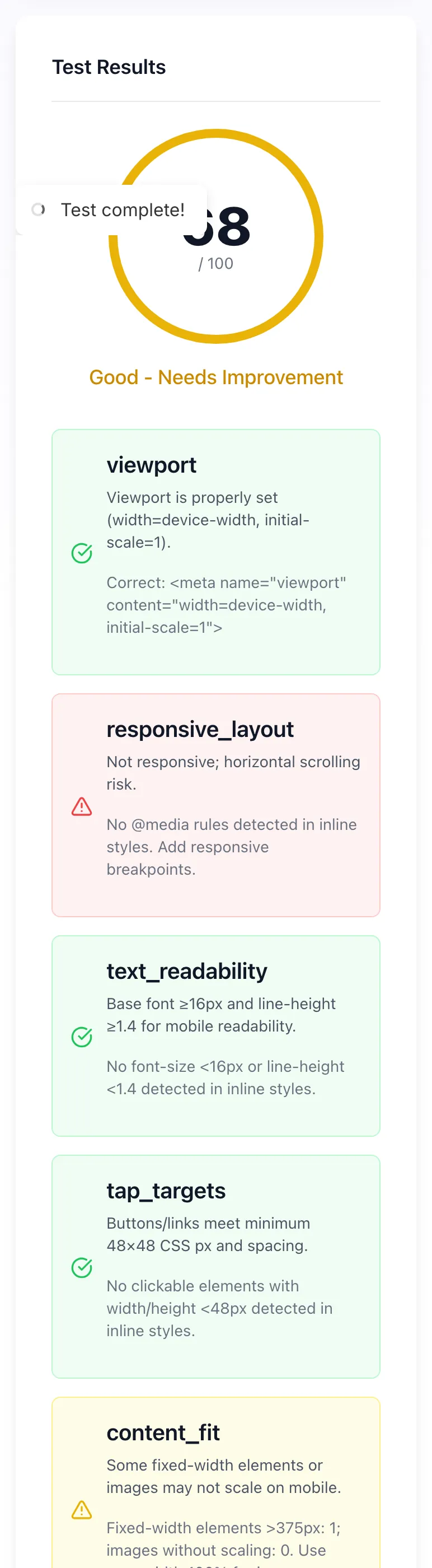
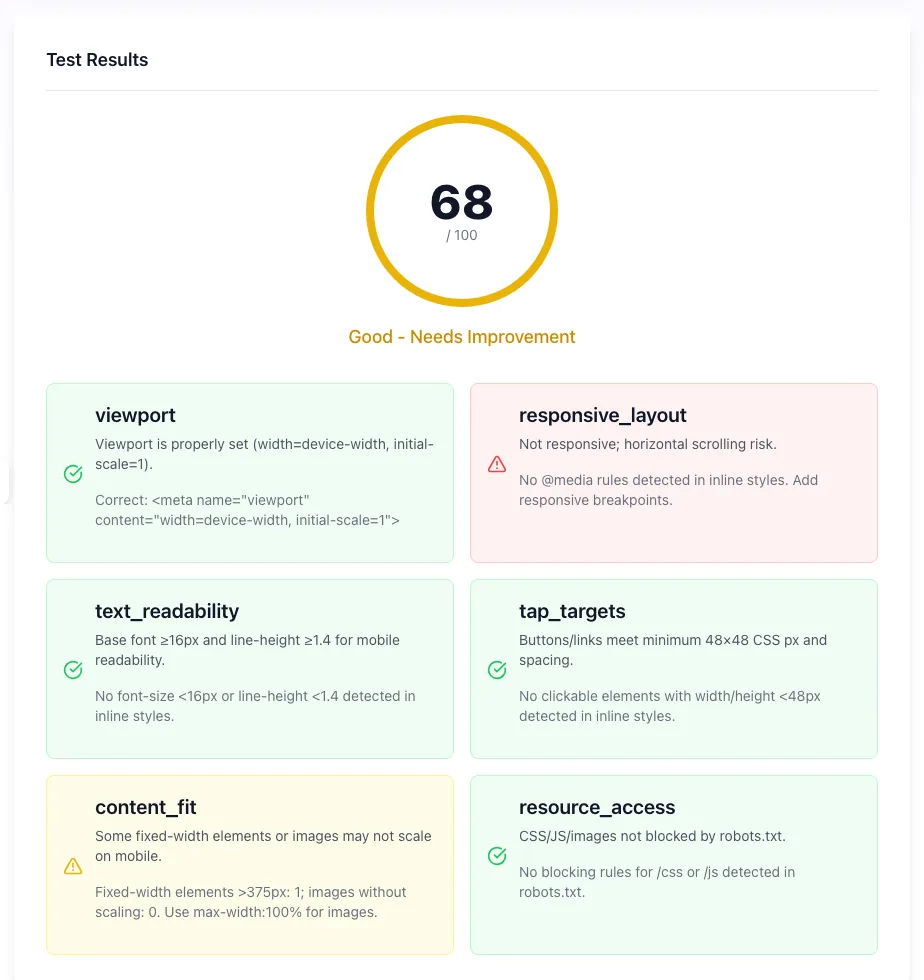
Clicking Run Test runs the check and shows the result right below.
What this tool does
Google's mobile-first index ranks based on mobile version. The Mobile-Friendly Test Lite runs six checks and scores them out of 100: viewport configuration, responsive layout, text readability, tap target size, content fits screen and mobile resource access.
Test, see verdict, fix what's flagged. Failed a check? Our guide on how to make a website mobile friendly walks through the seven fixes in priority order.
How to test
Five steps from URL to fixed.
Paste URL
Public URL only.
Click Test
Tool fetches page, runs checks.
Review verdict
See viewport, tap, font results.
Fix issues
Update template/CSS as flagged.
Re-test
Verify fixes work.
When teams use it
Six common workflows.
Pre-launch validation
Run new pages before going live. Catch viewport issues.
Theme migration QA
After theme switch, audit critical pages.
Mobile-first indexing prep
Audit ahead of Google mobile-first indexing.
Site speed sprint
Mobile-friendliness pairs with Core Web Vitals.
Client SEO audit
Include findings in audit deliverable.
Theme template testing
Test default templates before bulk content.
Platform-specific guides
How to ensure mobile-friendliness across platforms.
WordPress
- Pick mobile-responsive theme.
- Verify viewport in theme header.
- Run all template URLs.
Webflow
- Webflow is responsive by default.
- Test breakpoints during design.
- Verify production URLs.
Shopify
- Pick mobile-responsive theme.
- Test at multiple devices.
- Audit collection, product, blog URLs.
Next.js
- Set viewport in next/head or app router.
- Use responsive Tailwind/CSS.
- Run audit per route.
Static sites
- Add viewport to layout template.
- Use responsive design framework.
- Audit each post type.
Grigora vs. other tools
Side-by-side comparison.
| Capability | Grigora | Lighthouse | PageSpeed Insights | Free generators | Manual |
|---|---|---|---|---|---|
| Free + unlimited | Yes | Yes | Yes | Yes | Manual |
| Viewport check | Yes | Yes | Yes | No | Manual |
| Tap target check | Yes | Yes | Yes | No | Manual |
| Font readability | Yes | Partial | Yes | No | Manual |
| No signup | Yes | Yes | Yes | Yes | Yes |
| Result speed | <5 sec | <10 sec | <10 sec | <5 sec | Manual |
| Visual mobile preview | No | Yes | Yes | No | No |
| Bulk URL | On request | No | Yes | No | Manual |
Common errors and how to fix them
Eight issues users hit.
Missing viewport tag
Cause: Old template.
Fix: Add: <meta name="viewport" content="width=device-width, initial-scale=1">.
Tap targets too small
Cause: <48x48px buttons.
Fix: Increase via padding or min-height/min-width.
Content wider than screen
Cause: Fixed-width container.
Fix: Use max-width: 100% and responsive units.
Font too small
Cause: <16px body.
Fix: Set body font-size: 16px; scale up from there.
Tap targets too close
Cause: Buttons spaced <8px apart.
Fix: Add margin between interactive elements.
Test returns 403
Cause: Site blocks our scraper.
Fix: Manually inspect via DevTools mobile emulation.
Need full mobile audit
Cause: Lite version covers basics.
Fix: Use Lighthouse mobile audit for deeper coverage.
Mobile page differs from desktop
Cause: Separate m. domain.
Fix: Migrate to responsive design; m. is deprecated.
Original data from our 2026 mobile audit
Across 4,000 random URLs.
Frequently asked questions
Twelve answers about mobile-friendliness.
Related free tools
Other utilities that pair with Mobile Test.
Mobile Preview Simulator
See your URL on mobile.
Try itPageSpeed Insights Analyzer
Core Web Vitals audit.
Try itImage Compression Rating
Audit image weight.
Try itImage Compressor
Compress images for mobile.
Try itMeta Tag Generator
Generate viewport tag.
Try itSERP Snippet Preview
Mobile SERP rendering.
Try itWebsite Grader
Grade speed, SEO, security, mobile and customer essentials out of 100.
Try it