A word on where this comes from. Grigora makes a website builder, so we have an interest in where Weebly users go next, and we say where that matters. The dates, the country list and every Weebly menu path below come from Weebly's own notice and its help centre. We re-read the notice on 17 November 2026; Weebly last edited it on 13 August 2026. We cross-checked the dates with Khaleej Times and with the reseller notices from Network Solutions and Ultra Web Hosting, both linked below. If anything here differs from what your Weebly account shows you, your account is right.
No, not everywhere. Weebly is closing in 67 countries only. There, publishing stopped on 29 June 2026, sites went offline on 27 September 2026, and 26 December 2026 is the last day owners can sign in to download anything. In the US, the UK, Canada, Australia, New Zealand, India, Ireland, Japan and the EU, Weebly keeps running as of 17 November 2026, although Weebly itself steers new sites to Square Online. If you are in one of the 67 countries and it is still before 26 December 2026, save everything first: account data, each site's archive, blog posts, contacts, store files and your domain. If that date has passed, skip to the section on what you can still recover. If you are in one of the 67 countries and bought Weebly through Network Solutions or Ultra Web Hosting, check your host's dates too, because both name 2 January 2027 for those countries. Rebuilding comes after, and this guide covers each step.
At a glance
As of 17 November 2026
Who owns Weebly?
Square, now Block, Inc., which agreed in 2018 to buy it for about $365 million
Where is it closing?
67 countries, listed by region below
When did publishing stop there?
29 June 2026
When did sites go offline?
27 September 2026
Last day to sign in
26 December 2026, with no time zone given
Reseller dates (same 67 countries)
Network Solutions: Weebly is no longer available in those countries after 2 January 2027. Ultra Web Hosting: sites there are unpublished on 2 January 2027.
US, UK, Canada, Australia, EU
Weebly keeps running. It has "no plans to discontinue" the builder "at this time" and encourages new sites on Square Online
Can a Weebly site be imported automatically?
Into Grigora, no: it has no Weebly importer, so the move is a rebuild. A few other builders offer their own Weebly importer; see Where to move your Weebly site.
How many sites use Weebly?
0.4% of all websites (W3Techs, November 2026, including Square Online)
Find your situation first: the right next step depends on where you are and on the date.
Weebly has belonged to Square, now called Block, Inc., since 2018. Square's 2018 announcement, dated 26 April 2018, put the price at about $365 million in cash and stock, when Weebly had more than 625,000 paid subscribers. In June 2026 Weebly told customers in 67 countries that it was winding down its service there, giving changes in regulation and a simpler global operation as the reasons. The notice's own wind-down date is 20 September 2026; sites and plan features ran one more week, until 27 September 2026. As of 17 November 2026 the notice is still on Weebly's help centre, unchanged since its last edit on 13 August 2026.
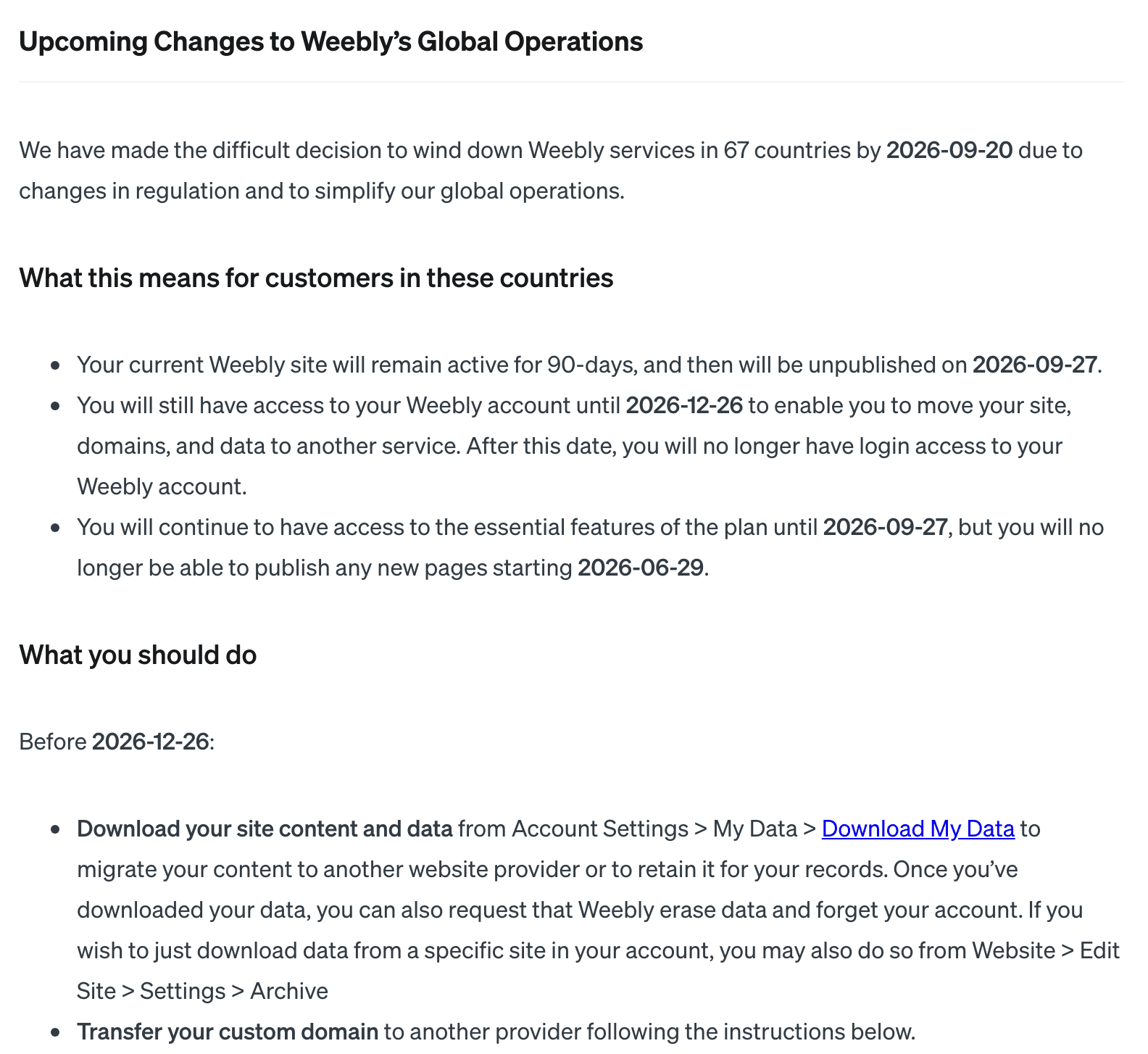
Weebly's own notice in its help centre, captured on 14 November 2026 and unchanged as of 17 November 2026.The five dates in Weebly's wind-down, including the 2 January 2027 date two resellers give their customers.
The notice gives 26 December 2026 without a time zone, so if it is still before that date, finish by 25 December and a time difference cannot cost you the last day. If you bought Weebly through a web host rather than from Weebly itself, read that host's notice too, because the dates differ. Network Solutions' notice says its customers' sites in the 67 countries were unpublished on 27 September 2026, account access lasts until late December, and Weebly is no longer available in those countries after 2 January 2027. Ultra Web Hosting's notice says no new sites could be published after 4 October 2026 and its customers' sites are unpublished on 2 January 2027, so an Ultra site may still be online for you to copy. Neither notice changes anything for reseller customers outside the 67 countries. When your host and Weebly disagree, work to the earlier date.
Which 67 countries are affected
Every country in Weebly's notice, shaded. Dots mark places too small to see at this size.
Region
Countries
Asia and the Pacific (17)
Bangladesh, Cambodia, French Polynesia, Kazakhstan, Laos, Malaysia, Nepal, New Caledonia, Pakistan, Palau, Singapore, South Korea, Taiwan, Tajikistan, Thailand, Uzbekistan, Vietnam
Middle East (6)
Bahrain, Jordan, Oman, Saudi Arabia, Turkey, United Arab Emirates
Albania, Andorra, Armenia, Azerbaijan, Belarus, Bosnia and Herzegovina, Georgia, Iceland, Moldova, Montenegro, Russia, Serbia, Ukraine
Latin America and the Caribbean (11)
Aruba, Bahamas, Barbados, Chile, Colombia, Costa Rica, Ecuador, Paraguay, Peru, Suriname, Uruguay
The notice names "Congo" without saying which one, so if you are in either, treat yourself as affected. It also speaks of customers in these countries without defining whether that means where you live, where you pay or where your site is published. If those are different places for you, ask Weebly support which applies, and download your data whatever the answer.
Not on the list: the US, the UK, Canada, Australia, New Zealand, India, Ireland, Japan and every country in the EU. Iceland and Andorra are the only entries from Western Europe. If you cannot find your country, note that Turkey is listed under the Middle East, Egypt under Africa, Kazakhstan under Asia and the Pacific, and Russia, Georgia, Armenia and Azerbaijan under Europe and the Caucasus.
Is Weebly shutting down in the US?
No, as of 17 November 2026. The US, the UK, Canada and Australia are not among the 67 countries, and the June 2026 notice changes nothing for customers there. Weebly's support page, last updated in April 2025, still says Weebly has "no plans to discontinue the Weebly website builder at this time" and encourages new sites to be built with Square Online. That is a statement of current plans, not a guarantee. If your business depends on a Weebly site, download your data now and again after big changes, keep your own copy of your blog posts, and capture each page while it is live with our free website screenshot generator. A live site can also be the starting point for a rebuild, because Grigora's AI can draft a new site from its address.
Is Weebly down, or is it the shutdown?
If your site is in one of the 67 countries and shows nothing, that is the shutdown, not an outage: Weebly unpublished those sites on 27 September 2026. We found no public Weebly status page in November 2026 (status.weebly.com returns an error), and Square's status page lists Square Online but not Weebly, so for anything else, contact Weebly support. If it is the app you are missing, Website Builder Expert reported on 30 October 2025 that Weebly had emailed customers that its mobile app would leave the App Store and Google Play on 1 December 2025.
Do people still use Weebly, and is it still worth it?
Yes, though not many. W3Techs measured Weebly on 0.4% of all websites and 0.6% of the sites whose content management system it can identify in November 2026, and that figure includes Square Online. Sites in the 67 countries have been offline since 27 September 2026, and Weebly's own support page points new sites to Square Online. Our verdict: an existing Weebly site outside the 67 countries keeps working and does not need an emergency move, but for a new site, pick a platform that is actively developed and lets you export your content, so a future closure cannot trap you.
How to download everything from Weebly, step by step
In the 67 countries every export below needs a sign-in, so none works after 26 December 2026; if that date has passed, go straight to what you can still recover. Everywhere else the same exports have no deadline and make a full backup. A Weebly site is several things stored in different places, and each one leaves Weebly through its own export. None of them needs the site to be online, so they keep working after a site goes offline. The chart below is the whole job on one page; the steps after it show where each export lives.
Six exports, and where each one ends up. Menu paths are from Weebly's help centre.
1. Download your account data
This is the first step in Weebly's own notice. Go to Account Settings, then My Data, then Download My Data. It covers the content and data in your account, so it is the closest thing to one backup of everything. Once you have it, Weebly also offers to erase your data and forget your account; leave that until every other step below is done.
2. Download each site as an archive
Open the site in the editor, go to Settings, then General, and scroll down to Archive. Enter your email address and choose Email Archive. Weebly emails you a link to a .zip file of the site. Repeat it for every site in the account, and open each .zip to check the pages are there before you rely on it. Weebly's backup guide adds three warnings: blog and store pages are not in the archive, contact forms and slideshows may not work outside Weebly, and the file cannot be imported back into Weebly.
3. Save your blog posts
Because the archive leaves the blog out, give it its own pass. Open each post in the editor, copy the text into a document and save the images, starting with the posts that bring visitors or explain what you sell. Write down each post's address while you are there, because you will want to redirect it later. Then check what your Download My Data file already holds, so you do not do the work twice.
4. Export your email contacts
If you send newsletters from Weebly, open the Marketing dashboard and go to Contacts, then Mailing Lists. Choose All Contacts and click Export for one CSV of everyone, or open a single list and export just that one (Weebly's contacts guide). Keep a note of how people signed up, because you will need it as a consent record when you import them elsewhere.
5. Export your store items and orders
For products, go to Items, then Site Items, click the ··· menu and choose Export. Weebly emails you a CSV with one row for every option combination, so a T-shirt in four sizes and two colours fills eight rows (Weebly's item export guide). For sales history, open Orders and click Export Orders, choose all orders or a date range, and pick a CSV or a QuickBooks file (Weebly's order export guide). The orders are for your records and your accountant; no new platform imports another one's order history in a useful way.
6. Move your domain
If you bought your domain through Weebly, transfer it to a registrar you control well before 26 December 2026, not in the last week. From your Weebly dashboard go to Websites, then Domains, click Manage and Manage Domain, and turn off the Registrar Lock. Weebly then shows the EPP authorisation code your new registrar asks for. The notice also suggests keeping the domain with Weebly and pointing it at another host. In the 67 countries that leaves you with no login to change its settings after 26 December 2026, so transfer it. Four rules from Weebly's notice are worth knowing, plus one change ICANN has agreed:
A domain cannot be transferred in the first 60 days after it was registered. That is an ICANN rule, not Weebly's, and it still applies as of November 2026.
Do not change the domain's contact details (name, email or phone) before the transfer. Under the rules in force as of November 2026, doing so locks the domain for 60 days.
Turning off the registrar lock also turns off Whois privacy, so set privacy up again at the new registrar.
Country domains such as .co.uk or .de transfer differently. If you bought one through Weebly, ask Weebly support to help.
ICANN adopted changes to the transfer rules on 7 June 2026, but had set no start date as of November 2026, so the two 60-day rules above still apply. If a transfer is refused, ask the registrar that holds the domain which rule it applied.
If your business email runs on Google Workspace bought through Weebly, contact Weebly support so they can move the account straight to Google, and do it before the domain moves, or messages to your address can stop arriving.
If you bought Weebly through a web host, your domain is usually registered with that host, not with Weebly. Network Solutions' notice says the domain is separate from the Weebly site and keeps working, so it needs pointing at the new site, not a transfer.
What the archive gives you, and what it does not
Part of your site
In the site archive?
Where to get it instead
Page text and layout, as static HTML
Yes
Nothing more to do
Images on your pages
Yes
Keep the originals too if you have them
Blog posts
No
Copy each post, and check Download My Data
Store items
No
Items, Site Items, Export
Orders
No
Orders, Export Orders
Email contacts
No
Contacts, Mailing Lists, Export
Contact forms and slideshows
In the files, but they may not work
Rebuild them on the new site
An editable Weebly design
No
Cannot be exported anywhere
Your domain
No
Transfer it with the EPP code
The archive is a snapshot to rebuild from, not a site you can carry across as it is. You could upload the files to a web host and get pages back online quickly, but forms, the store and anything else that ran on Weebly's servers will not work, and every later change means editing HTML by hand. If you host the archive yourself and later change the page addresses, our free URL redirect generator writes the Apache or Nginx rules that send the old .html addresses to the new ones.
After 26 December 2026: what you can still recover
Once logins end, nothing inside the Weebly account can be reached, and the notice offers no way back in. Some of your work still exists outside Weebly, though, and the domain can still be moved. Work through these in order.
Your inbox. Search your email for archive and export messages from Weebly that you already requested, and download the files. The notice does not say how long those links last, so do this first.
The Wayback Machine. The Internet Archive may hold copies of your public pages. Search web.archive.org for your address and copy the text and images from each capture (how to use the Wayback Machine). Coverage varies, and pages that were never captured are not there.
Your payment provider. The account you took payments through, such as Square, Stripe or PayPal, keeps its own record of each payment. Export your sales history there for your accountant.
Your contacts. A mailing list you did not export cannot be retrieved. Rebuild it from order emails and your own inbox, and invite people to sign up again rather than importing them without consent.
Your domain. A domain does not vanish on 26 December. Look up its registrar of record and expiry date at ICANN Lookup, so you know who holds it and how long you have, then ask Weebly support and that registrar for the auth (EPP) code. ICANN's Transfer Policy (section I.A.5.2) requires a registrar that offers no self-service tool to give the registrant the code within five calendar days of the request. Country domains such as .co.uk follow their own registry's rules.
Reseller customers in the 67 countries. If you bought Weebly through Network Solutions or Ultra Web Hosting, your host names 2 January 2027, so act through the host and ask what it can still export.
Whatever you recover, you can rebuild from it. Grigora's AI Editor accepts images, PDFs and CSV files as attachments, up to 10 MB each and 10 per turn, so saved screenshots and page PDFs can go straight to the AI for the rebuild described below.
Choose the new home on five things, in this order. Our 25-point checklist of what to weigh before you build the new site covers platform choice, year-one cost and what you can export in more detail.
Whether it can import a Weebly site. Weebly's archive cannot be imported back into Weebly, but some builders have built their own Weebly importer. Articulation, for example, says it converts a site from its address while it is still online, and for a site that is already offline it offers an export made inside the Weebly editor with a Chrome extension, which needs a Weebly sign-in and so stops working when logins end on 26 December 2026. We have not tested it. Grigora has no Weebly importer, so choose it when you want a fresh AI-drafted site, not a copy of the old design.
Payments where you are. If you sell, check that the platform's payment providers accept businesses in your country before you rebuild anything, using the provider's own country list, such as Stripe's. As of November 2026, Square takes payments in only eight countries (Australia, Canada, France, Ireland, Japan, Spain, the UK and the US), none of them on Weebly's list, so Square Online is not a way out for most affected sellers.
How fast you can rebuild. If your site is already offline, every week counts. A builder that drafts the pages for you gets you back in front of customers sooner than an empty template does; see how long a website rebuild takes by scope.
What you can take with you next time. Check that the new platform lets you export your content, so a future closure does not leave you here again.
The cost of the plan you will really need. Price in a custom domain, email marketing and a store if you use them, not just the cheapest plan on the page.
Our comparisons of Grigora with Weebly, Square Online, Wix, Squarespace and WordPress go through each one feature by feature, including where the other platform is the better choice, and the pricing page lists what every Grigora plan includes.
How to move your Weebly site to Grigora, step by step
Grigora cannot import a Weebly site automatically. Its importer (Settings, then Migration) brings content across from WordPress, Webflow, Wix, Duda, Ghost and Blogger, and none of them reads a Weebly archive. So the move is a rebuild with your exports as the source, and the steps below match the downloads above, one for one. If your Weebly site is still online, as US sites are and as an Ultra Web Hosting customer's site can be until 2 January 2027, paste its address and the AI drafts from it; sites unpublished on 27 September 2026 cannot be read this way. Our explainer sets out what Grigora includes and what it does not do. If you would rather not do it alone, skip to the section on our migration team below.
1. Start from a sentence
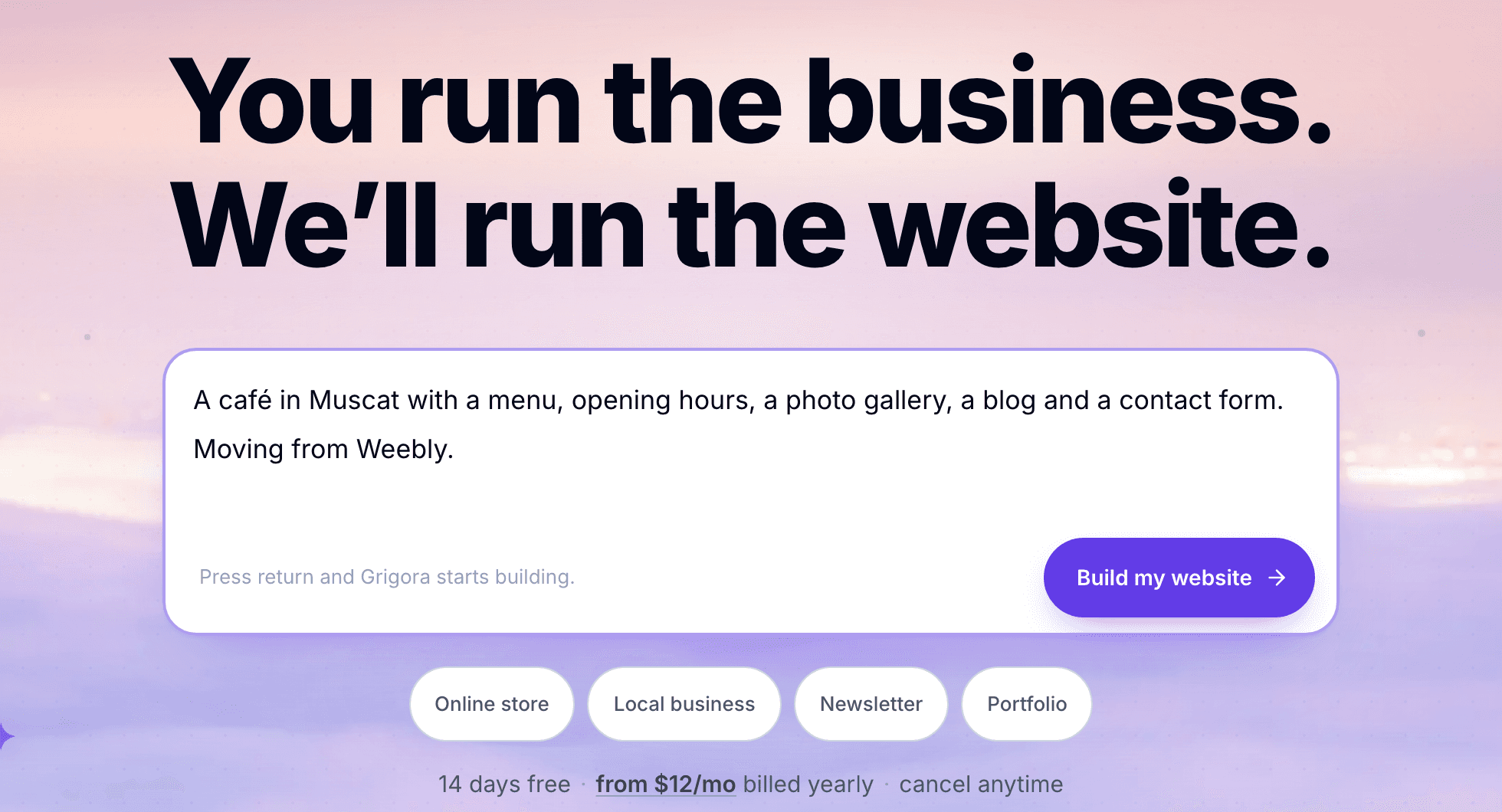
Describe your business in one or two sentences on the Grigora homepage, including the pages you had on Weebly, or paste your old site's address if it is still online, and Grigora's AI drafts the site: pages, layout, copy and images. The 14-day trial needs no card. Our step-by-step AI website builder tutorial shows the whole build, from the first description to publishing.
Starting a new site from a description on grigora.co. The café is a sample.
2. Put your own words and photos back
Open your Weebly archive, or the pages you recovered, next to the draft. For each page, copy your text into the matching page of the draft, and upload your photos in place of the AI's images. Keep your page names where you can, because customers know them.
3. Paste in your blog posts
Add the posts you saved as new posts in the blog, with their images and original titles. Where you can, give each one an address close to its old one, so the redirects in step 7 are easy to match.
4. Import your email contacts
In Newsletter, choose Import contacts and drop in the CSV you exported from Weebly. Grigora takes files up to 1,000,000 rows. Match the email column (the only required one) and any name columns, choose which lists the contacts join, and write a consent note such as "Exported from Weebly, signed up on our website". The import sends no double opt-in email unless you ask it to, and anyone who had unsubscribed from a list stays off it. Two limits matter for a big list: during the 14-day trial the newsletter holds 50 subscribers and sends one campaign a month, and Grigora's shared sender caps campaigns at 1,000 recipients per campaign and per day, so a larger list needs your own SMTP server. If you are still deciding where the list should live, compare newsletter and group emailing tools first.
5. Re-create your products and connect payments
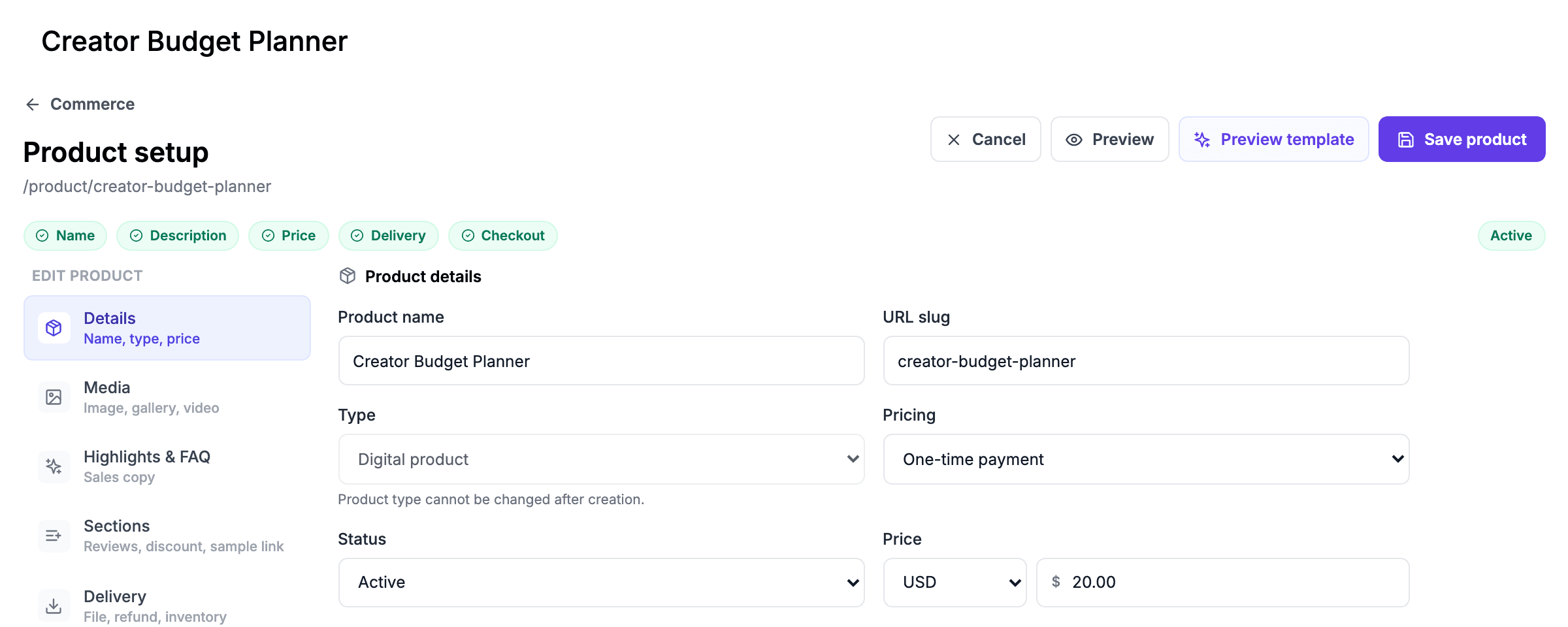
Grigora has no product CSV import, so use your Weebly item export as the checklist and add each product in the store, with its options, stock and price. Then connect your own Stripe, PayPal, Paddle, Razorpay or Paystack account. Payments go to your account with that provider, and Grigora takes no commission on sales, though the provider's own fees still apply. Checkout is one-time payments only, with no subscriptions or recurring billing. If none of those five providers accepts businesses in your country, Grigora is not the right store for you. If you sold downloads on Weebly, see where to sell digital products and what each route costs.
Adding a product in the Grigora dashboard. The product shown is a sample.
6. Connect your domain
Once the domain has arrived at your new registrar, open Settings, then Custom Domain in Grigora, add the domain and copy the DNS records it gives you into the registrar. Both the plain domain and the www address can point at the site, with one redirecting to the other once both records are connected. Connecting a custom domain needs a paid plan (Starter is $15 a month, or $144 a year, which works out at $12 a month; prices checked 17 November 2026), and Grigora does not register domains, so the domain stays at the registrar you moved it to. Once the DNS change has spread, confirm the site loads over HTTPS with our free SSL checker.
7. Redirect your old Weebly addresses
Once the domain is connected, redirect your old addresses. Links to your old pages still sit in search results, emails, social posts and other people's sites. Weebly page addresses usually end in .html, such as /about.html, so they will not match your new pages on their own. In Settings, open URL Redirect and click Add redirect: enter the old page path, then the new page it should go to. Grigora uses a 301 permanent redirect by default, which is the right choice for a move. Do the pages and posts that get the most visits first, then check them with our free redirect checker.
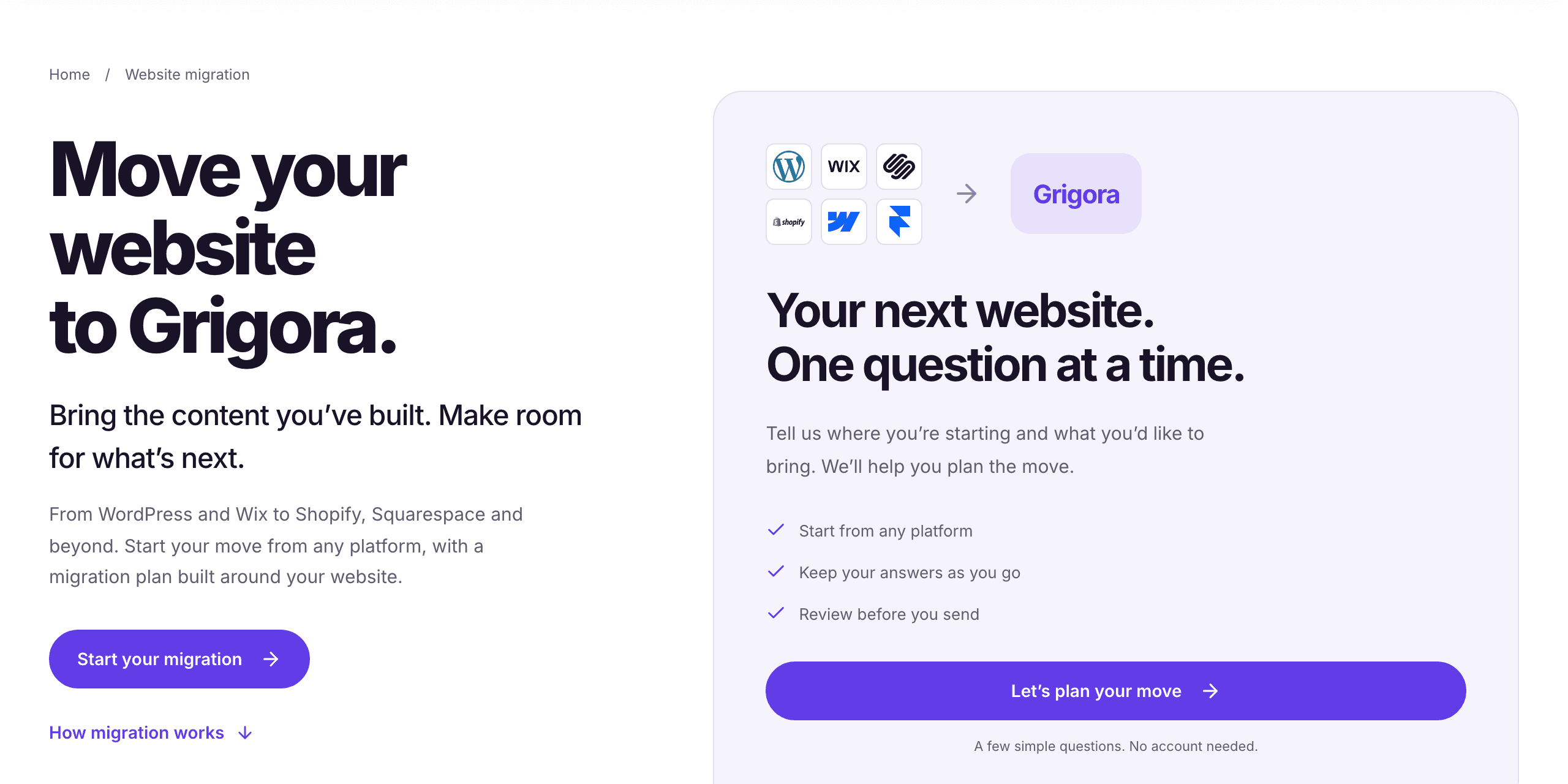
If you have several sites, a store or a long blog, or you would rather hand the rebuild to someone else, start on our website migration page. It asks a few questions about where your site lives and what you want to bring, with no account needed, and our team plans the move with you from there. Tell them your site was on Weebly and attach the archive or the pages you saved.
The migration page at grigora.co/migration, captured on 14 November 2026.
Agencies and freelancers with clients in the 67 countries face the same deadline for every client site, and each export has to be run from the account that owns the site. List every client site, who holds the account and who holds the domain, and collect every client's downloads before 26 December 2026. For clients who missed that date, work through the recovery steps above for each site and domain. If you are pricing the ongoing work, see what agencies charge for website maintenance packages.
Hosting companies and agencies that resold Weebly under their own name are losing the product itself. Grigora's White Label plan costs $199 a month billed yearly ($2,388, prices checked 17 November 2026) for up to 100 client websites: clients sign in to a dashboard on your own portal domain with your logo, you set your own client plans, and clients pay you through your own Stripe account. The White Label page lists every setting.
No, as of 17 November 2026. Weebly is closing in 67 countries only. In the US, the UK, Canada, Australia, New Zealand, India, Ireland, Japan and the EU it keeps running.
No, as of 17 November 2026. None of them is on the list of 67 countries. Weebly's support page, last updated in April 2025, says it has no plans to discontinue the builder at this time, while encouraging new sites to be built with Square Online.
If your site is in one of the 67 countries and shows nothing, that is the shutdown, not an outage: those sites were unpublished on 27 September 2026. We found no public Weebly status page in November 2026, and Square's status page lists Square Online but not Weebly, so contact Weebly support. Website Builder Expert reported that Weebly's mobile app was due to leave the app stores on 1 December 2025.
Square, now called Block, Inc. It announced on 26 April 2018 that it would buy Weebly for about $365 million in cash and stock, when Weebly had more than 625,000 paid subscribers.
Yes, though few. W3Techs measured Weebly on 0.4% of all websites and 0.6% of sites with a known content management system in November 2026, a figure that includes Square Online. Sites in the 67 countries have been offline since 27 September 2026.
Existing Weebly sites outside the 67 countries keep working as of November 2026. But Weebly's own support page encourages new sites to be built with Square Online and says only that there are no plans to discontinue the builder at this time. For a new site, choose a platform that is actively developed and lets you export your content.
Sites in the 67 countries were unpublished on 27 September 2026, after publishing stopped on 29 June 2026. Ultra Web Hosting's notice gives its own customers in the 67 countries a later date: their sites are unpublished on 2 January 2027.
26 December 2026 is the last day you can sign in. The notice gives no time zone, so if that date is still ahead, finish by 25 December. Network Solutions and Ultra Web Hosting customers in the 67 countries should also read their host's notice, which names 2 January 2027, and work to the earlier date.
Download any archive or export files Weebly already emailed you, check the Wayback Machine for copies of your public pages, and export your sales history from your payment provider. For the domain, find its registrar at ICANN Lookup and ask for the auth code.
Usually, if you are the domain's registered owner. Look up its registrar of record and expiry date at lookup.icann.org, then ask Weebly support and that registrar for the auth (EPP) code. Under ICANN's Transfer Policy (section I.A.5.2), a registrar with no self-service tool must give it to you within five calendar days of your request; country domains such as .co.uk follow their own registry's rules.
As of November 2026, Weebly's notice does not mention refunds or billing. Check the billing page in your account while you can still sign in, and ask Weebly support in writing. If you bought through Network Solutions, its notice says to cancel through its 24/7 chat or by phone.
For everything in the account, go to Account Settings, then My Data, then Download My Data. For one site, open it in the editor and go to Settings, then General, then Archive, enter your email and choose Email Archive. Weebly emails you a link to a .zip. Both need you to sign in, so neither works after 26 December 2026 in the 67 countries.
No. Blog and store pages are left out. Copy your posts separately, and export store items from Items, then Site Items, then Export.
In the Marketing dashboard, go to Contacts, then Mailing Lists, choose All Contacts and click Export to download a CSV.
In your dashboard go to Websites, then Domains, click Manage and Manage Domain, and turn off the Registrar Lock to get the EPP code. Give that code to your new registrar. Do not change the contact details first: under the rules in force as of November 2026, that locks the domain for 60 days.
No. Grigora has no Weebly importer. Download your data, let Grigora's AI draft a new site from a sentence, or from your old site's address if it is still online, then put your own text, images and posts in, import your contacts from the CSV and add redirects from your old page addresses.
Get the next guide by email
Practical writing on building a site, growing an audience and sending email people open. No more than one a week.